Why Are We Still Losing 40 Hours on Takeoffs?
Let’s be honest—manual drawing takeoffs are a mess. Two estimators spend two full days measuring areas, walls, and counts from PDF drawings. Multiply that by five GMP pursuits a year, and you’re burning through hundreds of hours just to get quantities. And for what? Half the time, you’re remeasuring because the client uploads a revision set at the 11th hour.
It’s frustrating. It’s repetitive. It’s expensive.
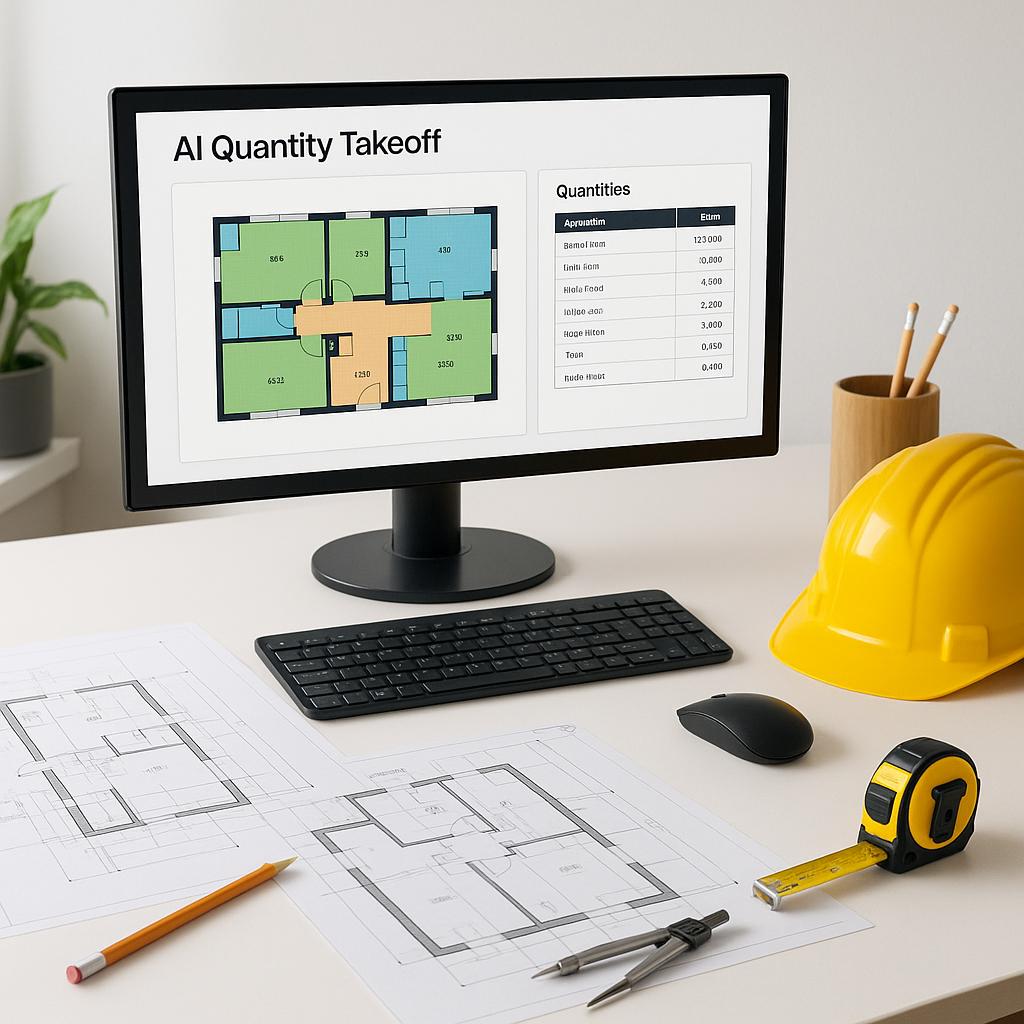
In my view, this is where AI-powered tools like EstimateNext really shine. The Vision AI feature does in 10 minutes what normally takes 40 hours. Seriously, 10 minutes. You upload the drawing set, and it automatically extracts room areas, wall lengths, door/window counts, and more. [^6]
The Hidden Costs of Manual Takeoffs
Manual takeoffs don’t just cost time—they cost money, accuracy, and opportunities. Let’s break it down further:
Labor Costs
For a general contractor, estimating labor costs can be staggering. Say your team spends 40 hours per estimate and completes five GMP pursuits annually. That’s 200 hours gone. If your loaded hourly rate for an estimator is $130/hr, you’re spending $26,000 per year just on takeoffs. And that’s assuming everything runs smoothly—no revisions, no errors, no overtime.
Opportunity Costs
Every hour spent manually measuring drawings is an hour you’re not pursuing other bids or refining your proposal. Faster takeoffs mean faster estimates, and faster estimates mean you can respond to more RFPs. If AI can reduce your takeoff time from 40 hours to just one, you could potentially double the number of bids you pursue each year.
Risk of Errors
Manual measurements are prone to human error. Miss a dimension or miscalculate an area, and you’re looking at costly change orders or disputes later. AI tools mitigate this risk by automating repetitive measurements and flagging areas of uncertainty for review.
How AI Takeoff Tools Work (And Why They’re Reliable)
You might be thinking, “How accurate can AI really be with something as complex as construction drawings?” That’s a fair question. AI isn’t perfect, but it’s shockingly accurate when implemented correctly.
AI tools like EstimateNext use machine learning algorithms trained on thousands of drawing sets to identify patterns, dimensions, and annotations. The system assigns confidence scores to each measurement, flagging anything it’s unsure about so you can review it manually. This combination of automation and human oversight ensures reliability.
Case Study: Mid-Sized General Contractor
Take the example of a mid-sized general contractor bidding on a high-rise project. Using Vision AI, the team saved 120 hours—two full weeks of labor—without sacrificing precision. The estimator didn’t relinquish control; instead, they focused on higher-level tasks like scope adjustments and subcontractor negotiations while the AI handled the grunt work.
Objection: “But AI Can’t Think Like an Estimator”
This is the most common critique of AI tools. “AI doesn’t understand the nuances of construction.” And you know what? That’s true. AI isn’t meant to replace your judgment—it’s meant to amplify it.
The Role of Human Expertise
Think of AI as your assistant, not your replacement. You’re still the one making decisions on scope, markup, and subcontractor selection. The AI simply handles the repetitive, time-consuming tasks like takeoffs and recalculations. For example, if a client requests additional finishes or changes to the layout, you decide how those changes impact the overall bid while the AI recalibrates measurements automatically.
Practical Example: MEP Subs
This is especially relevant for MEP subcontractors, who often deal with complex systems and time-sensitive bids. A typical quote cycle for an MEP sub takes 72 hours, leaving little room to hit tight deadlines. With AI, this cycle can shrink to just four hours—an 18x improvement.
Real Savings, Real ROI
Let’s do some math:
- Time Savings: Reduce takeoff time from 40 hours to 1 hour per estimate.
- Labor Costs: Assuming a loaded rate of $130/hr, that’s $5,200 saved per estimate.
- Annual Savings: For five GMP pursuits, you save $26,000 annually on labor alone.
Now consider the intangible benefits. Faster takeoffs mean faster estimates, which allow you to pursue more bids. Even a small increase in bid volume can have a massive impact on your revenue.
Case Study: Large Commercial Bid
One large contractor reported a 15% improvement in bid win rates after adopting AI-powered tools. By responding to more RFPs in less time, they secured three additional projects in the first year—each worth over $10M.
How AI Handles Revisions
Revisions are a nightmare. Clients change specs last minute, and you’re stuck recalibrating every measurement manually. This can add days to your timeline and introduce errors.
AI’s Solution
Vision AI tackles revisions head-on. Upload the new drawing set, and the system automatically compares it to the previous version. It highlights changes—additions, deletions, and modifications—so you don’t miss critical updates. This alone can save hours of manual recalibration.
Why Speed Matters
Speed isn’t just about saving time—it’s about staying competitive. Faster takeoffs mean faster estimates. Faster estimates mean responding to more RFPs. And more RFPs mean higher win rates.
Comparison Table: Manual vs. AI Takeoffs
| Feature | Manual Takeoffs | AI-Powered Takeoffs |
|---|---|---|
| Time per Estimate | 40 hours | 1 hour |
| Accuracy | Prone to human error | Confidence scoring + human review |
| Revision Handling | Manual recalibration | Automatic comparison |
| Labor Cost per Estimate | $5,200 | $130 |
| Training Time | N/A | 2 weeks |
FAQ: Common Questions About AI Takeoffs
Q: How accurate are AI-generated takeoffs?
AI tools like EstimateNext are highly accurate, but no system is perfect. That’s why features like confidence scoring and manual override exist, so you can adjust as needed. [^5]
Q: Does AI work for smaller projects?
Absolutely. AI scales to any project size, whether it’s a $1M renovation or a $1B rail bridge. [^1]
Q: What happens if the client uploads revisions?
Tools like Vision AI automatically compare changes across revision sets and highlight what’s been modified. No more manual recalibrations. [^6]
Q: Can AI integrate with existing software like Bluebeam or Procore?
Yes. EstimateNext integrates seamlessly, so you can export estimates directly into your workflows. [^5]
Q: How long does it take to train a team on AI tools?
Most platforms are designed for ease of use. Training typically takes under two weeks. [^1]
If you're tired of wasting 40 hours on manual takeoffs, EstimateNext can help. Get started free →