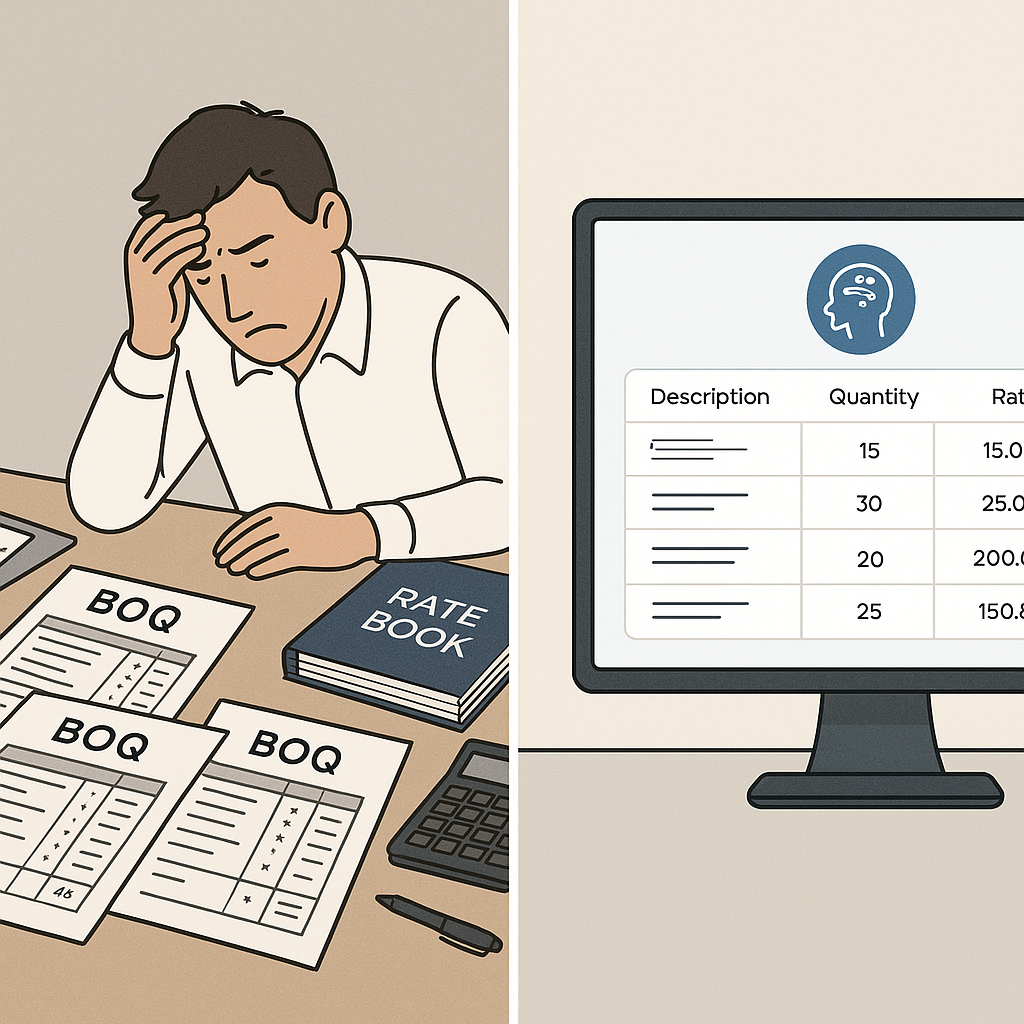
The Brutal Reality of Manual BOQ Pricing
Let’s face it: pricing a BOQ (Bill of Quantities) manually is a slog. You’re flipping through massive rate catalogs, cross-checking labor, materials, and equipment costs, and praying your Excel formulas don’t break. For a mid-sized project, this process easily eats up 10-12 hours, sometimes more. That’s time you don’t have when deadlines are tight and bids stack up.
Here’s the kicker: it’s not just slow—it’s risky. One misplaced cell, one outdated rate, and your bid can swing wildly off target. I’ve seen it happen too often. For example, a contractor underbid a highway project by $820,000 because they missed a 12% inflation adjustment on asphalt. Ouch.
Manual BOQ pricing also limits scalability. Imagine estimating for 20 bids in a month. Without automation, you’re forced to either hire a larger team (which drains profits) or pass up on opportunities. Neither option is ideal.
Enter AI-Powered Rate Matching
This is where AI tools like EstimateNext change the game. Instead of flipping through a 2,000-page PDF of CPWD DSR rates or RSMeans, AI can match BOQ line items to the right rates in seconds. Not just any rates—the most relevant ones, based on location, inflation factors, and your historical data.
How Does It Work?
AI-powered rate matching isn’t magic—it’s a structured process. Here’s how EstimateNext handles it:
- BOQ Parsing: You upload your BOQ (Excel, CSV, or even a messy PDF). The AI detects section headers, merged cells, and hierarchies automatically.
- Semantic Rate Search: Type in “M30 concrete with reinforcement” or “12mm CPVC piping,” and it pulls matching SORs (Schedule of Rates) instantly. No keyword gymnastics required.
- Tenant History Check: The system remembers your past projects. If you priced formwork at $12/SF last quarter, it suggests that rate first.
- Fallback Logic: Can’t find an exact match? The AI widens the search to similar items or suggests a composite rate based on materials and labor.
Real-World Example
A regional contractor in India using EstimateNext shaved 14 hours off their last tender submission just by automating rate matching. Multiply this time savings across 30 bids a year, and you’re looking at 420 hours saved annually—time that can be reinvested into strategic tasks like client acquisition or bid refinement.
What About Custom or Project-Specific Rates?
You might be thinking, “This sounds great, but my projects don’t fit neatly into standard catalogs.” Fair point. Some AI tools fall short here, but not all. EstimateNext lets you upload your own custom rates or define unique adjustments (e.g., site-specific factors like remote delivery costs). Once uploaded, these rates are integrated into future searches automatically.
Case Study: A Bespoke Approach
One user, a fit-out contractor specializing in high-end office interiors, added bespoke FF&E (Furniture, Fixtures & Equipment) rates to their catalog. During a Cat-B fit-out project in Dubai, the AI used these custom rates for instant $/SF calculations. The contractor reported saving an estimated 20 hours on pricing while also improving accuracy.
The Real ROI: Time Saved, Bids Won
Let’s do the math. For a general contractor (GC) handling five GMP pursuits a year, each estimate takes about 40 hours (drawing takeoffs, rate matching, etc.). That’s 200 hours annually. At an average estimator cost of $130/hour, that’s $26,000 in labor costs per year.
With AI tools, that 40-hour estimate drops to 10 hours. You’re saving 30 hours per project, or $19,500 annually. And that’s before you factor in the opportunity cost of missing bids because your team was stuck pricing.
Subcontractor ROI
For subcontractors, the ROI is even clearer. Responding faster means you can bid on more projects. A mid-sized MEP sub using EstimateNext reported a 50% increase in bid submissions, leading to 4-8 extra project wins a year. With average project revenue at $200,000, that’s $800K-$1.6M in incremental revenue.
The Obvious Objection: “AI Can’t Think Like an Estimator”
I hear this all the time. And you’re right—AI doesn’t have your intuition or judgment. It won’t negotiate with subs or decide on markup percentages. But it doesn’t have to. The goal isn’t to replace you; it’s to free you from grunt work.
A Practical Perspective
Think of it like this: AI handles the 80% of tasks that are repetitive and rules-based (rate lookups, takeoffs, what-if recalculations). You focus on the 20% that actually requires expertise—strategizing, value engineering, and client negotiations.
One GC director put it best: “It’s like having a junior estimator who never sleeps and never makes typos”.
Comparison: Manual vs. AI-Powered BOQ Pricing
| Feature | Manual Pricing | AI-Powered Pricing |
|---|---|---|
| Time per Estimate | 10-12 hours | 2-3 hours |
| Risk of Errors | High | Low (99% accuracy) |
| Scalability | Limited | High |
| Custom Rate Handling | Manual, time-consuming | Automated |
| Cost | Higher (labor-intensive) | Lower (efficient) |
Final Thoughts
If you’re still pricing BOQs manually, you’re leaving money on the table—and burning hours you can’t afford to lose. AI-powered estimation tools like EstimateNext don’t just speed up the process. They make it smarter, more accurate, and scalable.
Ready to see what AI can do for your estimation workflow? Get started free →


