The Problem: Manual Takeoffs Are Killing Your Margins
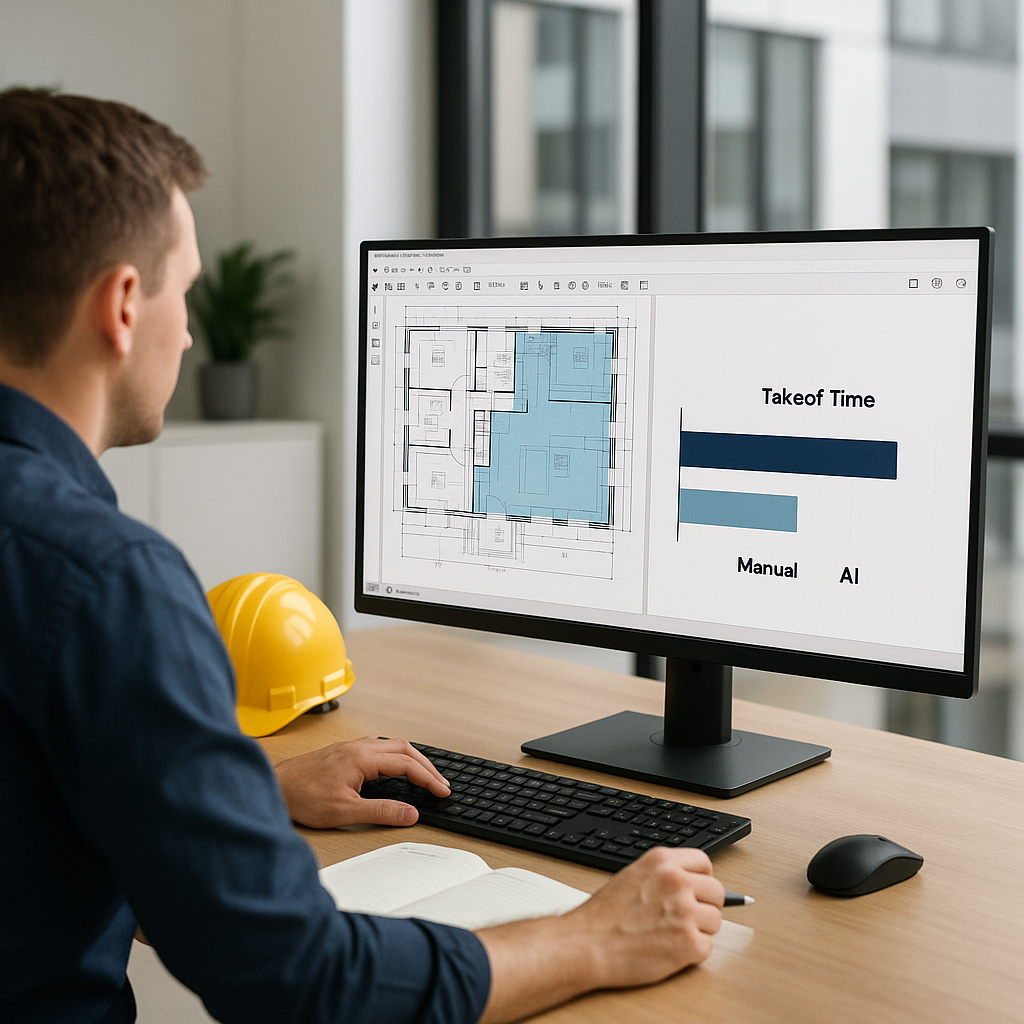
Let's start with the obvious. If you're doing manual quantity takeoffs, you're wasting time. A lot of it. On average, it takes 40 hours—two estimators, working full-time for two days—to measure and remeasure quantities from drawings. It's tedious, error-prone, and worst of all, expensive.
Take a mid-sized general contractor bidding on a $60M mixed-use project. They needed to extract quantities for concrete slabs, steel beams, and HVAC ductwork across 35 pages of drawings. Manual takeoff? 40 hours. That's $5,200 in labor costs wasted before they even submitted a bid.
And what happens when the client issues revisions? You start over—zero reuse, zero automation, just more hours down the drain. Not ideal.
Real-World Impacts of Manual Takeoffs
Manual takeoffs don’t just waste time—they hurt your bottom line in other ways:
- Missed Deadlines: Tight bid schedules mean that delays caused by manual takeoffs can lead to missed submission deadlines.
- Low Accuracy: Human error is inevitable. A misplaced decimal or overlooked area can cost tens of thousands during execution.
- Burnt-Out Teams: Repetitive tasks demoralize your estimators, leading to high attrition and loss of institutional knowledge.
- Lost Opportunities: Spending 40 hours on one bid means you can’t pursue other opportunities. A GCs that could bid on five projects might only manage three.
For example, a subcontractor specializing in fireproofing was unable to submit bids on two additional projects last year because their estimators were bogged down with manual takeoffs. They estimate missing out on $900,000 in potential contracts.
The AI Solution: 10 Minutes vs. 40 Hours
This is where AI-powered tools like EstimateNext come in. Vision AI, for example, reads PDF drawings and extracts quantities in just 10 minutes. It identifies walls, doors, room areas, and even low-confidence lines requiring manual review. The result? A 10X speed improvement.
Let’s revisit that $60M project. Using AI, the GC completed their takeoff in under an hour, saving 36 labor hours. That’s two full workdays freed up for higher-value tasks like pricing, bid strategy, and subcontractor negotiations.
But it’s not just about speed. AI tools also reduce errors. Vision AI, for instance, flags discrepancies between drawing revisions, ensuring you catch mistakes before they cost you. A clear audit trail lets estimators adjust quantities with confidence.
Scaling AI to Mega-Projects
Imagine applying this to larger projects, like a major contractor's $1B rail bridge. AI handled quantities for thousands of concrete girders and steel rail ties in minutes. Scaling manual methods to that level? Impossible. For another example, a Canadian civil engineering firm used AI to process earthwork quantities for a 200-acre residential development in just two days—manual methods would have taken nearly two weeks.
Beyond Speed: Error Mitigation
AI tools reduce human error, which is critical for projects with tight margins. According to a study by FMI, rework caused by errors accounts for 5% of total project costs. For a $60M project, that’s $3M. Even a 10% reduction in rework saves $300,000.
The Objection: “AI Can’t Think Like an Estimator”
You might be thinking, "Sure, AI is fast, but it doesn’t understand the nuances of construction." That’s partially true—but it misses the point. AI doesn’t replace your expertise; it amplifies it.
You’re still the one making judgment calls, negotiating with subs, and deciding markup. AI just handles the grunt work—like takeoffs, rate matching, and what-if recalculations. It’s a tool, not a replacement. In fact, pairing junior estimators with AI platforms can free senior staff for high-value tasks while training the next generation of estimators.
Addressing Specific Concerns
- “AI Can’t Handle Unique Architectures”: While AI tools excel at standardized elements, they also flag unique designs for manual review. A curved curtain wall or custom steel truss might require additional input, but overall savings are still substantial.
- “My Team Won’t Adapt”: Resistance to change is common, but adoption rates improve if you start small and demonstrate ROI (see roadmap below).
Practical Tips for Getting Started with AI Takeoff Tools
If you’re new to AI-powered estimation, start small. Here’s a simple roadmap:
- Test on a Small Project: Upload a BOQ for a $1-5M renovation and compare the AI-generated quantities to manual results. Tools like EstimateNext offer free trials, so you can test accuracy risk-free.
- Train Your Team: Most platforms are designed for ease of use. Training typically takes under two weeks. Pair junior estimators with the tool first, then scale adoption across your team.
- Integrate with Existing Software: AI tools like EstimateNext integrate with Bluebeam, Procore, and Excel. Export estimates into your workflows seamlessly.
- Use Feedback Loops: The system gets smarter with every adjustment. Build trust by reviewing flagged items and refining matches over time. After 3-5 projects, you’ll see significant accuracy improvements.
- Measure ROI: Track time saved and compare it to subscription costs. Share results with leadership to justify scaling up.
Comparison Table: Manual vs. AI Takeoffs
| Feature | Manual Takeoffs | AI Takeoffs |
|---|---|---|
| Time Required | ~40 hours/project | ~1 hour/project |
| Error Rate | 10-15% (human error) | <5% (with oversight) |
| Revision Handling | Manual rework | Automated comparisons |
| Cost | High labor costs | Low subscription fees |
| Scalability | Limited by manpower | Scales effortlessly |
The ROI: Time Saved = Money Earned
Let’s break down the math. Saving 36 hours per bid at $130/hour equals $4,680 in labor costs avoided. Multiply that by five GMP pursuits per year, and you’re looking at $23,400 saved annually. For a tool that costs $99/month, the ROI is undeniable.
For subcontractors, the payoff is even bigger. Faster quotes mean more bids submitted, which means more wins. One MEP firm used EstimateNext to respond to 50% more packages, adding $1.2M in revenue over 12 months.
Case Study: Small GC, Big Results
A small general contractor in the Midwest tested AI tools on a $2M school renovation project. Manual takeoffs took their estimator 24 hours. AI? Just 45 minutes. They saved $3,000 in labor costs and used the freed-up time to bid on two additional projects, winning one and adding $600,000 in revenue.


