The Hidden Grind of Rate Analysis
Rate analysis sounds straightforward. Add up material, labor, equipment costs, apply overhead and profit margins, and you're done, right? Wrong. Anyone who’s done it knows the reality — it’s a grind. Flipping through 2,000-page PDFs, cross-referencing rates in Excel, and recalculating for every "what if" scenario eats up hours. I’ve seen small teams lose entire days just adjusting for inflation. For complex bids? Multiply that pain by five.
Let’s be real: rate analysis isn’t just about getting numbers right. It’s about speed and trust. If you miss a single adjustment or take too long, you’re either losing the bid or bleeding profit.
And here’s the kicker: most of this pain is avoidable. AI tools like EstimateNext are already cutting rate analysis time by 90%. Let me show you how.
Why Manual Rate Analysis Fails (And Costs You Money)
Manual rate analysis breaks down for three key reasons:
- Time Sink: It’s not just about calculating rates; it’s about data gathering. Whether you’re flipping through RSMeans or CPWD DSR catalogs, the process is painfully slow.
- Human Errors: Miscalculations creep in, especially when adjusting for inflation or custom overheads.
- Scalability Issues: The more items in the BOQ, the harder it gets to deliver accurate rates in time.
Real-World Example:
Let’s say you’re bidding for a civil works project. The BOQ includes "Class-C concrete, 15 MPa." Simple enough, except the rate isn’t readily available. Here’s what happens:
- Step 1: Flip through CPWD DSR catalogs for the rate.
- Step 2: Cross-check the material and labor costs.
- Step 3: Adjust for regional inflation.
- Step 4: Apply your company’s overhead and profit margins.
By the time you’re done, you’ve burned 6–8 hours on one line item. Multiply that by a BOQ with 100+ items, and you see the problem.
It gets worse when there’s a last-minute client revision. Imagine swapping gypsum ceilings for Armstrong tiles across 40,000 sq. ft. of office space. Manually recalculating every cost implication could take an entire day. Not ideal when deadlines are tight.
How AI Fixes Rate Analysis (With Two Examples)
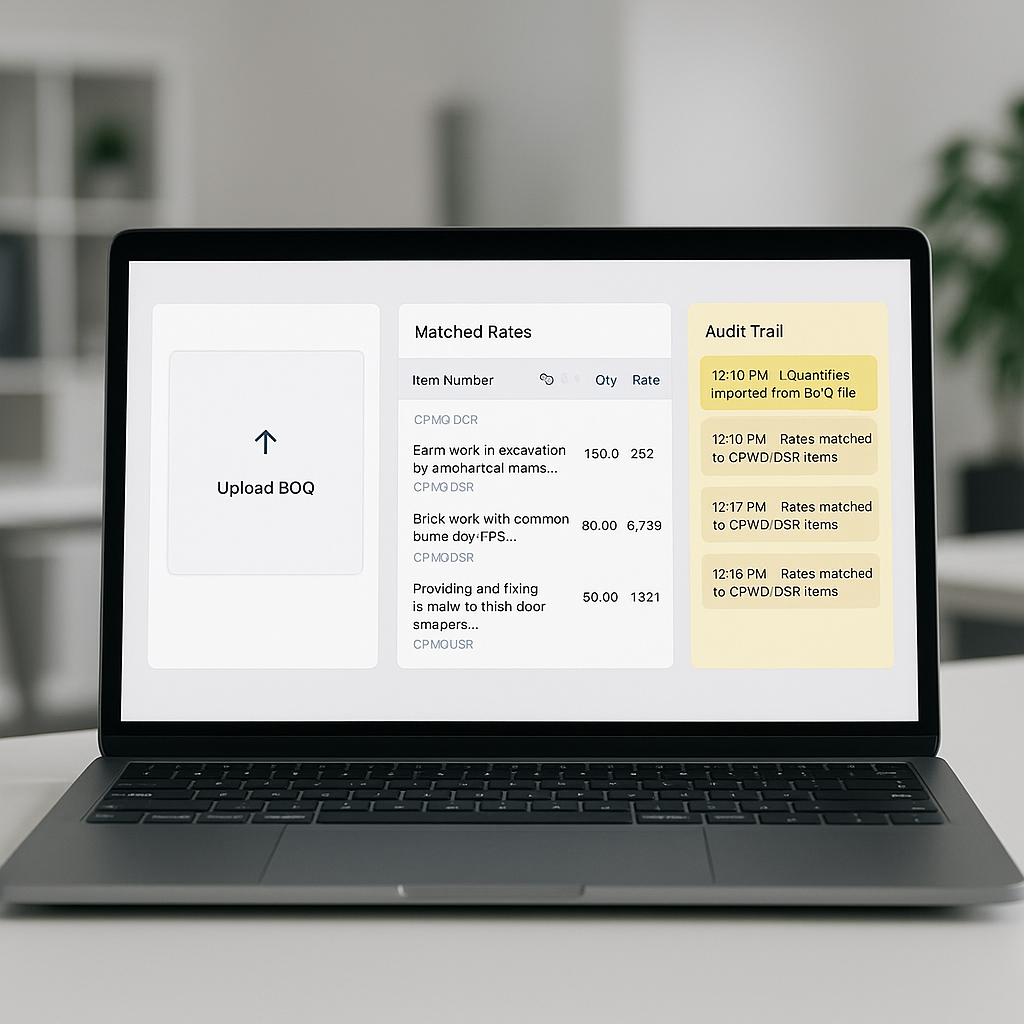
AI tools like EstimateNext are transforming rate analysis. They use semantic search and machine learning to instantly match BOQ items to rates, even in massive catalogs like CPWD DSR or RSMeans. No more flipping through PDFs or manually recalculating everything.
Example 1: Pricing Ductwork (HVAC Subcontractor)
Let’s say you’re an HVAC subcontractor bidding on a 40,000 sq. ft. office project. The BOQ includes ductwork installation.
- Manual Process: Spend 4 hours looking up duct sizing costs in SMACNA catalogs. Add 2 more hours calculating labor rates using MCAA tables. Manually adjust for regional inflation (another hour). Total: 7+ hours.
- AI-Powered Process: Upload the BOQ into EstimateNext. The AI matches "ductwork installation" to historical rates and catalogs in seconds. Need adjustments for inflation or custom overhead percentages? Done automatically. Total: 20 minutes.
Example 2: Highway Construction (Regional Contractor)
A contractor bidding on a highway project in Maharashtra needs rates for asphalt paving.
- Manual Process: Refer to CPWD DSR catalogs, manually adjust for Maharashtra’s inflation rates, and apply profit margins. Total: 6 hours.
- AI-Powered Process: EstimateNext auto-suggests rates based on CPWD DSR and applies state-specific inflation data. Total: 30 minutes.
In both cases, the AI breaks down the rate into material, labor, and equipment costs with a full audit trail. If a client questions a number, you have the backup data to justify it.
What About Inflation?
Inflation adjustments are a major headache. If you’re working on multi-year projects, rates from last year’s catalog could already be outdated. Adjusting manually is slow and prone to errors.
AI tools solve this by auto-suggesting Consumer Price Index (CPI) percentages for your region and catalog. For example:
- Scenario: You’re pricing a highway project in Maharashtra.
- Manual Process: Check CPWD’s inflation uplift manually and adjust your rates. Takes hours.
- AI Process: The AI applies CPWD’s inflation uplift for civil works automatically, ensuring your rates stay competitive without sacrificing margin.
Skeptical? Here’s the Catch
You might be thinking, “What if the AI gets it wrong?” It’s a valid concern. Garbage in, garbage out, right? That’s why transparency matters.
AI tools like EstimateNext include a full audit trail for every rate — showing the catalog match, inflation percentage applied, and the formula used. No black-box guessing.
And for those edge cases where a rate isn’t in the catalog? You can override it or add custom items. It’s flexible, not rigid.
Decision Framework: AI vs. Manual Rate Analysis
| Criteria | Manual Analysis | AI-Powered Analysis |
|---|---|---|
| Time per BOQ item | 6–8 hours | 20 minutes |
| Error Risk | High (manual calculations prone to error) | Low (automated with audit trail) |
| Inflation Adjustments | Slow (requires manual CPI lookup) | Instant (auto-suggested CPI) |
| Scalability | Poor (struggles with large BOQs) | Excellent (handles 100+ items easily) |
The Bottom Line: Time Saved, Bids Won
Manual rate analysis costs you time and money. AI tools like EstimateNext are flipping the script. By cutting rate lookup time by 90%, teams can respond to more bids, faster — and with greater accuracy.
Real Impact:
- GC Teams: Save 40 hours per estimate. That’s $5,200 saved per bid at $130/hour billable rates.
- MEP Subs: Slash quote turnaround from 3 days to 4 hours. Respond to 50% more bids.
- Regional Contractors: Get CPWD DSR rates matched in seconds, not hours. Save over 200 hours/year.
If manual rate analysis is slowing you down, it’s time to upgrade. EstimateNext simplifies rate matching, inflation adjustments, and more. Get started free →


