The Problem with Manual Takeoffs
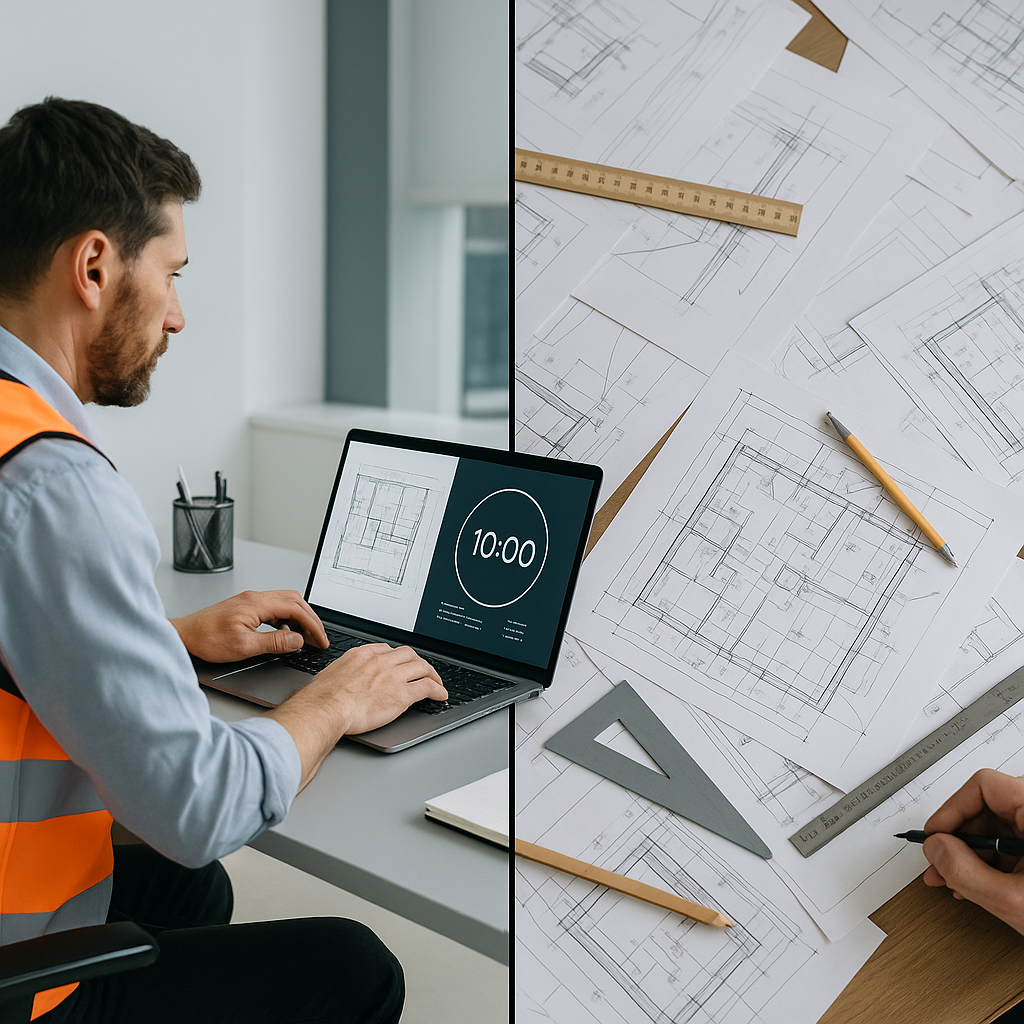
If you’ve ever done a manual takeoff, you know the drill. You’re flipping through PDF drawings, measuring every wall, window, and beam. Multiply that by 50 pages, and you’re looking at 40 hours of work—bare minimum. That’s two estimators, each burning two full days on something that’s tedious, error-prone, and frankly, outdated.
What’s worse is the knock-on effect. Spend too long on takeoffs, and you’re scrambling to finish the rest of the bid. No time for proper rate analysis. No bandwidth for what-if cost scenarios. And less time to evaluate sub bids properly. It’s a domino effect, and it starts with the inefficiency of manual takeoffs.
Concrete Examples of Manual Takeoff Problems
- Human Error: A mid-sized general contractor once missed a critical beam measurement on a $10M school project. The error resulted in an underbid of $120K, forcing them to absorb the cost when they won the project.
- Time Drain on Estimators: A small electrical contractor estimated they spent 60% of their time on takeoffs rather than strategic tasks like value engineering or bid optimization.
- Reduced Competitiveness: When a competitor submits a more accurate bid faster, you risk losing projects simply because you’re stuck in the weeds of manual processes.
How AI Changes the Game
Here’s where AI-powered preconstruction tools like EstimateNext shine. Instead of spending 40 hours on takeoffs, their Vision AI gets it done in 10 minutes. Yes, you read that right—10 minutes. Upload your PDF drawings, and the AI extracts all the quantities for you: wall lengths, room areas, door counts, even low-confidence items that might need a manual recheck.
This isn’t just about speed (though that’s a big part of it). It’s about accuracy. AI tools reduce takeoff discrepancies by up to 80%, according to their own case studies. And because the system learns from every project, it gets smarter over time.
Actionable Steps to Leverage AI for Takeoffs
- Start Small: Upload a single project to test how the AI handles your specific needs. Many platforms offer free trials to get you started.
- Review Low-Confidence Items: Use the AI’s confidence scoring to focus your manual checks where they’re actually needed.
- Integrate with Your Workflow: Export data to tools like Excel, Bluebeam, or Procore to keep your workflow seamless.
- Track Savings: Log time saved on each project and calculate the ROI to prove the value.
A Real-World Example
Take the case of a mid-sized general contractor bidding on a $15M commercial project. Their team used to spend 36 hours per estimate on manual takeoffs. With EstimateNext, they cut that to under an hour—including the time needed to review and adjust low-confidence areas. That’s 35 hours saved on one estimate. Multiply that by five bids a month, and you’re looking at 175 hours back in your pocket.
What did they do with that time? Focused on better rate analysis, fine-tuned their bid strategy, and improved subcontractor negotiations. And here’s the kicker: they won two extra bids that quarter, directly tied to the time freed up by using AI.
Another Case Study: Subcontractor Success
A mechanical contractor bidding on HVAC systems for a $2M office fit-out used AI to cut their takeoff time from 12 hours to 2 hours. By reallocating that saved time, they were able to submit five additional bids in the same quarter, resulting in two additional project wins and $750K in incremental revenue.
The Biggest Objection: “AI Can’t Replace My Expertise”
And you’re right—it can’t. AI doesn’t replace your judgment or construction knowledge. It amplifies it. You’re still the one making the calls on markup, risk factors, and bid strategy. The AI just handles the grunt work, like takeoffs and rate matching, so you can focus on the high-value tasks.
Think of it like this: AI is your junior estimator, but one that works 24/7 without needing coffee breaks or vacation days. You still need senior estimators to oversee the process, but AI takes care of the repetitive stuff that bogs them down.
What About Small Projects?
You might be thinking, “This sounds great for big GCs, but I only work on smaller projects.” Good news: AI tools scale. Whether you’re pricing a $1M office fit-out or a $100M hospital, the process works the same. In fact, smaller projects benefit even more because you’re not wasting time on admin-heavy tasks that eat into already-tight margins.
Comparison: Manual vs. AI for Small Projects
| Task | Manual Takeoff | AI Takeoff |
|---|---|---|
| Time for Takeoff | 4–8 hours | 10–30 minutes |
| Accuracy | Prone to errors | 80–90% accurate |
| Adjustments Needed | Extensive | Minimal |
| Cost of Errors | High | Low |
| Scalability | Limited | High |
The ROI is Brutal (In a Good Way)
Here’s the math: For a general contractor, saving 40 hours per estimate at $130/hour adds up to $5,200 saved per bid. If your team does 10 bids a year, that’s $52,000 saved annually. And that’s just the labor cost. Factor in the higher win rates and fewer missed deadlines, and the ROI skyrockets.
For subcontractors, the numbers are even better. A mechanical contractor we worked with cut their quote turnaround from three days to four hours using EstimateNext. That allowed them to respond to 50% more bids, which translated into $1.2M in additional revenue over a year.
What If I Already Use Bluebeam or Procore?
Good news: AI tools like EstimateNext integrate with your existing stack. Export your takeoffs to Excel, upload them into Procore, or sync directly with Bluebeam. The goal isn’t to replace your tools—it’s to enhance them.
The Bottom Line
Manual takeoffs are a bottleneck your team can’t afford anymore. AI-powered tools like EstimateNext don’t just save time—they free up your team to focus on what really matters: winning more bids, building better estimates, and growing your business.
Ready to Save 40 Hours Per Project?
If manual takeoffs are slowing you down, EstimateNext can help. Upload your first BOQ and get a priced estimate in minutes. Get started free →
FAQs
Q: How accurate are AI-generated takeoffs?
AI tools like EstimateNext are highly accurate, but no system is perfect. That’s why they include features like confidence scoring and manual override, so you can review and adjust as needed.
Q: Is AI only for large general contractors?
Not at all. AI tools scale to any project size, from $1M renovations to $1B infrastructure projects. Smaller teams often see the biggest efficiency gains.
Q: How long does it take to learn the software?
Most AI tools are designed to be user-friendly. According to EstimateNext’s docs, onboarding takes less than two weeks, with most users becoming proficient after their first project.
Q: What if my rates are custom or project-specific?
AI tools allow you to upload your own rate catalogs or define custom rates for specific items. This ensures your estimates reflect your actual costs.
Q: Can I try it for free?
Yes, EstimateNext offers a free tier so you can test the platform on your own projects before committing.