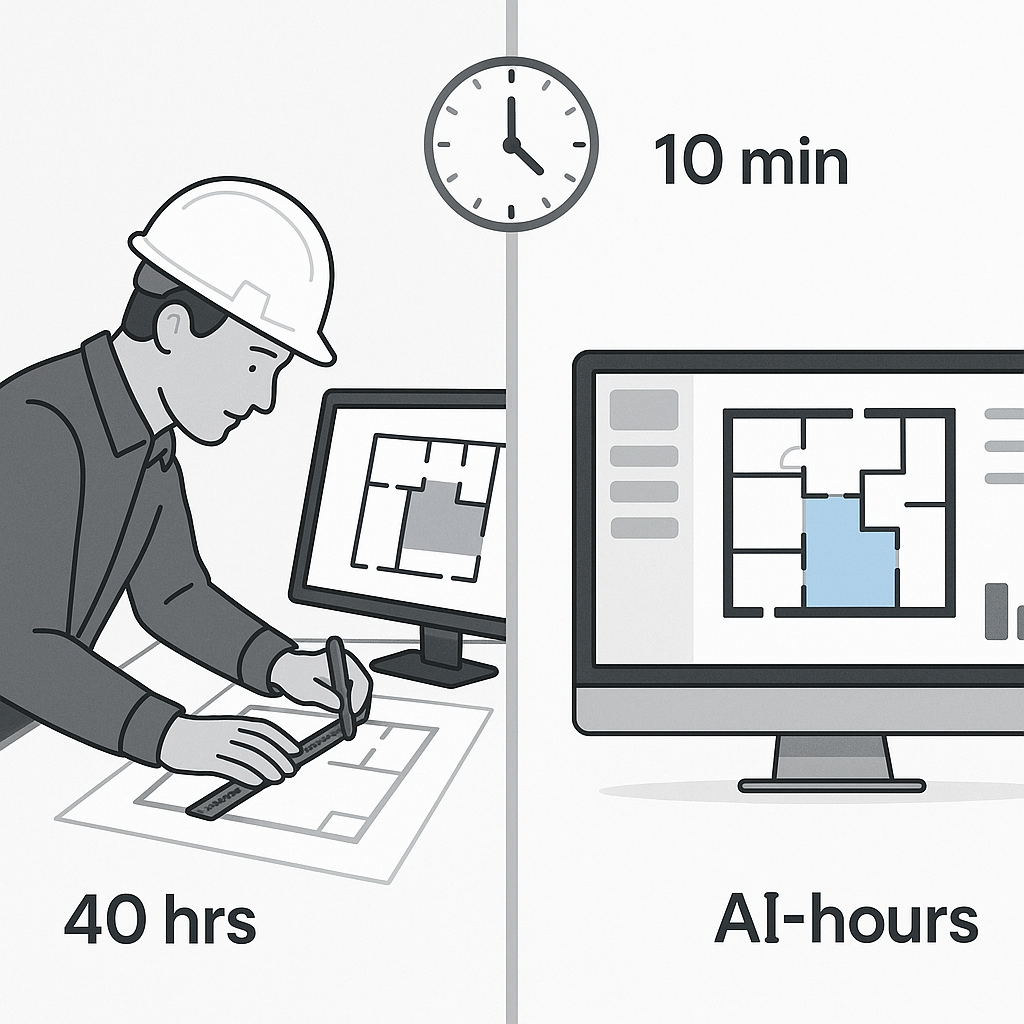
Stop Wasting Time on Manual Takeoffs
Here’s a brutal truth: manual drawing takeoffs are a productivity black hole. It takes two estimators about 40 hours to measure quantities for a single bid. That’s an entire workweek spent tracing PDFs, recalibrating scales, and rechecking numbers. And let’s be honest — it’s boring and prone to mistakes.
We’ve all been there. The architect sends a new revision at 4:45 PM, and suddenly, you’re redoing two days of work. Not ideal.
This is exactly where AI steps in. Tools like EstimateNext’s Vision AI can extract quantities from PDF drawings in just 10 minutes. Ten. Minutes. Imagine what your team could do with the 36 hours you just saved: pursue more bids, refine pricing, or even just leave the office on time for once.
How AI-Powered Takeoffs Work
Let’s break it down. Vision AI doesn’t just scan drawings like a glorified PDF reader. It actually "reads" the drawings using GPT-4o and identifies key elements like room areas, wall lengths, and door/window counts. Then, it spits out a complete quantity takeoff, ready for review.
For example, a mid-sized general contractor saved 120 hours on a high-rise bid using this tool. That’s two full weeks of labor costs avoided. Their words? “It’s like hiring a full-time estimator without the overhead.” They’re not wrong.
Here’s how the process works step-by-step:
- Upload the Drawings: Drag and drop your PDFs into the platform. Vision AI automatically calibrates scales and recognizes drawing dimensions.
- Automatic Detection: The AI identifies walls, doors, windows, and other key elements. It categorizes these into quantities, lengths, or areas.
- Confidence Scoring: The system highlights areas where it’s unsure — for example, a misaligned door symbol or a missing annotation.
- Human Review: Estimators can verify flagged sections and make adjustments if needed.
- Export Data: The final takeoff is exported into Excel or directly into your estimating software.
The result? You get a detailed, accurate quantity takeoff in minutes instead of days. Even better, Vision AI learns from your edits over time, making each subsequent bid faster and more precise.
Real-World Case Studies
Case Study #1: Mid-Sized GC on a High-Rise Project
A general contractor bidding on a $15 million high-rise saved 120 hours using AI takeoffs. Before adopting the tool, their team of two estimators spent nearly a week on manual measurements. Post-AI? They completed the takeoff in under 3 hours. Their bid was submitted early, allowing them to negotiate better pricing with subcontractors.
Case Study #2: Small Residential Contractor
A residential contractor working on a $1.2 million custom home project used Vision AI. The tool flagged inconsistencies in the architect’s drawings, saving them from underestimating drywall quantities. They adjusted their bid accordingly, protecting their profit margin.
Why Speed Actually Wins Bids
You might think, “Sure, saving time is nice, but does it really matter?” Yes, it does. Here’s why:
-
Deadlines Don’t Wait Most bids come with unmovable deadlines. If you’re scrambling to finish takeoffs, you’ll have less time to refine pricing or analyze subcontractor quotes. Missing deadlines isn’t an option.
-
More Bids = More Wins By cutting takeoff time, you can pursue additional projects. A study by Dodge Construction Network found that contractors who bid on 30% more projects saw a 20% increase in wins.
-
Accuracy Matters Mistakes in manual takeoffs lead to either inflated bids (and losing the job) or underbidding (and losing money). AI reduces those errors significantly by automating repetitive tasks.
McKinsey reports that early adopters of AI in construction see cost savings of 10-20% per project. Even if you’re skeptical about that number, cutting out 40 hours per bid is still a massive win.
The Obvious Pushback: “But AI Can’t Think Like Us”
I hear this all the time. “AI doesn’t understand construction.” And you’re right — AI isn’t a senior estimator. It can’t negotiate with subs, spot value engineering opportunities, or decide on markups. But that’s not the point.
AI isn’t replacing your expertise; it’s amplifying it. While the AI handles the repetitive, time-consuming tasks, you can focus on the strategic work that actually wins bids. It’s a tool, not a replacement.
For example, if AI flags an area with low confidence, you can step in and make the final call. Think of it as having a junior estimator who works 10x faster and doesn’t need coffee breaks.
What About Smaller Projects?
Another common question: “Does this even make sense for smaller jobs?” Absolutely. AI scales to the project size. Whether you’re pricing a $1 million renovation or a $1 billion rail bridge, the time savings are proportional. The system doesn’t care how big or small the drawings are — it processes them just as quickly.
Consider this: even for a small $200,000 job, saving 10 hours on takeoffs means you can reallocate that time to other tasks like refining your proposal or analyzing subcontractor quotes. Over the course of a year, these small efficiencies add up.
How to Get Started
The best part? These tools aren’t hard to adopt. Platforms like EstimateNext are designed for ease of use. Training typically takes under two weeks, and it integrates seamlessly with your existing stack — Bluebeam, Procore, Excel, you name it.
Here’s a simple onboarding plan:
- Schedule a Demo: Most platforms offer free demos where you can see the tool in action.
- Pilot on a Small Project: Test the AI on a smaller project to get familiar with its capabilities.
- Train Your Team: Most tools provide training resources or live support to get your team up to speed.
- Integrate with Existing Workflows: Export takeoffs into your preferred estimating software to keep your workflows consistent.
You don’t have to take my word for it. Their case study on a $1 billion rail project shows how AI takeoffs reduced discrepancies by 80%. The estimator in charge said, “It’s not perfect, but it’s close. And it’s saving us weeks per bid.” That’s the kind of ROI you can’t ignore.
Comparison Table: Manual vs AI-Powered Takeoffs
| Factor | Manual Takeoffs | AI-Powered Takeoffs |
|---|---|---|
| Time per Bid | 40 hours | 10 minutes |
| Accuracy | Prone to human error | High, with confidence scoring |
| Scalability | Limited by manpower | Scales with project size |
| Cost | High labor costs | Low subscription fee |
| Stress Level | High | Low |
The Bottom Line
If you’re still relying on manual takeoffs, you’re wasting time and money. AI-powered tools like EstimateNext aren’t just faster — they’re smarter, more accurate, and a lot less frustrating.


