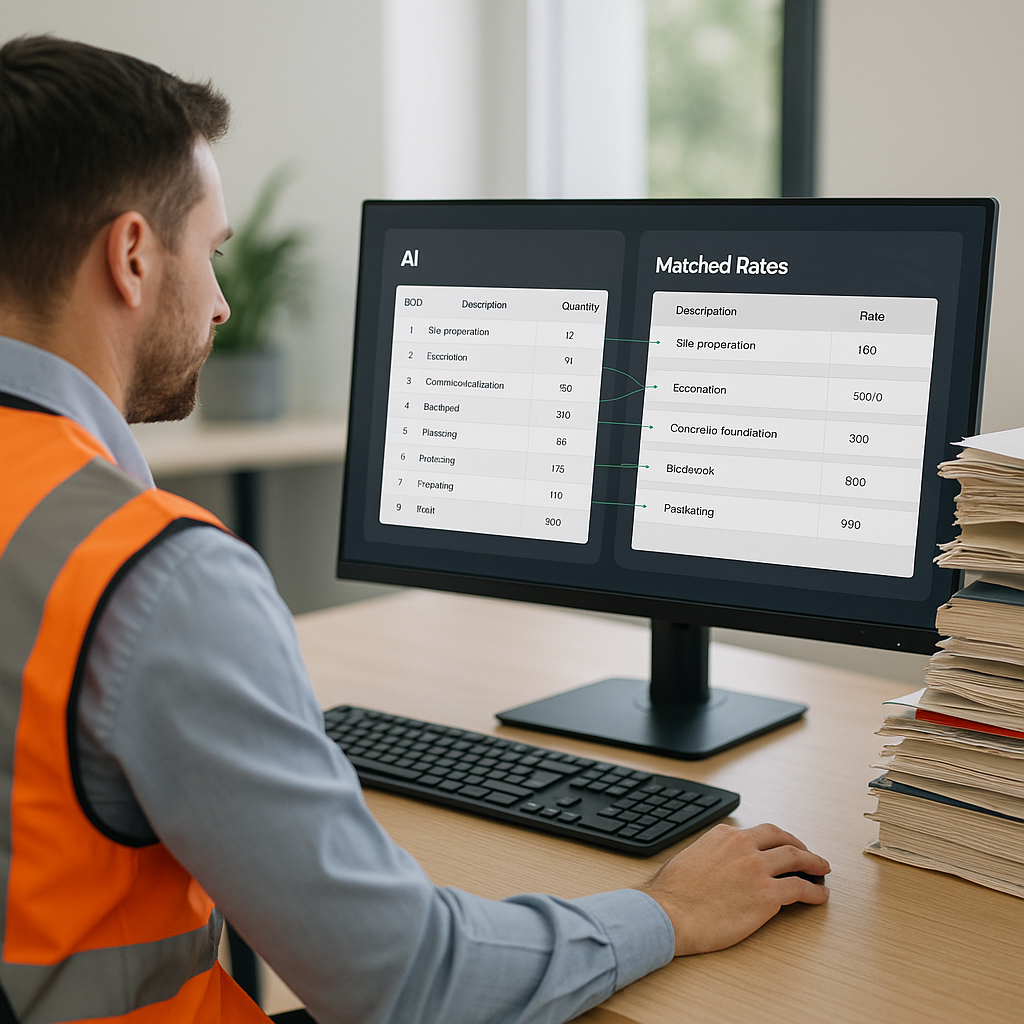
Why Manual Rate Matching Is Killing Your Bids
Let’s get straight to the point: manually looking up rates for construction estimates is a nightmare. You’ve got PDFs with thousands of pages, outdated spreadsheets, and maybe a few sticky notes with scribbled adjustments. Sound familiar? It should, because most estimators are stuck doing exactly this.
And it’s not just about time. Every hour wasted flipping through rate books is an hour you could’ve spent refining your bid. Or, I don’t know, actually winning more projects. According to McKinsey (2023), inefficiencies in preconstruction workflows cost the global construction industry over $1 trillion annually. Rate matching is a prime offender, and it’s one that’s entirely preventable with the right tools and processes.
The Hidden Costs of Manual Rate Matching
Before diving into solutions, let’s talk about the true cost of manual rate matching. It’s not just about the time you’re losing. Here’s a breakdown of the hidden costs:
-
Human Error: Studies show that manual data entry has an average error rate of 1%, which seems small until you realize that a single mistake in a $10M bid could cost you thousands—or the entire project.
-
Opportunity Cost: If you spend 15 hours compiling rates for a single estimate, that’s 15 hours you could’ve invested in pursuing other bids, building client relationships, or developing strategies to improve your win rate.
-
Team Morale: Let’s face it—no one enjoys endless hours of flipping through rate catalogs. Tedious tasks like these can lead to burnout and high turnover among estimating professionals.
-
Competitive Disadvantage: Your competitors who use automated tools are submitting faster, more accurate bids. If you’re slower to the punch, you’re losing projects before you even get a seat at the table.
How AI Fixes the Problem
This is where AI-powered rate matching comes in. Tools like EstimateNext use semantic search and machine learning to instantly find the exact rates you need across massive catalogs—78,000+ items in their case. For context, that’s like having the entire CPWD DSR, RSMeans, and 26 other catalogs in your pocket, searchable in seconds.
Here’s how it works:
- Upload Your BOQ: You drop in your Excel or CSV file. No cleaning up formats; the AI figures it out.
- Instant Matches: The system scans every line item and suggests rates based on your historical data, project location, and even inflation-adjusted benchmarks.
- Custom Adjustments: Got special materials? No problem. Just add them, and the AI learns to include them in future projects.
Case Study: A Mid-Sized GC Saves Big
One estimator from a mid-sized general contractor (GC) saved 12 hours per estimate by replacing manual lookups with AI. That’s 12 hours they used to refine their bid and focus on client negotiations, ultimately winning a $50M school project. Their feedback? “Why weren’t we using this five years ago?”
But What About Accuracy?
You might be thinking, “Sure, AI is fast, but can it be accurate?” Fair question. AI tools like EstimateNext claim 99% accuracy, and here’s the nuance: the system gets smarter with every project. By the third estimate, most users see significant improvements because the AI adapts to their specific preferences.
Here’s what makes these tools reliable:
- Confidence Scoring: The AI flags low-certainty matches, so you know exactly where to double-check. Think of it like having an extra team member who spots potential issues for you.
- Historical Learning: The more you use the tool, the better it understands your patterns, preferred rates, and unique project requirements.
- Transparency: Unlike older software solutions, modern AI platforms aren’t a “black box.” You can see the logic behind each recommendation.
Real-World Example: A Large Rail Bridge Bid
Take a major contractor’s $1B rail bridge project. Rate matching for materials like pre-stressed concrete girders and structural steel was a logistical headache. With AI, they cut the lookup process from 12 hours to 10 minutes. That’s a 72X improvement. They didn’t just save time—they reduced human error, which, let’s be honest, happens to the best of us after staring at spreadsheets for hours.
Why This Matters Now
The construction industry is under pressure like never before. Inflation is eating into margins, skilled labor is scarce, and clients are demanding faster turnarounds. The days of “gut-feel” estimation are over. If you’re not using tools that automate the grunt work, you’re falling behind.
Small Projects, Big Wins
It’s not just for billion-dollar projects. AI scales to any size bid. Whether you’re pricing a $2M renovation or a $200M high-rise, the same benefits apply: speed, accuracy, and fewer headaches. For instance, a small subcontractor in Texas used AI to prepare estimates for a $500K retail remodel and reduced their bid preparation time by 75%. They reported a 20% higher win rate after switching to AI.
Actionable Steps to Get Started
- Audit Your Current Process: How much time are you spending on rate matching? Identify bottlenecks and inefficiencies.
- Choose the Right Tool: Look for AI platforms that integrate with your existing workflows (e.g., Bluebeam, Procore, Excel).
- Clean Your Data: Ensure your BOQs and rate catalogs are up-to-date to maximize the AI’s effectiveness.
- Start Small: Test the tool on a single project to evaluate its impact before rolling it out organization-wide.
- Train Your Team: Provide training and support to ensure everyone gets the most out of the tool.
Comparison: Manual vs. AI Rate Matching
| Feature | Manual Rate Matching | AI-Powered Rate Matching |
|---|---|---|
| Time Required | 10–15 hours per estimate | 10–30 minutes per estimate |
| Error Rate | ~1% | <0.1% (with confidence scoring) |
| Scalability | Limited | High |
| Adaptability | Low | Learns and improves over time |
| Team Morale | Low (tedious work) | High (focus on strategy) |
Final Thoughts
If you’re still flipping through PDFs or Excel sheets to match rates, you’re bleeding time and money. AI-powered tools like EstimateNext simplify the process, letting you focus on what really matters: winning more bids.
Want to see it in action? Get started with EstimateNext for free →


