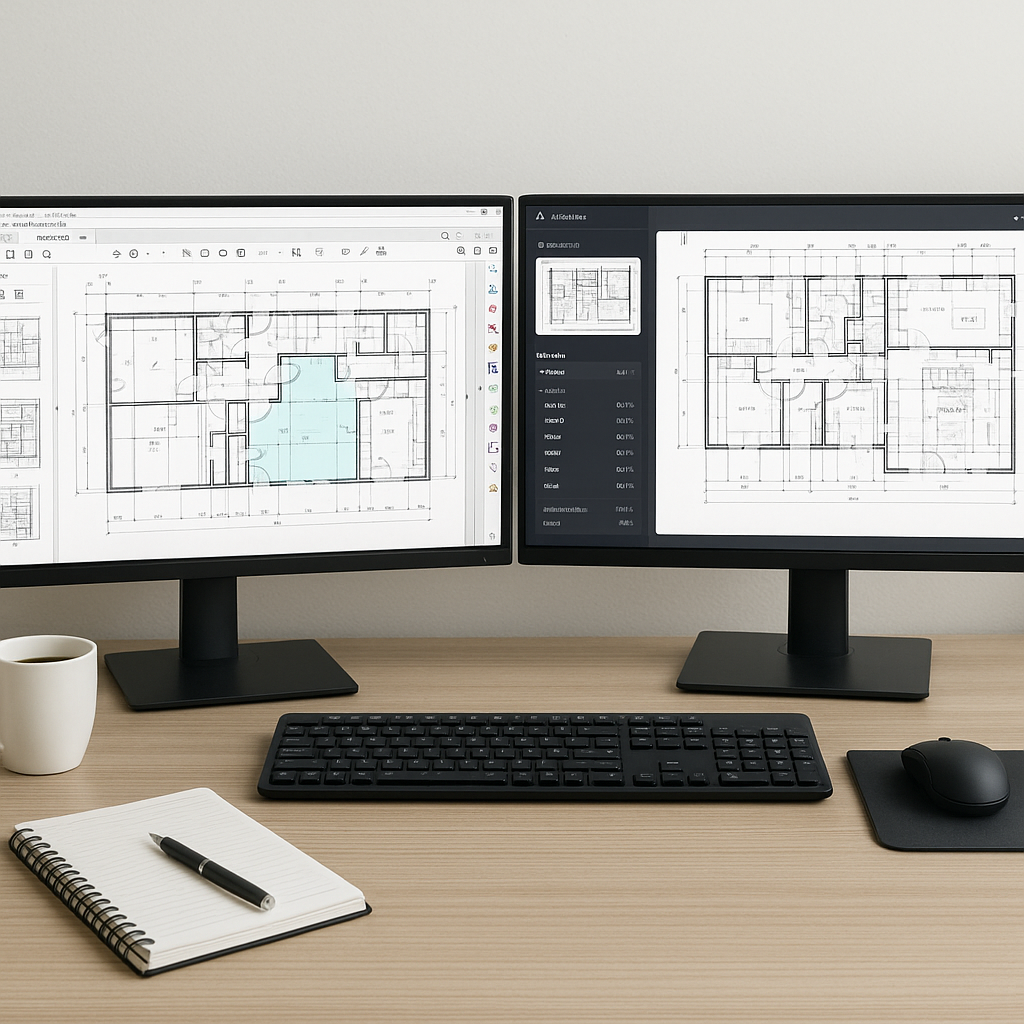
The Problem No Team Can Ignore
Every estimator knows the grind of manual quantity takeoffs. You get a PDF with hundreds of drawings, open up Bluebeam or your favorite PDF tool, and start measuring. Wall lengths? Check. Door counts? Check. Room areas? Check. Then you export it all into Excel, hoping you didn’t miss anything. It’s tedious, error-prone, and eats up 40+ hours per project. If you’re juggling four bids a month, that’s 160 hours gone — basically an extra full-time job.
Let’s be honest: no one loves this part of the job. And the kicker? Those 40 hours are just the beginning. Once you’ve done the takeoff, you still have to match those quantities to rates, analyze your costs, and build a bid package. The clock doesn’t stop ticking, and the deadlines don’t move.
So how do you fix it? AI.
AI-Powered Takeoffs: From 40 Hours to 10 Minutes
AI tools like EstimateNext have flipped the script on takeoffs. Instead of spending days manually measuring drawings, you upload the PDF, and Vision AI does the heavy lifting. Need to extract room areas, wall lengths, or even door/window counts? Done in 10 minutes.
How It Works
- Upload Your Drawings: It reads any PDF or drawing set. No special formatting needed.
- AI Extraction: The system identifies quantities like wall lengths, room areas, and fixture counts automatically.
- Review Low Confidence Areas: If the AI isn’t sure about something, it flags it for manual review. You stay in control.
- Export to Your Workflow: Once the quantities are ready, export them to Excel, Procore, or whatever software you’re using.
Key Features
- Revision Tracking: AI tools handle drawing revisions effortlessly. Upload a new set of drawings, and the system compares them to the old ones, highlighting what’s changed. No more guesswork.
- Confidence Scoring: The AI flags areas where it is less confident, ensuring you can double-check critical items.
- Customizable Outputs: Export data in formats tailored to your workflow, reducing friction.
It’s not just faster. It’s smarter. With AI, you’re not just saving time; you’re reducing errors, catching discrepancies, and gaining a competitive edge.
Real-World Example: Saving 120 Hours on a High-Rise Bid
A mid-sized general contractor recently used AI takeoffs for a high-rise project. Without AI, their team would’ve spent two full weeks (80 hours) on takeoffs alone. Instead, they uploaded the drawings into EstimateNext and got the quantities in under an hour. On top of that, the AI flagged a missing spec in the drawings — something the team might’ve overlooked manually.
This wasn’t just about saving time. By finishing the takeoff in a fraction of the time, they had more bandwidth to level subcontractor bids and refine their pricing strategy. That’s how you win bids.
Other Success Stories
- Small Residential Contractor: A two-person team saved 20 hours on a single-family home bid. With AI handling the takeoff, they could focus on fine-tuning the proposal, ultimately winning the project at a higher margin.
- Infrastructure Firm: For a $200 million highway reconstruction, automated takeoffs identified discrepancies in the provided drawings, preventing a costly underbid.
The lesson? Whether you’re bidding on a small renovation or a multi-million-dollar project, the time savings and error reduction from AI are game-changing.
Why AI Takeoffs Aren’t Optional Anymore
You might be thinking, “Sure, AI is fast, but can it really replace the accuracy of a human?” The short answer: it doesn’t have to. AI doesn’t replace your expertise; it amplifies it. You’re still the one making judgment calls and verifying critical quantities. The AI just handles the grunt work — the stuff that eats up time but doesn’t add value.
The ROI of AI
Let’s talk numbers. If you’re saving 40 hours per estimate at an average estimator rate of $130/hour, that’s $5,200 saved per project. Multiply that by the number of bids you handle each year, and the math gets brutal — in a good way. Here’s a quick breakdown:
| Metric | Without AI | With AI | Savings |
|---|---|---|---|
| Time per takeoff | 40 hours | 10 minutes | ~39.8 hours |
| Estimator hourly rate | $130/hour | $130/hour | N/A |
| Cost per takeoff | $5,200 | ~$30 (AI cost) | ~$5,170 |
Self-Learning Capabilities
AI tools are self-learning. The more you use them, the smarter they get. For example, if you correct a quantity or add a custom rate, the system remembers that for next time. By the third project, most teams report significant accuracy improvements.
What About Smaller Projects?
Some teams assume AI is only worth it for massive projects. Not true. AI tools scale to any project size. Whether it’s a $1 million renovation or a $1 billion infrastructure bid, the time savings are the same.
For smaller teams, the benefits are even more pronounced. Here’s why:
- Limited Resources: Smaller firms often don’t have dedicated estimating teams. AI fills that gap.
- Faster Turnaround: When you’re competing for smaller projects, speed can be the difference between winning and losing a bid.
- Lower Overhead: With AI, you’re not hiring extra staff to manage fluctuating workloads.
By leveling the playing field, AI tools empower smaller contractors to compete with larger firms.
Objection: “AI Can’t Think Like an Estimator”
True. AI can’t make judgment calls or negotiate with subs. But that’s not the point. AI handles the repetitive, time-consuming tasks so you can focus on what actually matters: pricing strategy, risk analysis, and winning the bid. Think of it as hiring an extra estimator — without the payroll hit.
And let’s be real: manual processes aren’t perfect either. Ever misread a dimension? Or forget to account for a change in a revision set? AI tools include features like confidence scoring and revision tracking to catch those errors before they cost you.
The Bottom Line
Manual takeoffs aren’t just slow. They’re a liability. AI-powered tools like EstimateNext give you back the time you need to focus on what really matters: winning bids.
If you’re tired of wasting 40 hours per estimate, it’s time to make the switch. Get started free →


