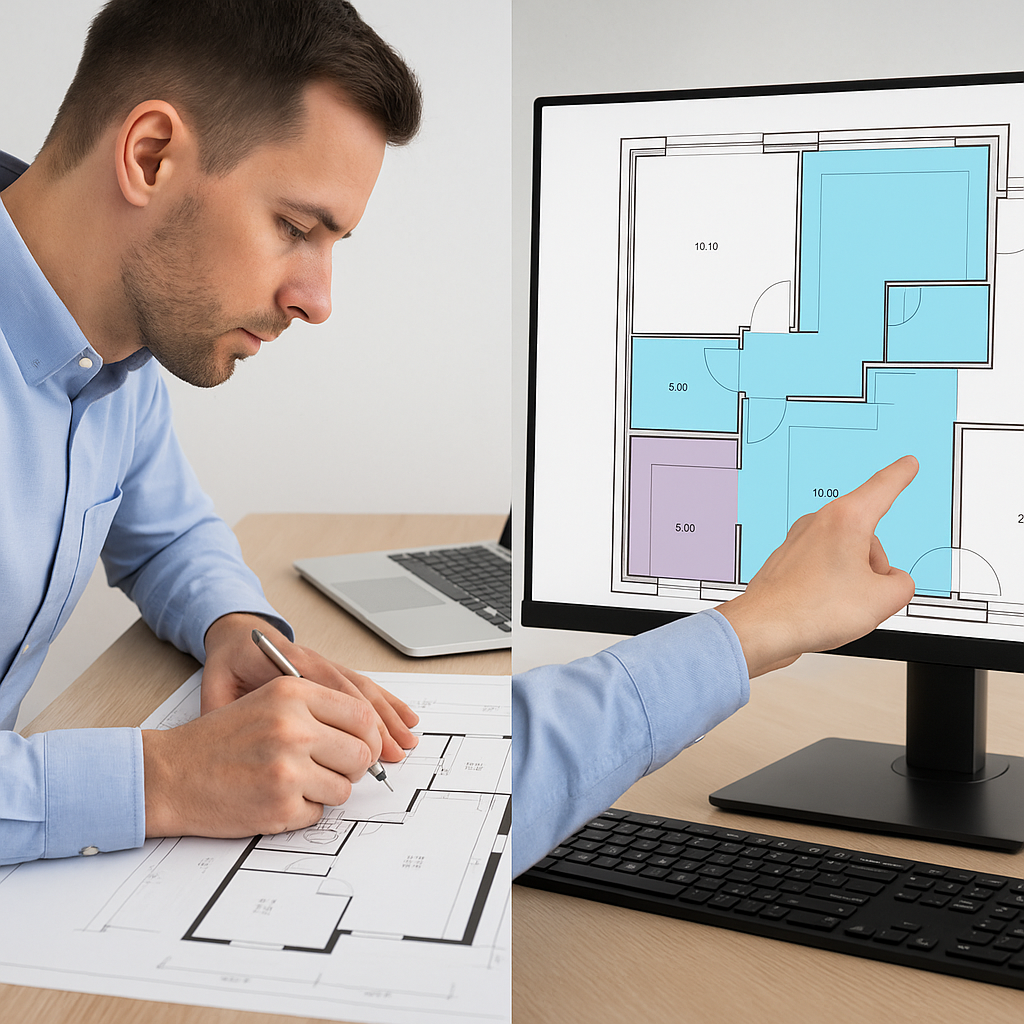
The Brutal Truth About Manual Takeoffs
Let me paint a picture. You're staring at a set of drawings—PDFs, of course—and your team has just been handed the task of doing a quantity takeoff. Two estimators, two days, 40 hours total. And that's if nothing gets missed or miscalculated. Sound familiar?
This isn’t just inefficient. It’s expensive. Multiply those hours by your team’s hourly rate (let’s say $130/hour). That’s $5,200 per bid. Now, do that five to eight times per year, and you’re sinking tens of thousands of dollars just on manual takeoffs.
The kicker? Most of that time isn’t spent on complex work. It’s spent tracing wall lengths, counting door openings, and triple-checking calculations in Bluebeam or Excel. Necessary? Yes. But value-adding? Not even close.
The Hidden Costs of Manual Takeoffs
Beyond the obvious time and labor costs, manual takeoffs introduce other inefficiencies that hurt your bottom line:
- Error Rates: Humans make mistakes. According to a 2022 study by Dodge Data & Analytics, manual takeoffs can have error rates as high as 10%—which, on a $5M project, could mean a $500,000 miscalculation.
- Missed Deadlines: Manual processes stretch timelines, making it harder to meet tight bid deadlines. A late submission could cost you the project entirely.
- Stress on Your Team: Spending hours on tedious tasks like counting and measuring can lead to burnout, reducing overall productivity and morale.
How AI Changes the Game
Here’s where AI steps in. Tools like EstimateNext’s Vision AI take those same drawings and extract quantities in 10 minutes. Not hours—minutes. How? The system reads PDFs, identifies key elements (room sizes, wall lengths, door/window counts), and generates a detailed QTO (Quantity Takeoff) automatically.
Concrete Example: Vision AI in Action
Let’s get specific. A mid-sized general contractor (GC) bidding on a $50M high-rise project used Vision AI for takeoffs. Here’s what happened:
- Time Saved: 120 hours (three full workweeks) were reallocated to higher-value tasks like client communication and bid optimization.
- Cost Reduction: At an average labor rate of $150/hour, that’s $18,000 saved on one project.
- Improved Accuracy: The AI flagged areas of uncertainty, allowing estimators to verify and correct potential errors in minutes instead of hours.
Why Speed Matters More Than Ever
Here’s a harsh truth: Speed isn’t just a nice-to-have anymore—it’s a survival skill. Deadlines are tighter, competition is fiercer, and clients expect faster turnarounds without compromising quality. If your team takes 40 hours to do a task that your competitor completes in 10, guess who wins the bid? Hint: It’s not you.
Industry Data: The Early Adopters’ Advantage
According to a 2023 McKinsey report, early adopters of AI in construction saw:
- 10-20% Cost Savings: Lower labor costs and fewer errors directly improved project profitability.
- 25% Faster Turnarounds: Faster takeoffs gave these firms a competitive edge in securing bids.
- Higher Client Satisfaction: Meeting tight deadlines with accuracy improved client trust and repeat business opportunities.
Actionable Steps: How to Get Started with AI Estimation
- Start Small: Test AI tools on a smaller project to gauge accuracy and ease of use. Most platforms, including EstimateNext, offer free trials or affordable entry plans.
- Train Your Team: Even the best tool won’t deliver ROI if your team doesn’t know how to use it. Schedule a training session and designate a “champion” to lead adoption.
- Integrate with Existing Workflows: Look for tools that work seamlessly with software you already use, like Bluebeam, Procore, or Excel.
- Measure Results: Track metrics like time saved, error rates, and overall accuracy improvements to build a business case for scaling up.
- Iterate and Scale: Use lessons from your pilot project to roll out AI tools across larger projects or more teams.
Real-World ROI: Let’s Do the Math
Let’s break it down with a comparison table:
| Metric | Manual Takeoff | AI-Powered Takeoff | Savings/Improvement |
|---|---|---|---|
| Time per Bid | 40 hours | 10 minutes | 99.6% faster |
| Cost per Bid | $5,200 | $22 | $5,178 per bid |
| Annual Cost (5 bids) | $26,000 | $110 | $25,890 saved annually |
| Error Rate | 5-10% | 1-2% | Up to 80% fewer errors |
Even with a $99/month subscription to a tool like EstimateNext, the ROI is undeniable. For a GC pursuing five GMP bids a year, that’s over $25,000 in savings, just on takeoffs. And that doesn’t even factor in the opportunity cost of missed deadlines or lost bids.
The Skeptic’s Question: Is AI Really That Accurate?
You might be thinking, “Sure, AI is fast, but what about accuracy? It can’t replace an estimator’s experience.” And you’re right—AI isn’t perfect. But it doesn’t have to be. The goal isn’t to replace estimators; it’s to amplify them.
How AI Enhances Accuracy
- Confidence Scoring: AI tools assign confidence levels to each data point, flagging low-confidence areas for human review.
- Learning Over Time: Modern AI platforms learn from user inputs, improving accuracy with each project.
- Error Reduction: Studies show AI reduces takeoff discrepancies by up to 80% compared to manual methods.
Why You Can’t Afford to Ignore the Shift
AI isn’t a passing trend. It’s a fundamental shift in how preconstruction teams work. The firms that adopt it early will save time, cut costs, and win more bids. The ones that don’t? They’ll be left flipping through rate books while their competitors move on to the next project.
If you’re tired of wasting hours on manual takeoffs, it’s time to make the switch. Get started free →


