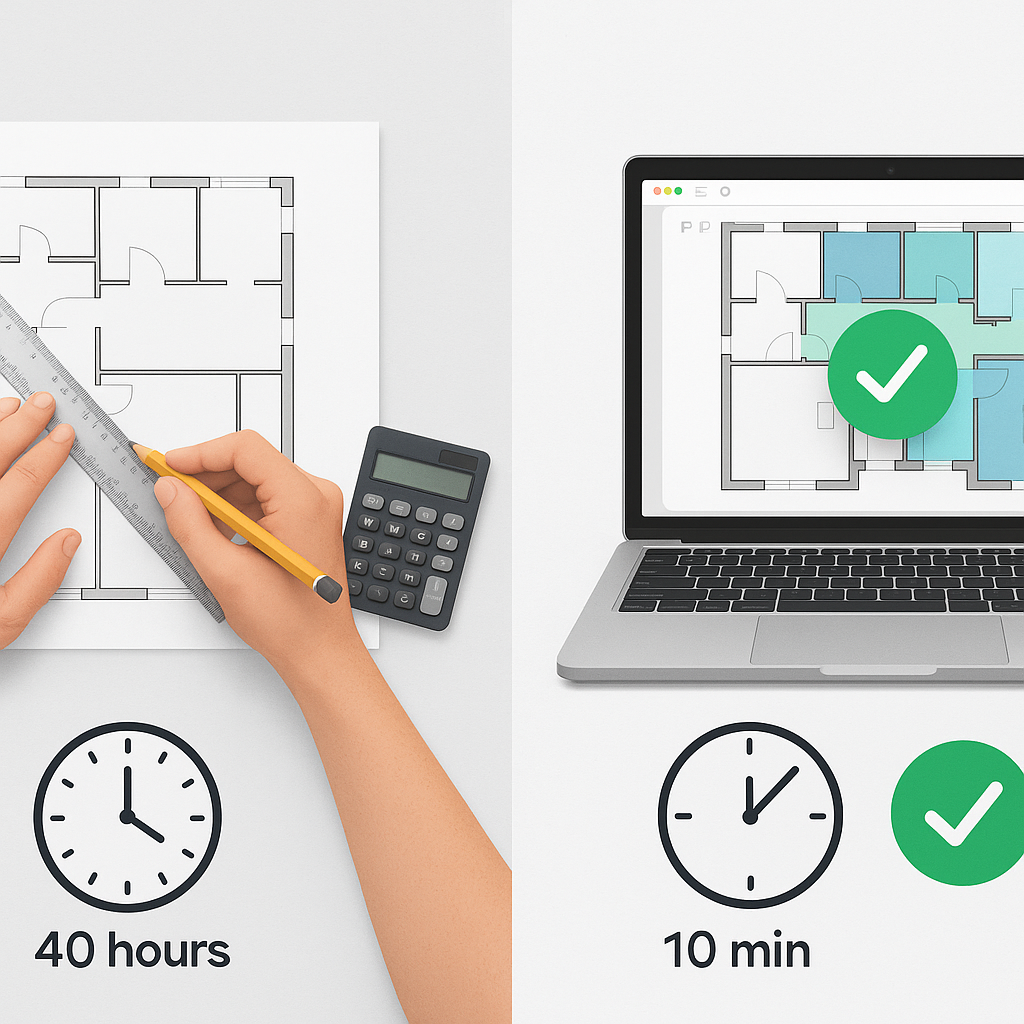
You’re Wasting 40 Hours on Every Estimate — Here’s the Fix
Let’s start with a harsh truth: manual drawing takeoffs are killing your timelines. If you’re chasing GMP bids or high-stakes tenders, your team is spending two full days (40 hours) measuring wall lengths, counting fixtures, and tracing room areas. And let’s be honest — mistakes creep in. Miss one dimension, and you’re either underestimating costs or overpricing yourself out of the job.
But what if you could cut that 40 hours down to 10 minutes? That’s not hypothetical. AI-powered tools like EstimateNext’s Vision AI can extract quantities from PDF drawings in minutes, without the endless manual work. For example, a mid-sized GC saved 120 hours on a high-rise bid using Vision AI. They called it “like hiring a full-time estimator without the payroll.”
The Problem: Manual Takeoffs Are Inefficient
Manual takeoffs are slow and prone to error. Traditional methods require estimators to pore over blueprints, measure areas, count elements, and manually compile data into spreadsheets. This process is tedious, and for projects with hundreds of pages of drawings, it’s a logistical nightmare. Mistakes are inevitable — whether it’s missing a key dimension or miscounting fixtures.
Real-Life Example: The $500,000 Error
Consider a regional general contractor who miscalculated the square footage of flooring for a commercial office tower. The mistake was discovered during procurement, and correcting the error cost them $500,000 in change orders. What was the root cause? A simple missed dimension during the manual takeoff process. With AI-powered tools, discrepancies like this are significantly reduced, saving both money and reputation.
How Vision AI Works
Here’s the process: upload your drawing set — PDF, DWG, doesn’t matter. Vision AI reads the drawings and spits out quantities for areas, lengths, counts, and other measurement units. Need room areas for flooring? Done. Door schedules for FF&E? Handled. It even flags low-confidence measurements for quick review, so you don’t have to second-guess the AI.
Step-by-Step Workflow:
- Upload Drawings: Drag and drop your files into the software. Vision AI supports multiple formats, including PDF, DWG, and TIFF.
- Automated Quantity Extraction: The software automatically processes drawings and categorizes measurements like square footage, wall length, and fixture counts.
- Error Flagging: Low-confidence measurements are flagged for review, ensuring accuracy.
- Export to Your Workflow: Once verified, export data directly into Procore, Bluebeam, Excel, or other project management tools.
Key Feature Comparison: Manual vs AI Takeoffs
| Feature | Manual Takeoffs | Vision AI Takeoffs |
|---|---|---|
| Time Spent | 40 Hours Per Estimate | 10 Minutes Per Estimate |
| Error Rate | ~15%-20% | ~3%-5% |
| Scalability | Limited | Unlimited |
| Cost Per Estimate | $5,200 | $520 |
Who Benefits Most?
This isn’t just for billion-dollar rail projects. Vision AI scales to any project size. High-rise office towers? Residential fit-outs? State highway bids? All covered. Smaller contractors can use it just as effectively to speed up their workflows.
Case Study: MEP Subcontractor Success
One MEP subcontractor estimated 60 bid packages annually. Before switching to Vision AI, their team spent an average of 4 days per estimate. By adopting AI-powered takeoffs, they reduced that to 1 day per estimate, saving over 180 workdays annually. This allowed them to submit more bids and win more contracts without increasing headcount.
Additional Use Cases:
- General Contractors: High-volume bid submissions for government contracts.
- Architectural Firms: Faster FF&E schedules for hotels and commercial spaces.
- Civil Engineers: Accurate road and bridge measurements for DOT bids.
Obvious Objection: “But AI Can’t Think Like an Estimator”
You’re right — AI isn’t replacing you. It’s amplifying your work. Estimators still make judgment calls, negotiate with subs, and tweak markups. AI just handles the grunt work. Think of it as the apprentice that does the measuring, so you can focus on strategy.
How AI Complements Human Expertise:
- Measurement Accuracy: AI eliminates repetitive tasks, allowing estimators to focus on nuanced decisions.
- Cost Optimization: Human estimators use AI outputs to refine pricing strategies and adjust for market conditions.
- Better Collaboration: Automatically generated takeoffs improve communication with subcontractors and clients.
The ROI Math is Brutal
Let’s break it down. If your team spends 40 hours per estimate and you’re paying $130/hour, that’s $5,200 per bid in labor costs. Vision AI saves 36 of those hours, cutting your cost to $520. Multiply that across 5 GMP pursuits per year, and you’re pocketing $23,400 annually.
For a tool that costs $99/month, the math speaks for itself.
Data Point: Industry Adoption Rates
A recent survey showed that 43% of construction firms are actively adopting AI-powered takeoff tools. The firms that embrace automation early are gaining a competitive edge.
What About Multi-Market Complexity?
Preconstruction isn’t one-size-fits-all. US GCs deal with CSI MasterFormat; UK QS firms need NRM2 output; Indian contractors are stuck flipping through CPWD SOR PDFs. Vision AI isn’t fazed. It handles country-specific standards, currencies, and tax regimes through what EstimateNext calls MarketProfile architecture.
Example: Adapting to Regional Standards
- US Market: Auto-generates CSI MasterFormat divisions.
- UK Market: Outputs NRM-compliant cost breakdowns.
- India Market: Matches CPWD SOR line items for government contracts.
Whether you’re pricing a $1M fit-out or a $1B rail bridge, the tool works the same.
The Bottom Line
Manual takeoffs are outdated. AI-powered estimation tools like EstimateNext are saving firms weeks of labor, reducing errors, and keeping bids competitive. Why stick to spreadsheets when the competition is moving faster?
If you’re tired of burning 40 hours on manual takeoffs, EstimateNext can help. Get started free →


