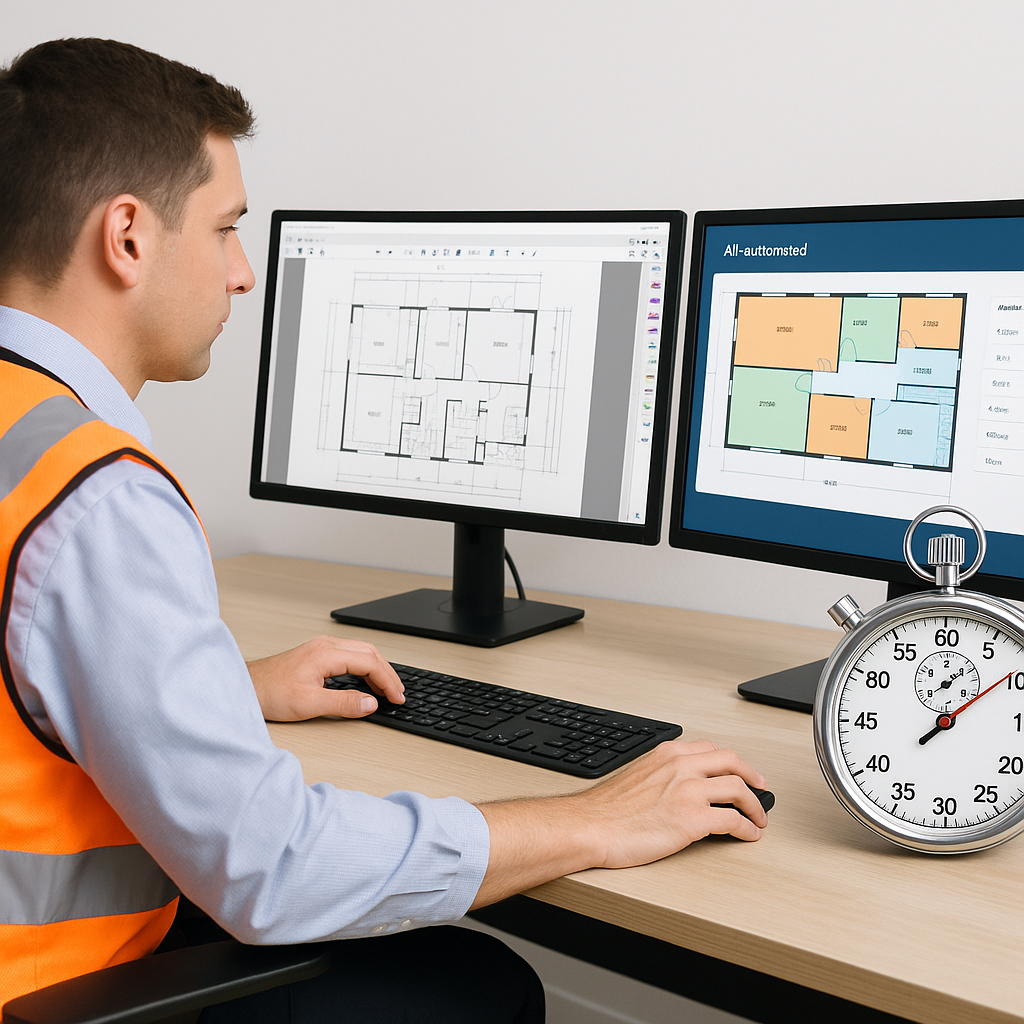
The Problem: 40 Hours Spent on Manual Takeoffs
Every estimator knows the grind. You’ve got a stack of PDF drawings, a mouse, and 40 hours ahead of you. By the time you measure every wall, door, and duct, you’re halfway through your week. And that’s just one project.
Manual takeoffs aren’t just a time suck; they’re a margin killer. Miss a wall length? Forget to count a door? Your quote’s off, and your reputation takes a hit. Worse, it’s boring work. Your experienced estimators aren’t focusing on the project’s nuances—they’re stuck tracing lines.
A McKinsey report on construction productivity says it bluntly: 35% of time on preconstruction tasks is wasted on manual processes. Source: McKinsey
Let’s put that into perspective. If your team spends 1,000 hours on preconstruction tasks annually, 350 hours could be saved or redirected to more valuable activities. Think about how that affects your bottom line.
The Solution: AI-Powered Quantity Takeoff Tools
AI tools like EstimateNext’s Vision AI flip the script. Instead of spending 40 hours manually measuring drawings, you upload your PDF and let AI handle it. Ten minutes later, you’ve got all your quantities—room areas, wall lengths, door/window counts—ready to go.
Think about that. 40 hours of drudgery condensed into 10 minutes. That’s a 240x improvement in speed.
But it’s not just about time savings. It’s about accuracy, scalability, and staying competitive in an industry where margins are razor-thin.
Why Accuracy Matters
Mistakes in takeoffs can cost you dearly. For instance, underestimating material quantities by even 5% on a $5M project could mean a $250,000 shortfall. Overestimating by the same margin could price you out of the job. AI tools minimize these risks by automatically flagging low-confidence measurements for review.
Not Replacing Estimators, Enhancing Them
Before you ask, no, it’s not about replacing estimators. AI takeoff tools don’t make judgment calls—you do. But they handle the grunt work, so you can focus on what matters: pricing strategy, subcontractor negotiations, and refining margins.
Real-World Example: Saving 120 Hours on a High-Rise Bid
A mid-sized general contractor recently used Vision AI on a 40-story high-rise project. The result? They saved 120 hours across their team. That’s three full workweeks of labor costs avoided. In their words, “It’s like hiring a full-time estimator without the overhead.”
Let’s break this down:
- Project Size: 40-story high-rise with 450,000 sq. ft.
- Manual Effort: Estimated 150 hours for takeoffs
- AI-Powered Effort: 30 hours (10 minutes for initial takeoff + additional manual checks)
- Total Savings: 120 hours
What did they do with the time saved? Submitted two additional bids that month—both of which they won. Those projects added $3.5M to their backlog, with a gross margin improvement of 15%.
How It Works
- Upload the Drawings: Drag-and-drop your PDFs onto the platform. No special formatting needed.
- AI Extraction: The system scans for room areas, wall lengths, openings, and low-confidence areas that need review.
- Manual Review: You get a confidence score for every line item. Anything below a threshold is flagged for manual checks.
- Export Quantities: Once reviewed, export the quantities into Excel or your estimating software. Done.
The platform integrates with tools like Procore and Bluebeam, so you don’t have to rework your workflows. If you’re already accustomed to using these tools, integration can save additional hours by eliminating redundant data entry.
Common Pushbacks (and Why They’re Wrong)
“AI can’t think like an estimator.”
You’re right—it doesn’t. But that’s the point. AI handles the repetitive, error-prone tasks so estimators can focus on strategy. You’re still steering the ship, but now you’ve got an engine that works 240x faster.
“It won’t work on my projects.”
AI tools aren’t one-size-fits-all. Good platforms let you customize settings, upload custom rate catalogs, and adjust measurements to meet your standards—whether you’re working on a $1B rail project or a $1M office fit-out.
“It’s too expensive.”
EstimateNext costs $99/month. Compare that to $5,000/year for ProEst or $15,000/year for CostX. Even small contractors can afford it—and the ROI is immediate. For example, saving 40 hours per project at a $50/hour labor rate equates to $2,000/project in savings. That’s a 20x return on investment for a $99/month subscription.
Why Now?
The construction industry is facing a skilled labor crisis. According to a 2024 BLS report, 40% of experienced estimators are nearing retirement. Source: BLS Q2 2024 Construction Wage Survey
This talent shortage is putting more pressure on existing teams to deliver bids faster and more accurately, often with fewer resources. AI tools aren’t just about productivity—they’re a lifeline. They allow smaller teams to handle bigger workloads without burning out.
Case Study: Adapting to Labor Shortages
A regional subcontractor specializing in drywall and framing turned to AI takeoff tools to deal with a sudden estimator shortage. With 60% of their team retiring over a two-year period, they needed to scale their bidding efforts without hiring. By adopting AI, they increased their bid volume by 35% while reducing overtime expenses by $12,000 per quarter.
Getting Started with AI-Powered Estimation
If you’re ready to try AI tools, start small. Pick a manageable project—a 10,000 sq. ft. retail space or a multi-family residential bid. Test the system’s accuracy, tweak your workflows, and scale up from there.
Actionable Steps:
- Identify a Pilot Project: Choose a project that’s representative of your typical workload but not overly complex.
- Evaluate Outputs: Compare AI-generated quantities against manual takeoffs to assess accuracy.
- Train Your Team: Ensure your estimators understand how to use the tool and interpret confidence scores.
- Scale Gradually: Once you’re confident in the system, roll it out to larger or more complex projects.
EstimateNext offers a free tier to get you started. No credit card required. Just upload a BOQ, watch it process, and see the results for yourself.
Comparison Table: Manual vs. AI Takeoffs
| Feature | Manual Takeoffs | AI-Powered Takeoffs |
|---|---|---|
| Time Required | 30-40 hours per project | 10-20 minutes per project |
| Accuracy | Prone to human error | 95%+ with confidence scoring |
| Scalability | Limited by labor availability | Expandable with automation |
| Cost | Labor-intensive, higher cost | $99/month with immediate ROI |
| Flexibility | Fixed workflows | Customizable and integrative |
If you’re tired of wasting 40 hours per project on manual takeoffs, EstimateNext can help. Get started for free →


