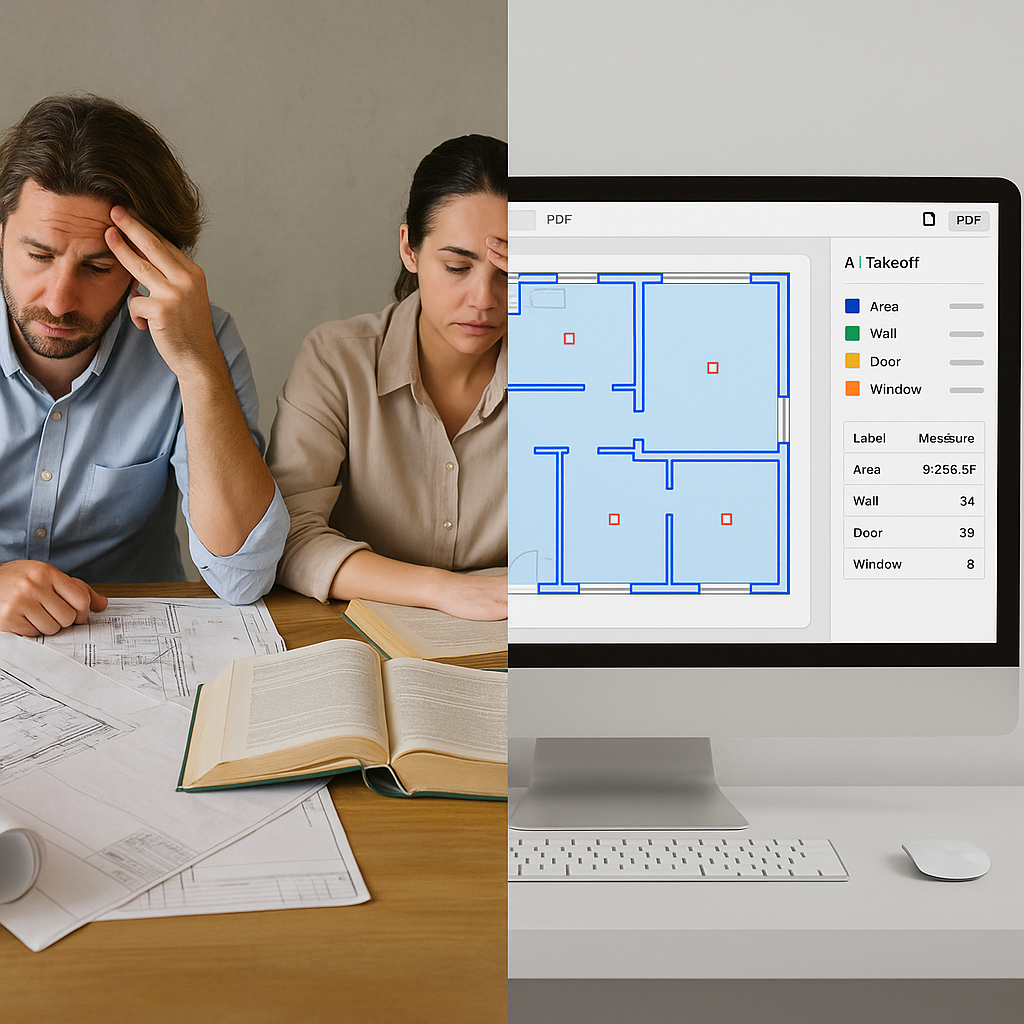
Stop Burning 40 Hours on Manual Takeoffs
Let’s start with the ugly truth: manual drawing takeoffs are a time sink. Two estimators will spend 40 hours—20 each—just measuring and extracting quantities for a single bid. That’s not just expensive; it’s unsustainable.
Why? Because preconstruction teams are stretched thin. Some general contractors are handling 5–8 GMP pursuits per year, and subcontractors are bidding on 30–60 packages annually. Spending that much time on one task is a luxury no one can afford anymore.
Imagine if you could reclaim 39 of those hours. What could your team do with that time? More bids? Better subcontractor negotiations? Internal improvements that actually move the needle?
Here’s the good news: AI-powered takeoff tools make that possible. EstimateNext’s Vision AI, for example, can extract quantities from PDF drawings in just 10 minutes.
How It Works: From Hours to Minutes
Using AI for takeoffs is simpler than you might think. Here’s the process:
-
Upload: Drag and drop your drawing set into the platform. No need to worry about file formats or resolution—AI can handle it. Whether it’s a PDF or CAD file, the system adapts seamlessly.
-
Calibration: Quickly calibrate the scale. This step eliminates the need for rulers or manual dimension guessing, which can lead to costly errors.
-
Extraction: The AI identifies and measures quantities automatically, using computer vision to interpret lines, shapes, and annotations. It’s like having a digital assistant that never gets tired or distracted.
-
Review: Any uncertainties? The system highlights them so you can double-check and adjust if needed. You’re still in control.
Let’s take a practical example: Say you’re working on a commercial office building and need to calculate the total drywall area for interior walls. Traditionally, you’d measure line by line, room by room, likely using a scale ruler or a basic digital tool. With an AI platform, you upload the drawing set, and within minutes, the system spits out the total drywall area in square feet. If certain sections seem ambiguous, the platform flags them for your review. No guesswork. No endless hours of manual counting.
Real-World Impact
Still skeptical? Let’s look at a real-world case study.
A mid-sized contractor recently used Vision AI during a high-rise project bid. This wasn’t a small job—it involved calculating quantities for everything from concrete slabs to curtain walls. In the past, the team would’ve had to dedicate two full-time estimators for an entire week to get it done. With AI, they completed the takeoff in under two hours and saved over 36 hours of labor.
This time savings allowed the team to focus on higher-value tasks:
- Refining their bid: They tweaked their pricing to ensure competitiveness without sacrificing margins.
- Negotiating with subcontractors: Instead of rushing through calls, they had the bandwidth to secure better terms.
- Identifying cost-saving opportunities: With more time on their hands, the team spotted redundancies and inefficiencies in their initial plans.
The result? They landed the project—beating out competitors who were likely still stuck in manual workflows.
The Obvious Objection: “But AI Can’t Think Like an Estimator”
This is a common concern, and it’s not entirely unfounded. AI can’t replicate the intuition and experience of a seasoned estimator. It can’t decide if a certain design choice is impractical or assess the risk of a particular subcontractor.
But here’s the thing: AI isn’t meant to replace you. It’s designed to augment your capabilities. Think of it as an apprentice who never gets tired, doesn’t make arithmetic errors, and can process vast amounts of data in minutes.
For example, let’s say you’re estimating the cost of a hospital project. The AI can handle the repetitive task of measuring room dimensions, counting doors, and calculating square footage. Meanwhile, you can focus on applying your expertise to more complex aspects, like evaluating site constraints or considering how changes in material costs might affect the budget.
Moreover, modern AI tools like EstimateNext come equipped with features like confidence scoring and manual overrides. If the software isn’t 100% sure about a measurement, it will flag it for your review. You’re always in the driver’s seat.
Why Speed Matters
Deadlines can make or break your success in the construction industry. Subcontractors often get just 72 hours to turn around a bid. Missing a deadline can mean losing out on a project worth hundreds of thousands—or even millions—of dollars.
AI tools like EstimateNext don’t just save time; they save deadlines. With the ability to complete takeoffs in as little as 10 minutes, subcontractors can cut their quote cycle from 72 hours to just 4. That’s an 18X speed improvement.
Consider a scenario where a subcontractor normally bids on 30 projects per year. With AI, they could potentially double that number to 60 bids annually. Even if their win rate remains constant, more bids mean more opportunities to secure work.
For general contractors, the stakes are just as high. Faster takeoffs mean more time to refine your numbers, validate assumptions, and submit a polished bid. It’s the difference between rushing to hit “submit” and confidently presenting a bid you know will win.
What’s the ROI?
Let’s break down the numbers:
| Metric | Manual Takeoff | AI-Powered Takeoff |
|---|---|---|
| Time Per Takeoff | 40 hours | 1 hour |
| Estimator Hourly Rate | $130/hour | $130/hour |
| Labor Cost Per Takeoff | $5,200 | $130 |
| Annual Takeoffs (5 GMP bids) | $26,000 labor cost | $650 labor cost |
| Tool Subscription (Annual) | N/A | ~$1,200 |
For a GC director saving 40 hours per estimate, that’s $5,200 saved per pursuit. Multiply that by five GMP bids a year, and you’ve got $26,000 in potential labor savings. Compare that to a $99/month subscription, and the ROI is undeniable.
For subcontractors, the potential ROI is even greater. If you can double the number of bids you submit annually and win just one additional $200,000 project, the tool pays for itself many times over.


