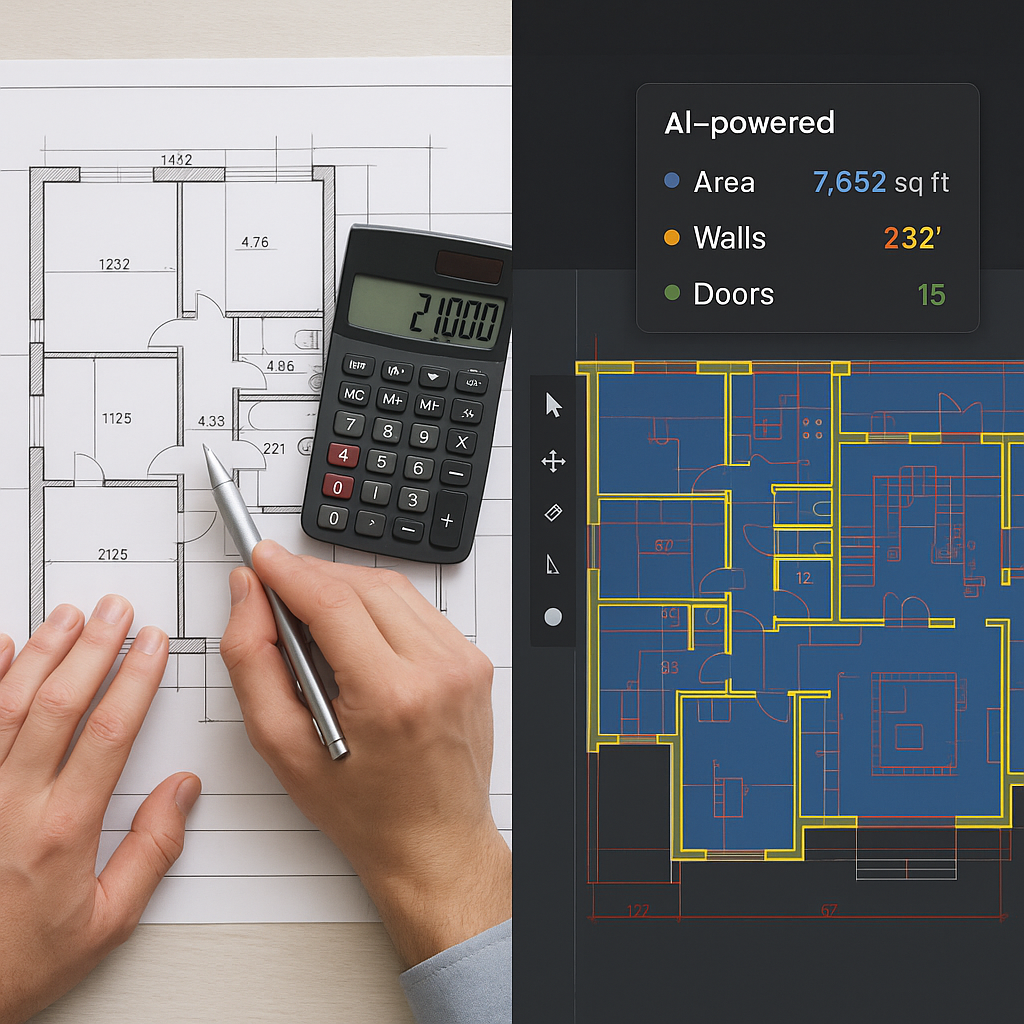
10 Minutes vs 40 Hours: Why AI Takeoffs Are Non-Negotiable Now
Let me start with a simple question: how much is 40 hours worth to you? For most general contractors, that's two estimators working full-time for two days just to complete a single manual takeoff. If you're bidding on five or more projects a month, that's a massive time sink—and a huge missed opportunity to pursue additional bids.
Now, imagine doing the same work in 10 minutes. That’s not a fantasy; it’s what AI-powered tools like EstimateNext are delivering every day. And no, this isn’t just about time savings—it’s about staying competitive in an industry where deadlines are tight, margins are razor-thin, and every missed bid is a lost opportunity.
The Real Problem: Manual Takeoffs Are Killing Efficiency
Before we get into the AI solution, let’s talk about why manual takeoffs are such a pain. Here’s what the process looks like for most teams:
- Gather the Drawings: PDFs or CAD files, often riddled with inconsistencies.
- Print or Upload: Either print them out (yes, some still do this) or upload to basic measurement software.
- Measure, Line by Line: Manually trace walls, count fixtures, and calculate areas.
- Cross-Check: Verify measurements across drawing revisions (a nightmare with 300+ page sets).
- Rework: Redo measurements whenever the architect issues changes—which happens all the time.
This process takes days, introduces errors, and drains resources. Even seasoned estimators aren’t immune to mistakes. A miscalculated quantity can cascade into inaccurate bids, overestimated costs, or worse—winning a project you can’t profitably deliver.
Real-World Example: Manual Takeoff Challenges
Take the case of a regional commercial contractor bidding on a 120,000-square-foot office building. The drawing set included more than 400 pages, with multiple revisions issued over a four-week period. Between initial takeoffs, rework due to design changes, and cross-checking quantities, the estimating team spent over 120 hours on the bid. And despite their best efforts, they later discovered a $75,000 miscalculation in material quantities, which significantly impacted their margins after winning the project.
This is not an isolated case. Studies suggest that errors in manual takeoffs and estimates cost the construction industry billions each year. According to PlanGrid's 2018 "Construction Disconnected" report, rework driven by errors and miscommunication accounts for over $31 billion in annual losses in the U.S. alone.
The AI Fix: Vision AI for Takeoffs
Here’s where AI steps in. EstimateNext’s Vision AI can extract quantities from PDF drawings in minutes. Upload your drawings, and the system automatically identifies walls, doors, windows, and other key elements. It even flags low-confidence areas for manual review, so you’re never flying blind.
How It Works
- Upload Your Drawings: Drag and drop the PDF set. No manual setup required.
- AI Reads the Plans: The system scans the drawings, identifies elements like room areas, wall lengths, and fixture counts, and generates a takeoff.
- Review and Adjust: Low-confidence lines are flagged for manual verification, ensuring accuracy where it matters most.
- Export the Data: Generate a complete QTO (quantity takeoff) in your preferred format—Excel, CSI MasterFormat, or NRM2.
Case Study: Efficiency Gains in Action
A mid-sized general contractor in Texas recently adopted EstimateNext for their preconstruction process. For a 75,000-square-foot retail project, the AI tool generated a complete takeoff in 15 minutes. By contrast, their traditional workflow—using manual measurements and Excel—took over 36 hours. Over the course of a year, they estimated that AI-powered takeoffs saved them more than 500 hours of labor, translating to $65,000 in direct cost savings.
Why Accuracy Matters as Much as Speed
You might be thinking, “Sure, it’s fast, but can AI really be accurate?” Fair question. AI tools like Vision AI are highly accurate—often reducing takeoff discrepancies by up to 80%. But let’s be clear: no system is perfect. That’s why tools like EstimateNext include confidence scoring and manual overrides. You’re still in control, but now you’re working smarter, not harder.
The Business Impact of Accuracy
Accuracy isn’t just about getting the numbers right. It’s about trust. Subcontractors and clients expect bids to reflect real-world conditions. AI-powered takeoffs provide a transparent audit trail, showing exactly how quantities were calculated. That builds confidence—and helps you avoid costly disputes down the line.
For example, a subcontractor bidding on a hospital project used AI to generate transparent, detailed takeoffs for their bid. When the client questioned the material quantities, the subcontractor was able to provide a clear audit trail, avoiding what could have been a $20,000 dispute.
The ROI Is Hard to Ignore
Let’s talk numbers. If you’re a GC Director managing a team of estimators, every hour saved translates directly into cost savings or additional capacity. Here’s a simple breakdown:
| Metric | Manual Takeoff | AI-Powered Takeoff |
|---|---|---|
| Time Spent | 40 hours | 10 minutes |
| Labor Cost per Hour | $130 | $130 |
| Cost per Takeoff | $5,200 | ~$22 |
| Annual Cost (10 bids) | $52,000 | ~$220 |
And that’s before factoring in the additional bids your team can handle with the time saved. More bids mean more chances to win profitable projects, and fewer missed opportunities.
The Pushback: “AI Can’t Think Like an Estimator”
I hear this objection all the time: “AI doesn’t understand construction. It can’t replace human expertise.” And you know what? That’s absolutely true—AI isn’t replacing your expertise; it’s amplifying it.
Think of it as a junior estimator who never gets tired, never makes arithmetic errors, and works 24/7. You’re still the one making judgment calls, negotiating with subs, and deciding on markups. The AI just handles the grunt work.
Actionable Tip: Pair AI with Junior Staff
Use AI to empower junior estimators. Let them handle the initial takeoffs using the tool, freeing up senior staff for higher-value activities like bid strategy and client negotiations.
How to Get Started
If you’re new to AI tools, start small. Test them on a less critical project to see how they handle your specific needs. Most platforms, including EstimateNext, are designed to integrate seamlessly with existing software like Procore or Bluebeam. You don’t have to overhaul your entire workflow to see the benefits.
Step-by-Step Implementation
- Identify a Pilot Project: Choose a less critical or smaller project to test the tool.
- Train Your Team: Most AI platforms offer in-app tutorials or live training sessions to get you up to speed.
- Integrate with Current Tools: Use AI alongside your existing software to ensure a smooth transition.
- Scale Gradually: Once you see results, expand AI usage to more complex bids.
If you’re dealing with manual takeoff headaches, EstimateNext can help. Get started free →


