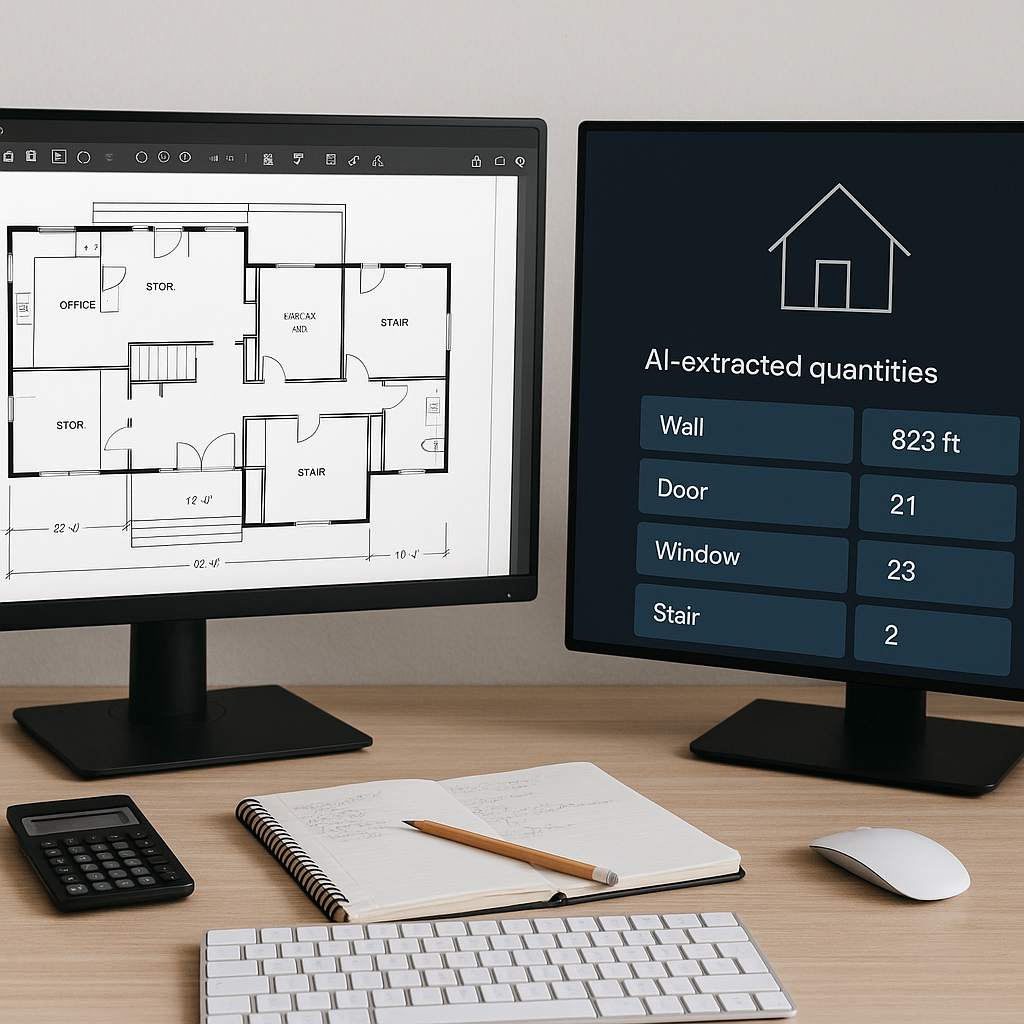
The Construction Estimator's Bottleneck
Every estimator knows the pain. You’re staring at a stack of PDF drawings or a bloated digital folder. You fire up your measurement tools, calibrate the scale, and start tracing lines. Ten hours later, you’ve barely scratched the surface. By the time you’re done, you’ve spent two full workdays on something that feels like grunt work. Not ideal.
The issue isn’t just the time sink—it’s the opportunity cost. Those 40 hours could’ve been spent refining bid strategies, negotiating with subs, or analyzing risks. Instead, you’re stuck doing manual takeoffs that a machine could do in minutes. Enter AI-powered takeoff tools like EstimateNext.
10 Minutes vs. 40 Hours: The AI Advantage
Let’s get specific. Take a mid-sized high-rise project. Traditionally, an estimator might spend 36-40 hours extracting quantities from PDFs—columns, beams, walls, and more. Tools like EstimateNext’s Vision AI shrink that to 10 minutes. Yes, 10 minutes. The AI parses your PDF set, identifies quantities, and lays them out in a structured BOQ (bill of quantities).
How AI Tools Work
Vision AI uses machine learning to recognize patterns in the drawings. It identifies areas, lengths, and counts for key elements like walls, doors, and windows. And it doesn’t stop there. It flags low-confidence areas so you can double-check anything that looks off. This isn’t just automation; it’s smart automation.
Here’s a relatable analogy: Imagine a highlighter that not only marks the important parts of a document for you but also gives you a checklist of what it highlighted. That’s essentially what Vision AI does for your takeoffs.
But It’s Not Perfect
AI tools still need human oversight. For example, if you’re working on a complex hospital project with irregular room layouts, the AI might struggle to interpret certain details. You’ll want to review the output, especially for unusual designs or non-standard symbols. Even with a 10% manual adjustment rate, though, you’re saving 90% of the time versus doing it all by hand.
Real-World Impact: A Case Study
Let’s talk numbers. A mid-sized general contractor (GC) recently used Vision AI on a $50 million high-rise bid. Manual takeoffs would’ve taken their team two full weeks. With AI, they wrapped it up in under a day. That’s a savings of 120 hours. At an average estimator hourly rate of $130, that’s $15,600 saved—on one bid.
What They Did With the Time Saved
Instead of pouring over drawings, the team:
- Prepared a more competitive bid package: They had time to sharpen their pricing, ensuring they weren’t leaving money on the table or overbidding.
- Refined their risk analysis: With more time, they could better identify areas of potential cost overruns or delays.
- Negotiated better sub quotes: A more detailed BOQ allowed them to have precise conversations with subcontractors, leading to improved pricing.
The result? They won the project. More importantly, their refined approach translated to higher margins during execution.
Industry-Wide Data
According to a 2022 McKinsey report, preconstruction inefficiencies cost the construction industry over $1 trillion annually. Tools like Vision AI aim to chip away at that staggering figure by eliminating redundant tasks and improving accuracy. Even on smaller projects, AI-driven efficiencies scale quickly. For example, saving just 5 hours per week could equate to more than $30,000 annually for a single estimator.
The Objections: “AI Can’t Think Like Me”
I hear this all the time: “Sure, AI is fast, but it doesn’t understand the nuances of construction.” And you’re right—it doesn’t. AI isn’t replacing your expertise; it’s amplifying it. You’re still making the judgment calls, tweaking the numbers, and deciding the margins. The AI just handles the grunt work.
Think of AI as Your Perfect Assistant
Consider this: Would you trust a junior estimator to lead the bid review meeting? No. But would you trust them to handle repetitive tasks, like measuring wall lengths or counting windows? Absolutely. That’s what AI does—it’s the ultimate assistant that doesn’t get tired, doesn’t make arithmetic errors, and works 24/7.
Addressing Specific Concerns
- “AI will miss critical details.” True for some tools, but platforms like EstimateNext flag low-confidence items for your review, ensuring nothing gets overlooked.
- “Our projects are too complex.” AI adapts to a wide range of project types, from small tenant improvements to $1 billion infrastructure builds. Start on a simpler project to test its limits.
What About Small Firms?
You might be thinking, “This sounds great for big GCs, but I run a small operation. Can I afford this?” The short answer: yes. Platforms like EstimateNext start at $39/month. That’s less than what you’d pay for a single Bluebeam license, and the ROI is massive.
ROI for Small Firms
For example, if you’re pricing a $1 million office fit-out and save just 5 hours using AI, that’s about $650 saved in labor costs (assuming an hourly rate of $130). Multiply that by 10 bids per year, and you’ve saved $6,500—on a $468 annual subscription.
Use Cases for Smaller Projects
- Residential remodels: Quickly calculate framing, drywall, and finish material quantities.
- Tenant improvements: Generate precise BOQs for flooring, paint, and lighting.
- Small commercial builds: Easily estimate structural elements and MEP components.
AI scales to any project size, making it accessible even to one-person operations.
The Bigger Picture: Why Speed Matters
In today’s market, speed wins. Subs want fast quotes. Owners want fast bids. Everyone’s chasing tight deadlines, and the old manual processes just can’t keep up. AI-powered takeoffs aren’t a luxury—they’re a necessity.
Speed vs. Accuracy
It’s not just about speed, though. Accuracy matters just as much, if not more. AI tools like EstimateNext reduce takeoff discrepancies by up to 80%, according to their documentation. Fewer mistakes mean fewer change orders, fewer disputes, and better profit margins.
Competitive Edge
In a crowded bidding landscape, being the first to submit an accurate, competitive bid could be the difference between winning and losing a project. AI tools help you deliver faster without sacrificing precision.
Takeaways for Preconstruction Teams
If you’re still relying on manual takeoffs, you’re leaving money on the table. AI-powered tools like EstimateNext are a no-brainer for any team serious about staying competitive.
Actionable Steps
- Run a trial project. Test the software on a simple project to get familiar with its capabilities.
- Track your time savings. Compare hours spent on AI-assisted takeoffs versus manual methods.
- Measure accuracy. Review discrepancies between AI and manual results to build trust in the tool.
- Scale gradually. Start using AI on smaller bids, then expand to large, complex projects.
You’ll wonder how you ever lived without it.
If you’re tired of wasting 40 hours on manual takeoffs, EstimateNext can help. Get started free →
Comparison Table: Manual Takeoffs vs. AI Takeoffs
| Aspect | Manual Takeoffs | AI-Powered Takeoffs |
|---|---|---|
| Time per project | 36-40 hours | 10-30 minutes |
| Accuracy | Prone to human error | 70-80% fewer discrepancies |
| Learning curve | None | 1-2 days |
| Cost | Labor-intensive | $39/month subscription |
| Scalability | Limited by human hours | Scales effortlessly |


