Stop Wasting 40 Hours on Manual Takeoffs
Every GC estimator knows the pain: a new set of drawings lands on your desk, and suddenly, your next two days are booked. You’re flipping through PDFs, tracing walls, counting fixtures—two estimators grinding through 40 hours of manual work. It’s a time sink. Worse, it’s a profit killer when you’re chasing tight deadlines and juggling multiple bids.
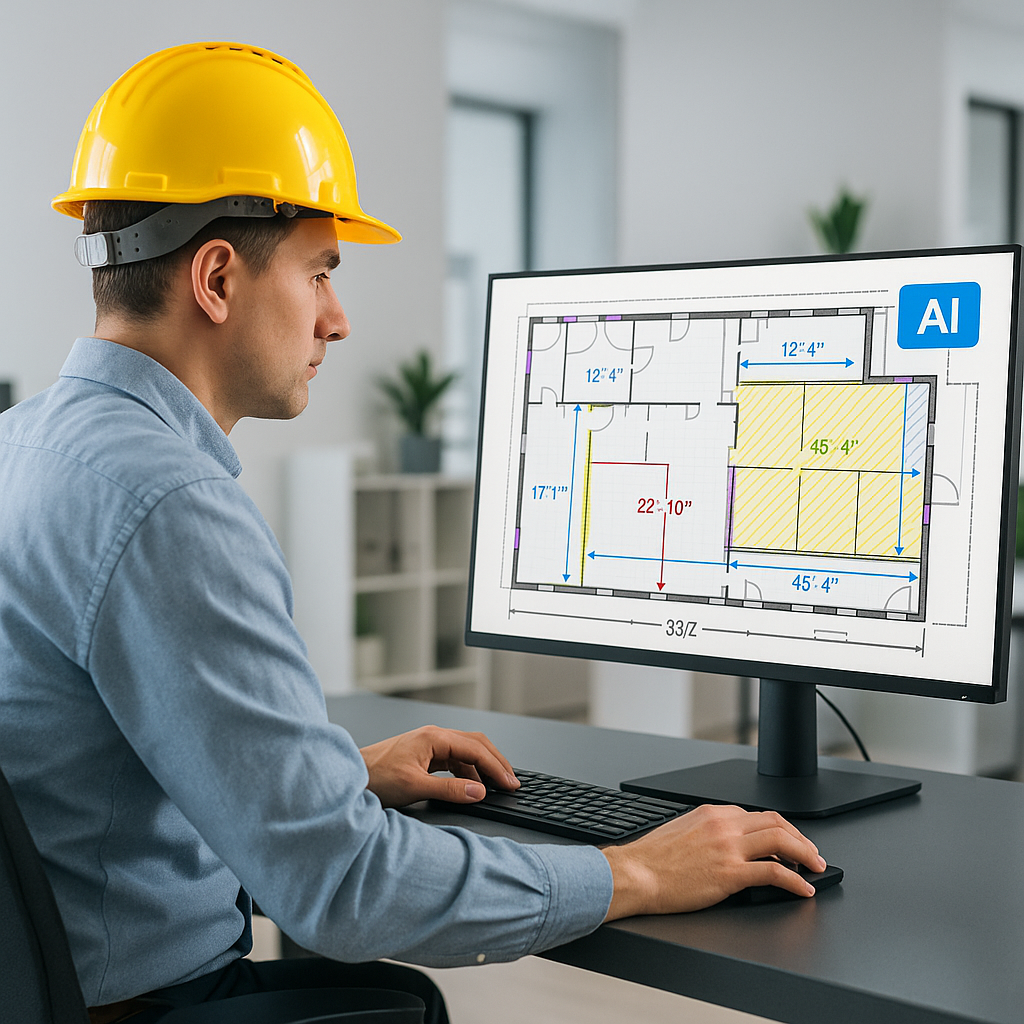
Now imagine you could slash that 40 hours down to 10 minutes. That’s not marketing fluff; it’s what AI-powered tools like Vision AI actually deliver. Here's how it works:
- Upload the PDF drawings: Vision AI scans your entire set of plans—room areas, wall lengths, fixtures, and more—without breaking a sweat.
- Automatic quantity extraction: The AI calculates quantities for concrete, steel, HVAC systems, and more. No tracing, no counting.
- Confidence scoring: If the AI isn’t 100% sure about a measurement, it flags it for manual review. You control the accuracy.
A mid-sized GC saved 120 hours on a high-rise bid using this method. That’s two full weeks of labor costs avoided—and still meeting tight deadlines. It’s like hiring a full-time estimator without the overhead.
Case Study: Mid-Sized GC on a High-Rise Project
Let’s break down the numbers. A mid-sized general contractor bid on a $40 million high-rise project with over 250 pages of architectural drawings. Typically, two estimators would spend 120 hours manually performing takeoffs—tracing walls, measuring square footage, counting fixtures, and calculating quantities for materials.
After adopting Vision AI, the process was completed in under 10 minutes. The team spent an additional 4 hours reviewing flagged measurements and confirming accuracy. That’s a 96% reduction in time, and the project was submitted ahead of schedule. The time saved allowed the team to pivot to another bid opportunity immediately, increasing their chances of securing additional projects.
What Happens to Those 36 Hours You Save?
Here’s the real value: it’s not just about saving time; it’s about reinvesting that time into higher-value work. With those extra hours, your team can:
1. Respond to More Bids
If you’re chasing 5 GMP pursuits per year, shaving 36 hours off each estimate means you can squeeze in an extra project. For example, if your average project is worth $10 million and your win rate is 20%, that extra bid could translate into $2 million in additional annual revenue.
2. Optimize Subcontractor Negotiations
More time spent leveling sub bids means better scope alignment and lower risks. Overlooked discrepancies in subcontractor bids often lead to costly change orders during construction. By reinvesting saved time into thorough bid comparisons, you reduce the likelihood of scope gaps and misaligned pricing.
3. Improve Internal Processes
Use the time saved to audit past estimates, refine cost factors, or train junior estimators. For instance, reviewing historical project data could reveal inaccuracies in your cost per square foot or missed opportunities to reduce contingency percentages. Training junior estimators during downtime also ensures your team can scale efficiently as you grow.
Concrete Example: Doubling Down on Preconstruction Strategy
A large GC firm in Texas used the extra time saved by Vision AI to refine their preconstruction strategy. They audited three years of past estimates and identified a consistent discrepancy in steel pricing—often overestimating by 5%. By correcting this, they reduced bid costs by an average of $200,000 per project, making their bids more competitive without sacrificing profitability.
The Obvious Objection: “AI Can’t Think Like an Estimator”
You’re right—AI doesn’t replace your expertise. It doesn’t negotiate with subs, make judgment calls, or decide on markup. But it doesn’t need to. AI handles the grunt work, so you can focus on the strategic decisions that actually move the needle.
Comparison: CAD Software vs. AI in Estimation
This objection reminds me of the early days of CAD software. Engineers said it could never replace their drafting skills. Fast forward to today, and hand-drawn plans are practically extinct. AI in preconstruction estimation is following the same trajectory—it’s not about replacement; it’s about amplification.
Actionable Tip: Pairing AI With Human Expertise
AI tools work best as part of a hybrid approach. For instance, while Vision AI can automate takeoffs, estimators should use their expertise to validate flagged quantities, adjust for project-specific anomalies, and finalize pricing strategies. This ensures accuracy without sacrificing speed.
What If You’re Already Using Bluebeam or Procore?
Good news: AI estimation tools like EstimateNext integrate seamlessly with popular platforms. You can export your AI-generated takeoffs directly into your existing workflows. No need to overhaul your tech stack.
Integration Example: Bluebeam Workflow
Imagine you’re using Bluebeam for PDF markup and collaboration. With Vision AI, your takeoffs can be imported directly into Bluebeam as layered annotations. This allows your team to review flagged quantities within the same platform they’re already comfortable using, minimizing disruption.
Customization Made Easy
Worried about custom rates? AI tools let you upload your own rate catalogs or define project-specific rates. For example, a GC firm specializing in healthcare projects uploaded their proprietary cost factors for medical equipment installation. This ensured their takeoffs aligned perfectly with their niche requirements.
Comparison Table: Manual Takeoffs vs. AI-Powered Takeoffs
| Category | Manual Takeoffs | AI-Powered Takeoffs |
|---|---|---|
| Time Spent | 40 hours per project | 10 minutes per project |
| Accuracy | Prone to human error | Confidence scoring + human review |
| Cost | $5,200 per estimate | ~$500 per estimate |
| Scalability | Limited by manpower | Scales across multiple bids |
| Integration | Manual entry into software | Seamless export to platforms |
Final Thoughts
If you’re still spending days on manual takeoffs, it’s time to rethink your process. AI-powered tools like Vision AI don’t just save time—they free your team to focus on the work that wins bids. By reinvesting saved hours into strategic activities like subcontractor negotiations and process improvement, you’re not just cutting costs—you’re gaining a competitive edge.
Want to see how it works? Get started free →


