Stop Wasting Weeks on Manual Takeoffs
Ever stared at a PDF drawing set for hours, tracing walls, counting doors, and measuring areas? You’re not alone. Manual drawing takeoffs eat up 40 hours per bid—two estimators grinding away for two full days. Multiply that across five Guaranteed Maximum Price (GMP) pursuits per year, and you’ve burned 200 hours on just one part of preconstruction.
Now imagine cutting that down to 10 minutes. That’s what AI-powered tools like EstimateNext’s Vision AI deliver. By automating quantity extraction, these tools handle the grunt work, leaving you to focus on strategy and pricing. One mid-sized general contractor saved 120 hours on a high-rise bid by switching to AI—equivalent to two full weeks of labor.
How It Works
The process is simple:
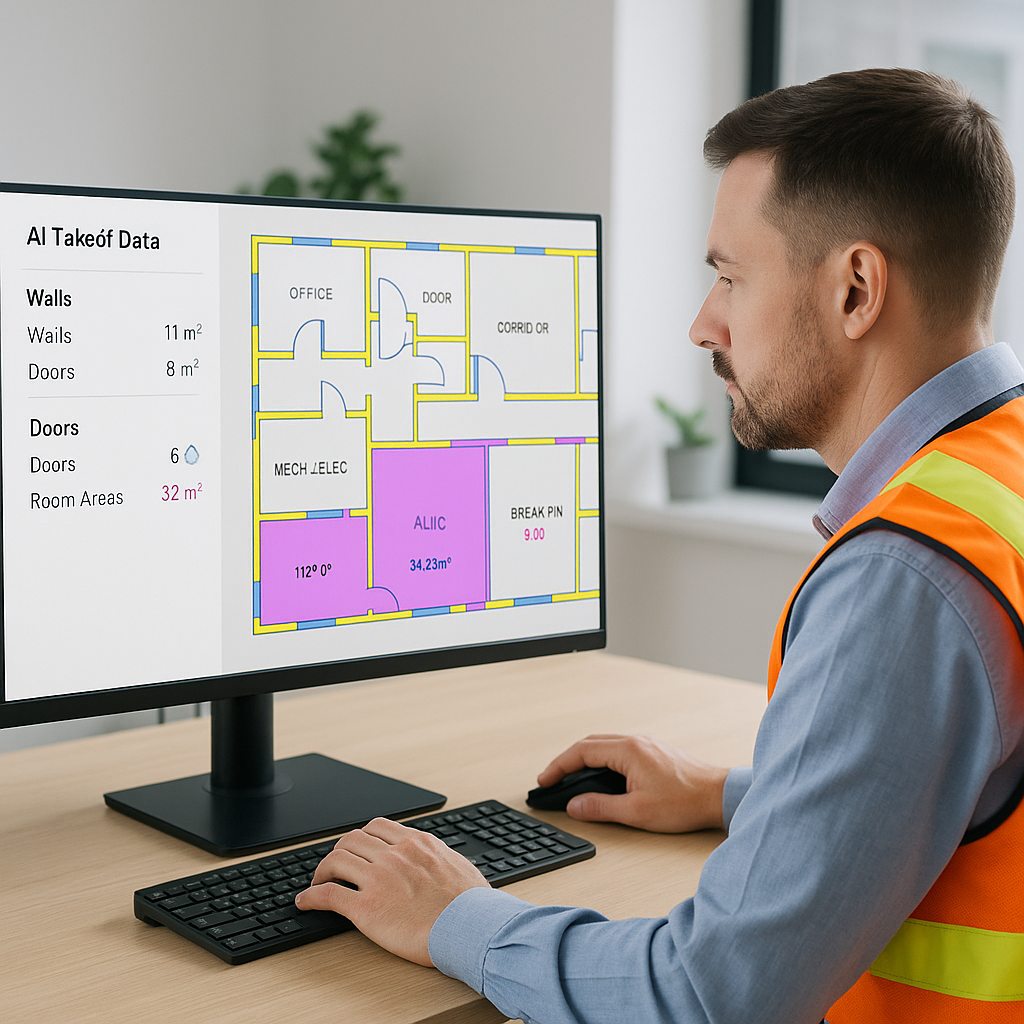
- Upload your PDF drawings: Vision AI reads plans like a human estimator but faster.
- Extract quantities: Room areas, wall lengths, door/window counts—it’s all done in minutes.
- Review low-confidence items: The tool flags uncertain measurements for manual recheck, so nothing gets missed.
Let’s break that down further:
- File Compatibility: Tools like Vision AI support a wide range of file types, including PDFs, DWGs, and even scanned images, ensuring you can work with most drawing sets.
- Customizable Outputs: Extracted quantities can be exported to Excel, Procore, or other project management software, tailored to the needs of your team.
- Learning from Patterns: The more you use the tool, the smarter it gets. AI systems can learn from your corrections, improving accuracy over time.
The result? Accurate takeoffs in a fraction of the time. And it’s not just about speed. AI tools reduce discrepancies by up to 80% compared to manual methods.
The Real Cost of Manual Errors
Here’s the brutal math: A single missed measurement can derail your bid. Say you underestimate concrete quantities by 10%. On a $1M project, that’s a $100K mistake. These kinds of oversights can lead to:
- Profit Erosion: Underestimating costs eats into your profit margins.
- Delayed Schedules: Ordering materials late because of miscalculations can stall projects.
- Damaged Reputation: Consistently inaccurate bids can hurt your credibility with clients and subcontractors.
Case Study: The $250K Concrete Mishap
A Texas-based contractor lost $250K on a commercial project because of an underestimated slab thickness. The oversight stemmed from a manual takeoff error where the estimator misread the spec sheet. After adopting Vision AI, the company caught similar issues early on future bids, avoiding costly mistakes.
AI tools don’t eliminate human oversight, but they drastically reduce the chances of costly errors. In my view, the biggest value isn’t just the saved hours—it’s the confidence to submit bids without second-guessing your numbers. You might be thinking, “But AI can’t think like an estimator.” True. It doesn’t replace your judgment; it amplifies it.
Why Speed Matters
Speed isn’t just a luxury—it’s a competitive edge. Faster takeoffs mean:
- More bids submitted: Respond to twice as many RFPs without adding staff.
- Better subcontractor negotiations: Lock in rates faster, avoiding inflation hits.
- Internal process improvements: Free up senior estimators for high-value tasks.
Example: Doubling RFP Responses
A regional residential contractor in Florida reported a 50% increase in bids submitted in one year after adopting AI-powered takeoff tools. The time saved allowed the company to pursue smaller projects they’d previously ignored, adding $1.2M in incremental revenue.
Actionable Steps:
- Benchmark Your Current Process: Track how many hours your team spends on manual takeoffs for a typical project.
- Pilot AI Tools on a Small Project: Test an AI tool like Vision AI on a $1M-$5M project to measure time savings and accuracy improvements.
- Reallocate Resources: Use the freed-up hours to focus on refining bid strategies or improving client relationships.
What About Smaller Projects?
You don’t need a billion-dollar rail bridge to make AI worthwhile. Tools like Vision AI scale to any project size, whether it’s a $1M renovation or a $100M office tower. For smaller firms, the ROI is even sharper—subscription costs as low as $39/month pay for themselves in saved hours.
Real-World Example: Small Firm ROI
A three-person general contracting business in Oregon adopted AI takeoff tools to handle residential remodels. With projects averaging $500K, they saved 10 hours per project and reinvested that time into marketing. Within six months, they added three new clients, generating $1.5M in additional revenue.
When Does AI Make Sense?
| Project Size | Manual Takeoff Time | AI Time | Savings |
|---|---|---|---|
| $500K Residential | 8 hours | 30 minutes | 7.5 hours |
| $5M Office Fit-Out | 40 hours | 2 hours | 38 hours |
| $50M High-Rise | 200 hours | 10 hours | 190 hours |
Common Objections
Objection 1: “AI tools are hard to learn.”
Most platforms are designed for ease of use. Training typically takes under two weeks. Some vendors even offer free onboarding sessions and 24/7 customer support.
Objection 2: “AI can’t handle custom rates.”
Good tools let you upload custom catalogs and adjust rates for project-specific items. For example, Vision AI allows you to import itemized rate sheets in Excel and apply them to extracted quantities instantly.
Objection 3: “What if the drawings are messy?”
Vision AI includes manual override options for remeasuring flagged items. You’re still in control. Plus, OCR (Optical Character Recognition) ensures even low-quality scans can be processed accurately.
Why Now?
With inflation squeezing margins and skilled labor shortages hitting every market, preconstruction directors are being asked to do more with less. AI-powered takeoff tools are like hiring extra estimators—minus the payroll hit. The question isn’t whether you’ll adopt AI; it’s how soon.
If you’re dealing with the pain of manual takeoffs, EstimateNext can help. Get started free →


