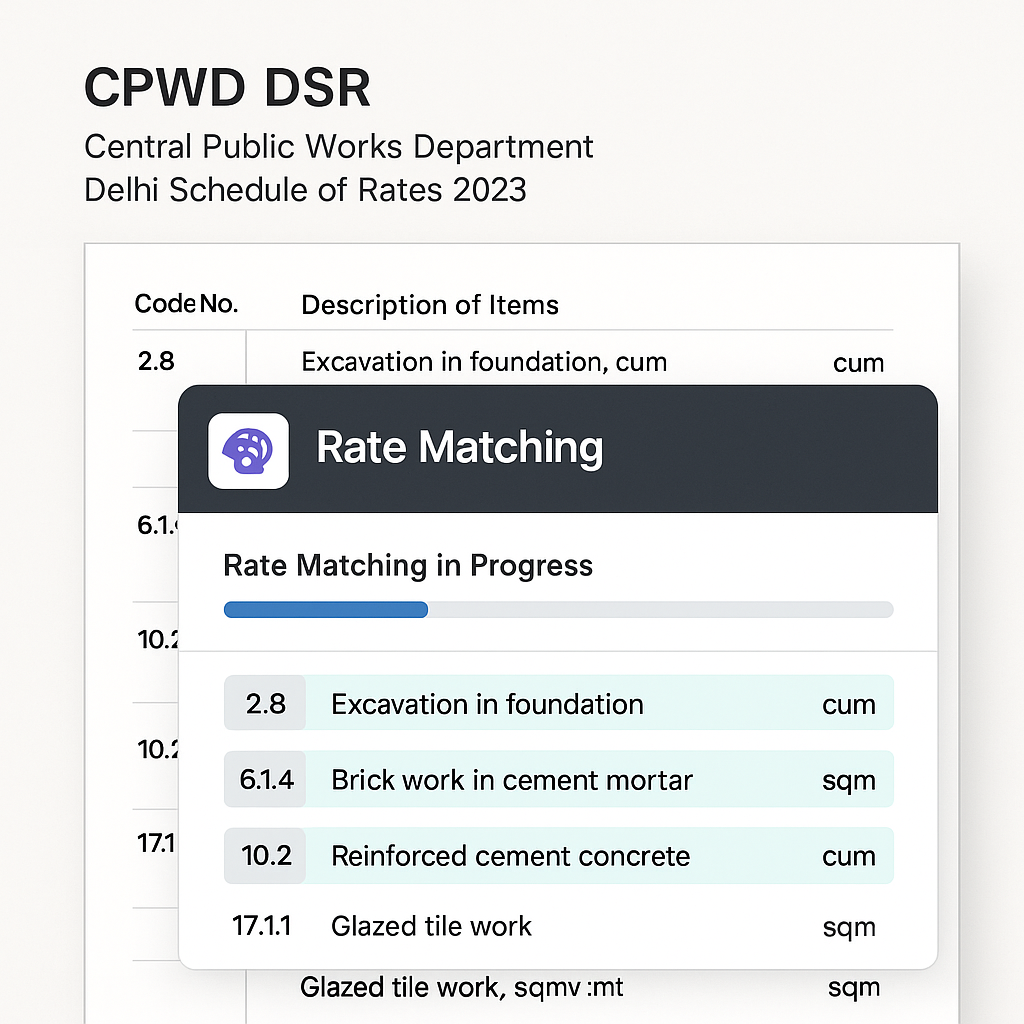
Why CPWD DSR Feels Like a Full-Time Job
If you've ever priced a government project in India, you know the drill: CPWD DSR (Delhi Schedule of Rates) is your bible. But it’s not user-friendly. We're talking about 19 catalogs with over 78,000 items. Every rate lookup feels like searching for a needle in a haystack. Then there are the updates. CPWD releases Cost Index updates once or twice a year, adjusting rates for inflation and market changes. Miss one, and your bid risks being outdated before submission.
The manual process? Open the DSR PDF, Ctrl+F your item, cross-check rates, and repeat for hundreds of line items. Then, rework Excel sheets for inflation uplifts. It’s tedious—easily 10+ hours per estimate.
But what if you could do all this in seconds? That’s where AI-powered tools come in.
How AI Turns Hours into Seconds
AI tools like EstimateNext have revolutionized how contractors and consultants handle CPWD DSR pricing. Instead of manual labor, these tools automate the entire process, saving time, reducing errors, and increasing efficiency. Here’s how it works:
1. Upload Your BOQ
Whether you’re working with Excel, CSV, or even ODS files, EstimateNext’s platform takes care of the messy parts. It automatically detects merged cells, section headers, and hierarchies. For example, if your Excel sheet includes section totals or improperly formatted cells, the AI cleans it up for you—no manual intervention required.
2. Semantic Search
This is where the magic happens. Instead of just looking for keywords, the AI understands the context of each item. For instance, if your BOQ mentions “25mm cement plaster,” the system knows to match it with the specific DSR item, including material breakdowns.
Example: In a BOQ with items like “plastering, 12mm thick,” the tool identifies the corresponding CPWD code for both labor and materials, even if the phrasing isn’t identical.
3. Automatic Inflation Adjustment
Inflation can make or break your bid. AI tools automatically apply the latest Cost Index updates. If CPWD’s circular states that rates increased by 5.2% for Madhubani, Bihar, the platform adjusts accordingly.
4. Output in Seconds
Finally, you get a fully priced BOQ in seconds. The output includes an audit trail for every rate matched, ensuring transparency and compliance.
Real Example: Saving Time on a ₹150 Cr Hospital Project
Let’s break down a real-world scenario to showcase how transformative AI tools can be:
Scenario:
You’re pricing a 250-bed district hospital under the PM-ABHIM scheme. The BOQ has 1,200 line items, ranging from civil works to plumbing fixtures. Manually matching rates, applying region-specific inflation, and ensuring compliance would take days.
Traditional Process:
- Rate Lookup: Manually search for each item in the CPWD DSR PDF. For 1,200 items, this could take 10+ hours.
- Inflation Adjustment: Manually calculate inflation for each line item based on the latest Cost Index circular. This adds another 5-8 hours.
- Validation: Cross-check everything to ensure compliance. Another 3-5 hours.
With EstimateNext:
- Upload your BOQ.
- Select the region profile (e.g., Madhubani, Bihar, inflation: 5.2%).
- Get a priced BOQ in minutes.
Outcome: Over 100 hours saved per project. Plus, the output is fully compliant with CPWD updates, minimizing the risk of bid rejections.
What Happens When AI Gets It Wrong?
Even the best AI systems aren’t perfect. So, what happens if the AI makes a mistake?
Low-Confidence Matches
EstimateNext flags items with low-confidence matches for manual review. For example:
- If the BOQ mentions an ambiguous term like “standard fittings,” the AI highlights it.
- You can manually select the correct DSR item, ensuring accuracy.
Audit Trails
Every rate matched comes with an audit trail, so you can trace how the AI arrived at its conclusion. This transparency is crucial for compliance and client trust.
Why Manual Work Doesn’t Cut It Anymore
Some contractors stick to manual processes because they’ve “always done it this way.” But let’s break down the costs of staying manual:
| Metric | Manual Process | AI Tools (EstimateNext) |
|---|---|---|
| Time per estimate | 10+ hours | Less than 1 hour |
| Risk of bid rejection | High (due to missed updates) | Low (automatic updates) |
| Inflation accuracy | 5-10% underpricing | Accurate to the latest index |
| Number of tenders handled | 2-3 per week | 10+ per week |
Key Takeaway:
Faster bids mean more tenders submitted—and more wins.
Actionable Steps to Get Started
If you’re ready to ditch the manual grind, here’s how you can get started:
- Digitize Your BOQs: If your BOQs are still in paper format, scan and convert them into Excel or CSV files using tools like Adobe Acrobat or Microsoft Excel.
- Choose the Right AI Tool: Platforms like EstimateNext are purpose-built for CPWD DSR workflows. Explore their features with a free trial.
- Test on a Small Project: Start with a smaller BOQ (e.g., 50-100 line items) to understand the workflow and accuracy.
- Validate Output: Cross-check the AI’s output for the first few projects to build confidence in the system.
- Scale Up: Once comfortable, integrate the tool into your regular tendering process.
The Bottom Line
If you’re tired of wasting hours on CPWD DSR lookups, it’s time to automate. Tools like EstimateNext slashes the process from hours to seconds, letting you focus on pricing smarter—not harder. The benefits are clear: more tenders, fewer errors, and a competitive edge in the bidding process.


