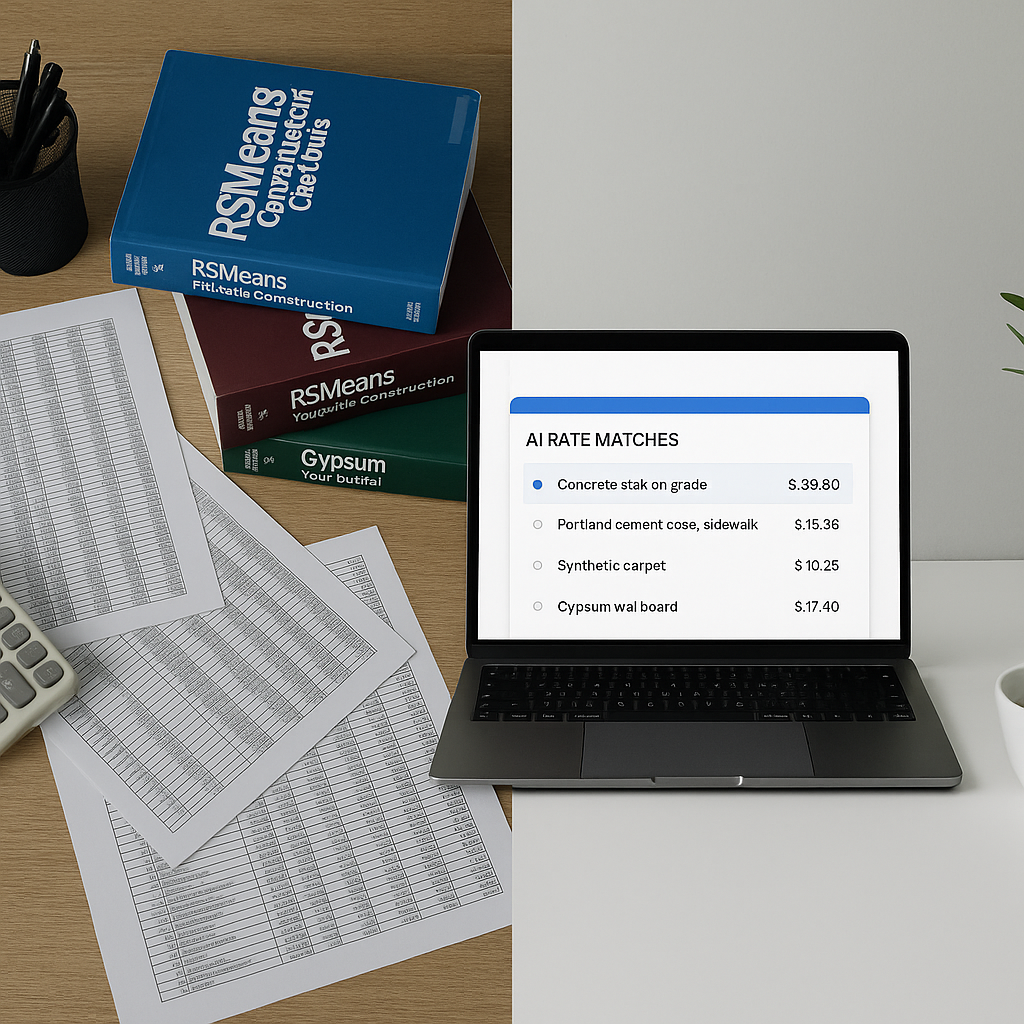
The Hidden Time Sink in Estimation: Rate Lookups
Estimators know the pain. You’re halfway through pricing a bid, and you need a rate for something like “installing pre-stressed concrete girders.” What happens next? You open the 2,000-page RSMeans book (or worse, a state-specific DSR PDF), start flipping, and hope you find the right match. If you’re lucky, this takes 30 minutes. If the rate isn’t listed exactly as you need, you’ll spend even more time piecing together materials, labor, and equipment costs.
Now multiply that by the 300 items in a typical BOQ (Bill of Quantities). That’s hours of wasted time, per estimate. And let’s be honest—manual lookups are error-prone. A missed rate or wrong multiplier can wreck a bid’s profitability.
In fact, a study by McKinsey found that 20% of construction project overruns stem from estimation errors, many of which are tied to inaccurate or incomplete pricing data. The manual lookup process compounds these errors, creating inefficiencies that hurt your bottom line.
But what if you could get those rates in seconds?
The AI Fix for Rate Matching
This is where AI-powered tools like EstimateNext come in. Instead of flipping through PDFs or scrolling through Excel sheets, you upload your BOQ, and the system matches each line item to one of 78,000+ rates in its database. Need a labor rate for concrete pouring? Done. Curious about the cost of a specific HVAC component? It’ll pull the best match instantly.
How It Works
The magic lies in semantic search. The AI doesn’t just look for keywords—it understands context. For example, if your BOQ says “supply and install gypsum board partitions,” the system knows to match it to a rate that includes both material and labor. No more guessing or hunting.
Additionally, the AI learns from your adjustments. If you override a suggested rate, it remembers that for future bids. By the third or fourth project, the accuracy improves dramatically. This adaptive learning feature ensures that the tool gets better the more you use it, ultimately saving both time and money.
A Concrete Example
Suppose your BOQ includes “installing pre-stressed concrete girders.” With traditional methods, you’d search for a matching rate in RSMeans or a similar catalog, piece together the labor, material, and machinery costs, and calculate the total manually. With EstimateNext, you simply upload the BOQ, and within seconds, the AI provides a comprehensive rate, including all associated costs. And if you think the rate needs tweaking, you can manually adjust it and save the override for future reference.
Real-World Savings: A Case Study
Take a mid-sized contractor working on a $50M high-rise project. They used EstimateNext’s AI rate matching to price their BOQ. Here’s what changed:
Manual Process:
- 12 hours spent on rate lookups, often with two estimators working in parallel.
- High likelihood of errors due to fatigue and rushed decision-making.
AI Process:
- 15 minutes to auto-match 96% of rates.
- 30 minutes to adjust or confirm edge cases.
Results:
- Net Savings: 11.5 hours per bid.
- For a team pricing 5 bids per month, that’s nearly 60 hours saved.
- Dollar Savings: Assuming $130/hour for an estimator, that’s $7,800/month in reduced labor costs. Over a year, it’s nearly $94,000 saved—just by eliminating manual rate lookups.
Industry Application:
This isn’t just theory. Similar tools have been used in large infrastructure projects, such as highway construction, where complex BOQs include thousands of line items. By automating rate matching, firms have slashed estimation times by up to 80%, enabling them to bid on more projects without increasing staff.
The Skeptic’s Objection: Is AI Accurate Enough?
You might be thinking, “Sure, AI is fast, but can I trust it?” Fair question. AI tools aren’t perfect, and they don’t claim to be. That’s why good platforms include confidence scoring and manual override options. If the system isn’t 100% sure about a match, it flags it for your review.
Let’s Compare:
| Manual Methods | AI Tools |
|---|---|
| Time-intensive | Instant rate matching |
| Error-prone | Confidence scoring reduces errors |
| Requires deep expertise | Minimal learning curve |
| Difficult to scale | Scalable for projects of any size |
And let’s not pretend manual methods are flawless. How many times have you pulled the wrong rate or forgotten to adjust for inflation? AI doesn’t eliminate your judgment—it just reduces the grunt work. You still make the final call.
One estimator I spoke to put it this way: “It’s like having an assistant who does 90% of the boring stuff, so I can focus on the tough decisions.”
Why Traditional Methods Can’t Compete
If you’re still relying on RSMeans books, outdated government PDFs, or Excel templates, here’s the brutal math:
Time Cost:
Each manual lookup takes 3-5 minutes. Multiply that by 300 BOQ items, and you’re burning 15-25 hours per estimate.
Error Cost:
A single missed rate can cost tens of thousands on large projects. AI reduces human error by suggesting consistent, vetted rates.
Scalability:
Manual methods don’t scale. If you’ve got three bids due next week, good luck meeting the deadlines without cutting corners.
AI tools scale effortlessly. Whether it’s 50 BOQ lines or 5,000, the process takes about the same time: minutes.
Actionable Steps to Get Started
- Start Small: Use AI tools for one bid to test their efficiency. Compare the process to your manual methods.
- Customize Your Rates: Upload your rate catalog to ensure the AI aligns with your company’s pricing structure.
- Check Integrations: Ensure the tool integrates with your existing workflows (e.g., Excel, Procore, Bluebeam).
- Track ROI: Measure time saved and accuracy improvements over a few projects.
- Scale Up: Once comfortable, use the tool for all estimates and bids.


