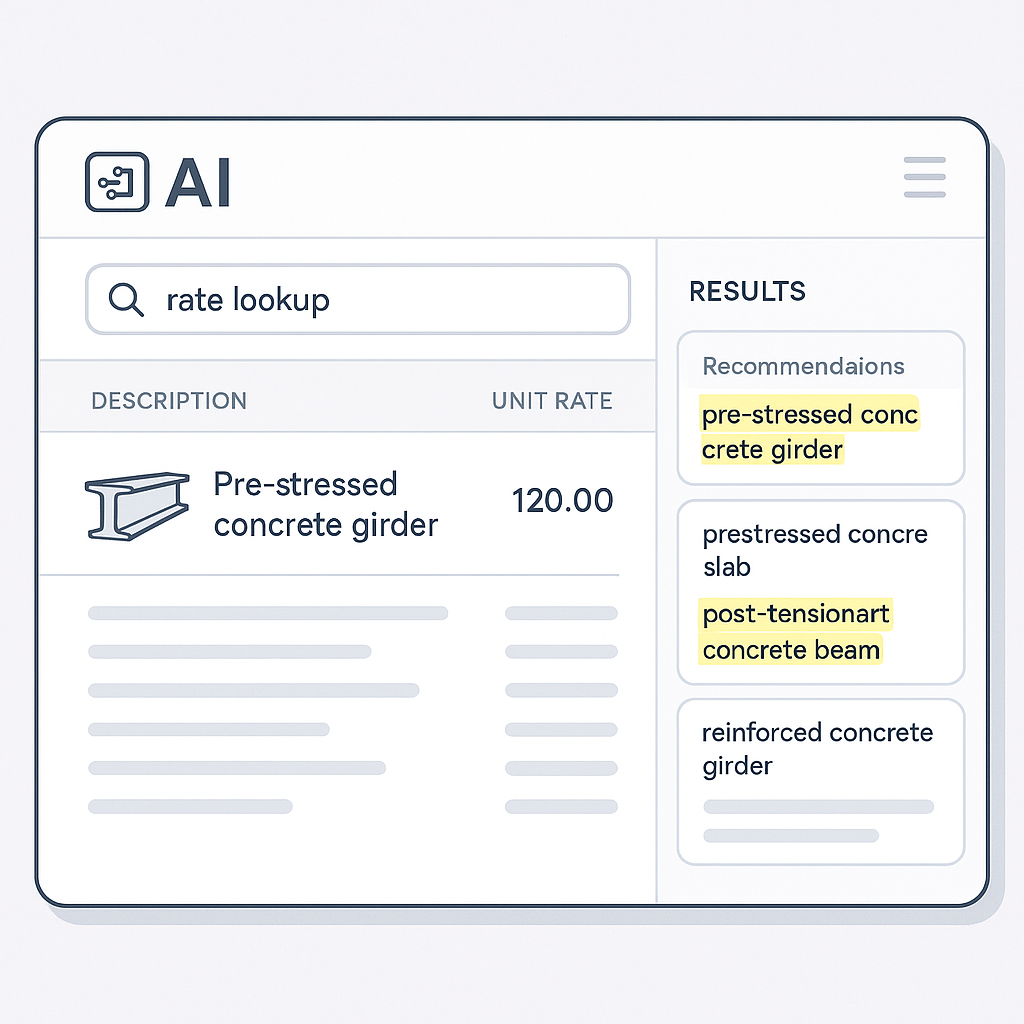
Flipping the Script on Rate Matching
Rate matching in construction estimation is tedious. It’s the part of the job no one likes. You’re stuck flipping through massive books like RSMeans or CPWD DSR, trying to find the labor rate for installing pre-stressed concrete girders—or something equally specific. I’ve done it. It’s not fun.
For an average bid, estimators spend 12 hours just on rate lookup. That’s half a day you could’ve spent refining your bid strategy or negotiating better subcontractor deals. But here’s the kicker: manual rate matching is prone to errors. Mispricing one line item can tank your margins—or worse, lose you the bid.
How AI Fixes This
AI-powered tools like EstimateNext change the game entirely. Instead of spending hours flipping through catalogs, you type in what you need. Done. The tool cross-references 78,000+ SOR items across 135 catalogs and gives you matching rates in seconds. It’s not magic—it’s semantic search paired with AI fallback logic.
A Real-World Example: A Major GC’s $1B Rail Bridge Project
Take a major general contractor’s $1 billion rail bridge project as an example. For a bid of that scale, estimators need rates for everything from rail ties to structural steel. Traditionally, pulling DOT-approved rates for each material would take days. With AI, it’s minutes. That’s time saved, but more importantly, it’s accuracy. No more human error from flipping to the wrong page.
Actionable Steps to Adopt AI
- Start Small: Test an AI-powered tool like EstimateNext on a single project. Use it exclusively for rate matching to see how much time you save.
- Integrate Your Catalogs: Upload your frequently used rate books and custom rates into the tool.
- Train Your Team: Most AI platforms are intuitive, but a short training session ensures everyone knows how to leverage its full potential.
- Track ROI: Measure time savings and reduced errors on bids before and after using the tool.
Why Trust Matters
You might be thinking, “Sure, AI is fast, but can I trust it?” That’s valid. I’ve had the same thought. AI isn’t perfect—it depends on the quality of input data. But tools like EstimateNext get smarter with every project. For example, if you adjust a rate or add a custom material finish, the system learns from that feedback loop.
Case Study: A Mid-Sized GC’s Experience
A mid-sized general contractor (GC) shared their experience after adopting EstimateNext. Initially, they were skeptical about the accuracy. However, after three projects, they noticed the system had adapted to their preferred rates and even flagged inconsistencies they hadn’t caught. By the third project, the GC reported a 30% reduction in rate discrepancies compared to manual estimation.
Transparency and Manual Overrides
Here’s the real trust-builder: manual overrides. If you don’t like what the AI suggests, you can override it and audit the entire process. Transparency is baked into the system, so you never feel like you’re operating in a black box.
Real ROI
Let’s talk numbers. According to McKinsey, early adopters of AI in construction see 10-20% cost savings per project. For a general contractor handling $100M in annual placements, that’s up to $20M saved every year. Even on smaller bids, the ROI adds up fast.
ROI Breakdown for Smaller Bids
Let’s say you’re working on a $1 million renovation project. AI tools can save 12 hours per estimate. At $130/hour for an estimator’s time, that’s $1,560 saved right off the bat. Add in the reduced risk of mispricing, and those savings grow exponentially.
| Project Scale | Manual Rate Matching Cost | AI-Assisted Cost | Savings |
|---|---|---|---|
| $1M Renovation | $1,560 | $300 | $1,260 |
| $10M Commercial | $15,600 | $3,000 | $12,600 |
| $100M Mega-Project | $156,000 | $30,000 | $126,000 |
A Mid-Sized GC’s Time Savings
One mid-sized GC saved 120 hours on a high-rise bid just by using EstimateNext for rate matching and takeoffs. That’s two full weeks of labor costs avoided—and they still met tight deadlines. In their words: “It’s like hiring a full-time estimator without the payroll.”
What About Edge Cases?
Not every bid is straightforward. What happens when rates are custom or project-specific? AI tools like EstimateNext let you upload your own rate catalogs or define custom rates for specific items. For example, if you’re pricing a mass timber office build, you can add your own material rates directly into the system. The AI integrates them seamlessly for future use.
Actionable Tips for Edge Cases
- Upload Custom Rates: Use the tool’s custom catalog feature for niche materials or labor rates.
- Set Quality Control Benchmarks: Regularly audit AI-generated rates against manual calculations to identify discrepancies.
- Leverage Feedback Loops: If the AI makes a mistake, correct it in the system to improve future estimates.
The Obvious Objection
“But AI can’t think like an estimator.” I hear this a lot. And it’s true—AI isn’t replacing your expertise. It’s a tool that amplifies it. You’re still the one making judgment calls, negotiating with subs, and deciding on markup. The AI handles the grunt work, like rate matching and recalculating what-if scenarios.
A Balanced Perspective
Think of AI as a junior estimator. It handles repetitive tasks and provides you with data, but you’re still in control of the strategy and decision-making. The combination of human expertise and AI-driven efficiency is where the real magic happens.
Call to Action
If you’re tired of wasting hours on rate matching, EstimateNext can help. With its AI-powered estimation engine and 78,000 searchable SOR items, you’ll get priced estimates in minutes—not days. Get started free →


