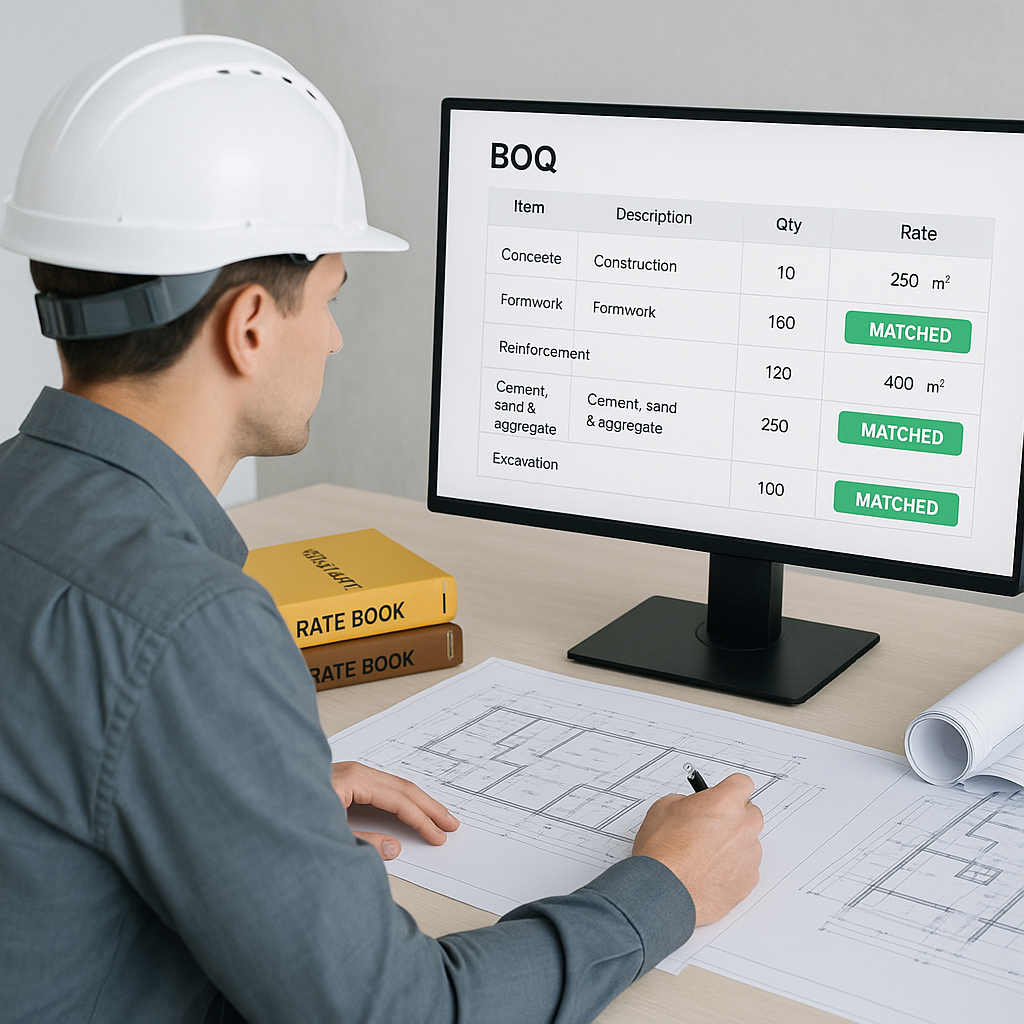
Why Rate Matching is a Silent Killer in Estimation
Every estimator knows the pain. You’ve got a 1,000-line BOQ and a two-day deadline. But instead of focusing on strategy or bid competitiveness, you're stuck flipping through rate books or scrolling endless PDFs. Sound familiar? That’s the silent killer of preconstruction: rate matching.
Now, let’s get real. Rate lookup for a typical general contractor eats up 10-12 hours per estimate. Multiply that across 5-8 GMP pursuits a year, and you’re losing 60-100 hours annually. For subcontractors responding to 30-60 bid packages? Double or triple that. And let’s not even talk about the errors. A missed rate or wrong match can blow your competitiveness—or worse, your profit margins.
This is where AI-powered preconstruction tools come in. Specifically, tools like EstimateNext. Its 4-step semantic search matches rates across 78,000+ SOR items in seconds. Let’s break down how.
How AI Rate Matching Works
Traditional rate matching is manual. You’re either flipping through physical books (shoutout to CPWD DSR users) or CTRL+F’ing PDFs like RSMeans. It’s slow, tedious, and prone to error. AI flips this on its head.
Here’s how EstimateNext solves it:
-
Smart BOQ Parsing: Upload your BOQ (Excel, CSV, ODS—whatever). The system auto-detects merged cells, hierarchies, and section headers. No formatting gymnastics needed.
-
4-Step Matching Process: The AI doesn’t just guess. It uses a structured process:
- Tenant History: Matches rates from your own past projects first. Why reinvent the wheel?
- User Catalogs: Searches your custom rate libraries next.
- Country-Specific Catalogs: Expands to national databases (CPWD DSR, RSMeans, AECOM GCC, etc.).
- AI Fallback: If all else fails, it suggests the closest semantic match.
-
Audit Trail: This is big. Every rate match comes with a breakdown—material, labor, equipment, and why the AI picked it. You’re never flying blind.
-
Real-Time Adjustments: Need to tweak a rate? One click, and it propagates across the BOQ instantly. No redoing Excel formulas.
A Real-World Example: A Major Contractor’s Rail Bid
Take a large national contractor’s $1 billion rail bridge project. Their bid team had to price rates for everything from pre-stressed concrete girders to structural steel. Normally, this would mean flipping through DOT-approved catalogs for hours. With AI, the team knocked it out in minutes.
What could that mean for a team like this? On the order of 56 hours saved on rate matching. That’s not just time saved; it’s time reinvested into refining strategy and negotiating with subs. On a job this size, AI can also cut takeoff discrepancies dramatically, eliminating costly errors during bid submission.
But large GCs aren’t alone. A mid-sized subcontractor working on a $25 million commercial development project reported similar gains. By switching to EstimateNext, they reduced rate lookup times by 70% and caught over 15 errors that would have otherwise gone unnoticed.
Why Speed Alone Isn’t Enough
You might be thinking, “Okay, AI saves time. But can it handle my custom rates or unique project specs?” Absolutely. Tools like EstimateNext let you upload custom catalogs or define project-specific rates. The AI integrates these seamlessly for future use. So, the more you use it, the smarter it gets.
Speed is only part of the equation. Accuracy and trust are equally important. When estimators see exactly how a rate got matched—and can adjust it on the fly—it builds confidence in the estimate. That’s something manual methods can’t offer.
For example, let’s say your project involves a niche material like fire-rated composite paneling. With traditional methods, rate matching would involve extensive manual searches or consultations with suppliers. AI tools can flag similar materials in your catalog, suggest rates based on historical bids, or even recommend adjustments based on current market trends—all with a transparent audit trail.
What About Edge Cases?
No system is perfect. AI rate matching works best when:
- Input Data is Clean: Messy BOQs (e.g., inconsistent units) can confuse the system. That’s why manual review is still essential.
- Custom Rates Are Defined: If you’re dealing with niche materials or bespoke finishes, upload those rates upfront.
- You Train the System: Feedback loops matter. Reject a bad match, and the AI learns for next time.
For example, if you’re working on a historical restoration project that requires custom masonry techniques, AI tools can struggle unless you pre-load bespoke rates or provide detailed descriptions. However, large GCs have found that once their custom catalogs were uploaded, the AI handled these edge cases with high accuracy.
Even with edge cases, the ROI is undeniable. McKinsey notes that early adopters of AI in construction save 10-20% per project. For a $200 million GMP bid, that’s up to $40 million in savings. Worth it? You bet.
Comparison Table: Manual vs. AI Rate Matching
| Feature | Manual Rate Matching | AI-Powered Rate Matching |
|---|---|---|
| Time Required | 10-12 hours per estimate | 10-30 minutes per estimate |
| Error Rate | High (manual oversight only) | Low (audit trail + confidence scoring) |
| Customization | Limited, slow to update | Seamless integration of custom catalogs |
| Scalability | Difficult for large BOQs | Scales effortlessly for any project size |
| Transparency | None | Full audit trail for every rate |
| ROI | Neutral | 10-20% project savings (McKinsey) |


