Why Manual Rate Lookups Are Killing Your Productivity
You’ve seen it. The estimator sitting at their desk flipping through a 2,000-page rate book, trying to find the right labor or material cost for a job. It’s tedious, error-prone, and worst of all—it eats up 12+ hours per estimate.
For large projects, it’s even worse. Take a major contractor’s $1 billion rail bridge, for example. The team needed rates for everything—rail ties, structural steel, pre-stressed concrete girders. Manually pulling those rates from DOT-approved catalogs? That’s a full week of effort.
Now imagine AI doing it in seconds.
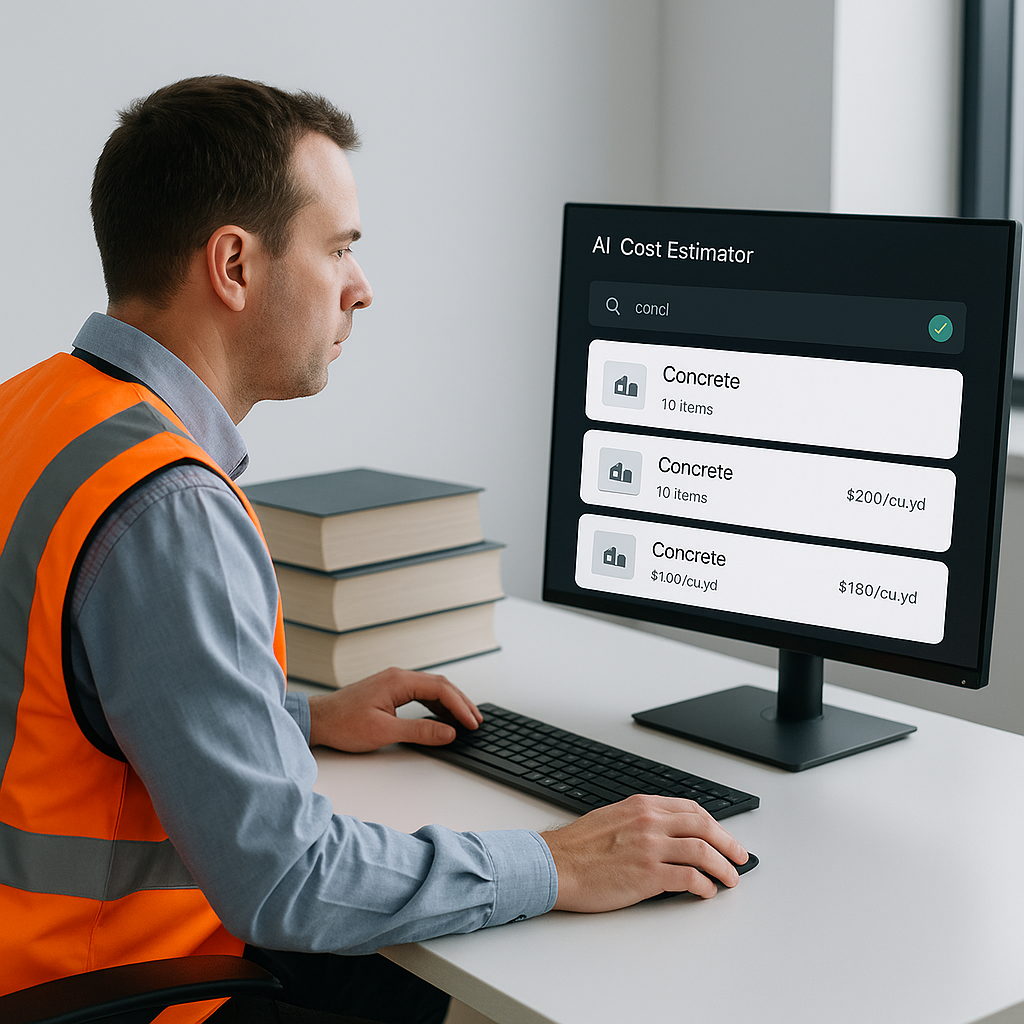
EstimateNext’s semantic search is a game-changer here. Instead of manually hunting for rates, you type in what you need—say, “labor for installing steel girders”—and the system matches it against 78,000+ Schedule of Rates (SOR) items instantly. No guesswork, no flipping pages.
Real-World Example: Speeding Up Rate Matching
Let’s get specific. A mid-sized general contractor (GC) recently used EstimateNext for a high-rise project. They uploaded their Bill of Quantities (BOQ), and the AI matched rates across multiple catalogs in under 10 minutes. Previously, this process took them three full days.
The result?
- Saved 120 hours: Instead of wasting days on manual rate hunting, they focused on refining their proposal.
- Avoided missed deadlines: Faster rate matching meant they could meet their submission deadlines without last-minute scrambling.
- Caught errors: The AI flagged discrepancies in their manual assumptions, such as labor rates for specialty tasks.
The estimator said it felt like having an extra team member who never sleeps.
Case Study: $500M Hospital Project
For even larger projects, the benefits multiply. Take a $500 million hospital construction bid. A construction firm used EstimateNext to process over 10,000 line items in their BOQ. The AI mapped rates from three catalogs in under 30 minutes—a task that would have taken two senior estimators over a week. The system also flagged outdated rates for medical-grade flooring and HVAC installation, saving the firm approximately $100,000 in cost adjustments.
Why Accuracy Matters
Speed is only half the battle. Accuracy is just as critical. A 2020 McKinsey report found that early adopters of AI in construction saw cost savings of 10-20% per project, largely due to reduced discrepancies in rate matching and takeoffs.
Here’s an example: During a large GC’s rail bridge estimation, the AI flagged an outdated labor rate for steel installation that hadn’t been adjusted for inflation. That correction alone saved an estimated $50,000.
The Domino Effect of Errors
Mistakes in rate matching can cascade throughout the estimation process:
- Underpricing: If your labor rate is underestimated, your bid will lose profitability.
- Overpricing: Overestimating material costs could make your bid uncompetitive.
- Client trust: Discrepancies between your estimate and actual costs can erode confidence, risking future contracts.
AI tools like EstimateNext don’t just match rates—they provide a full audit trail. You can see where the rate came from, what adjustments were applied, and why it was selected. This transparency builds trust with clients and subcontractors.
The Obvious Objection: “But AI Can’t Think Like an Estimator”
You might be thinking, “Sure, AI is fast, but it doesn’t understand the nuances of construction.” That’s true—to an extent. AI doesn’t replace your expertise; it amplifies it. You’re still the one making judgment calls, negotiating with subcontractors, and deciding on markup. The AI handles the grunt work.
Think of it this way: Would you rather spend 12 hours flipping through rate books, or 12 hours refining your bid strategy?
How AI Complements Your Expertise
- Pattern Recognition: AI can identify discrepancies in cost patterns (e.g., outdated rates) faster than humans.
- Recommendation Engine: It suggests rates based on historical data, local adjustments, and inflation trends.
- Scalability: Whether it’s a $100K residential project or a $1B infrastructure bid, AI adapts to the complexity.
Actionable Tips for Getting Started
- Test on a Small Project: Start with a straightforward BOQ upload and see how AI handles rate matching. Compare its output to your manual process.
- Customize Your Catalogs: If you have custom materials or labor rates, upload them to the system. The AI integrates them seamlessly for future use.
- Use the Audit Trail: Always review the AI’s rate suggestions. Look for inflation adjustments and region-specific factors.
- Pair Junior Staff with AI: Free up senior estimators for high-value tasks by letting juniors handle initial rate matching through the platform.
- Set Benchmarks: Track time spent on manual lookups versus AI-assisted ones to measure ROI.
Comparison Table: Manual Rate Lookups vs AI-Powered Rate Matching
| Feature | Manual Lookups | AI-Powered Lookups |
|---|---|---|
| Speed | 12+ hours per estimate | Under 10 minutes |
| Error Rate | High (assumptions + human error) | Low (80% fewer errors) |
| Scalability | Limited | Unlimited |
| Transparency | Minimal | Full audit trail |
| Cost Adjustments | Manual inflation checks | Automated inflation adjustments |
Stop Losing Time
If you’re tired of wasting days on manual rate lookups, EstimateNext can help. Its AI-powered rate matching across 78,000+ items saves time, reduces errors, and lets you focus on what really matters: winning bids. Get started free →


