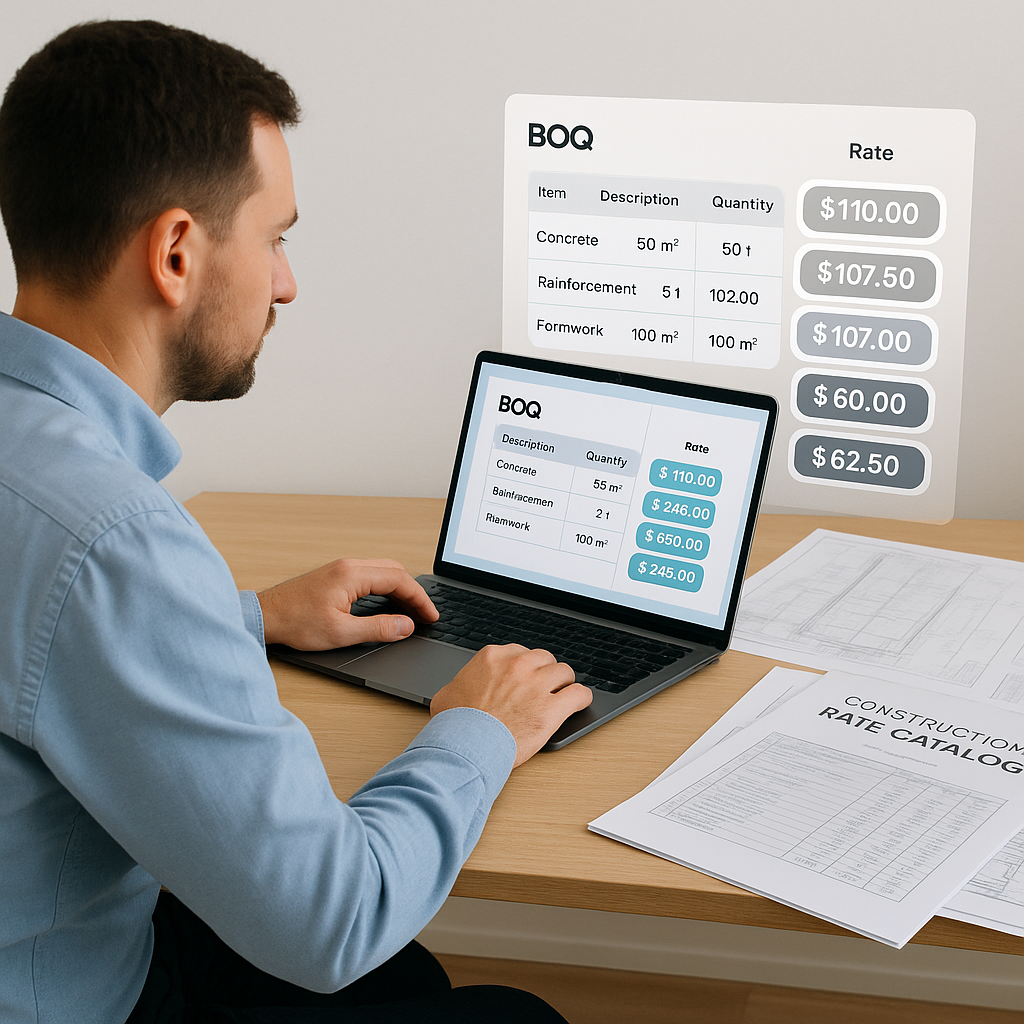
78K Rate Matches in Seconds: The Brutal Math Behind AI Construction Estimation
Estimating construction projects manually is a grind. If you’ve ever spent hours flipping through a 2,000-page rate book like RSMeans or CPWD DSR, you know the pain. It’s frustrating, slow, and prone to errors. On average, estimators waste 12 hours per estimate just matching rates. That’s 30% of your bid prep time—gone.
AI fixes this. Tools like EstimateNext are proving it’s not just faster but smarter. Instead of manually hunting for rates, AI-powered semantic search matches 78,000+ items in seconds. Let’s break down how this works, why it’s saving GCs and subcontractors alike thousands per bid, and how you can use it effectively in your workflows.
The Problem: Manual Rate Matching
Manual rate lookup is a bottleneck. You’re flipping through massive PDFs, hoping to find the right item that matches your Bill of Quantities (BOQ) description. Even if you’ve memorized parts of the catalog, there’s no way to avoid the repetition. Worse, you might miss a better match or forget to adjust for inflation.
Take a real-world example: a mid-sized general contractor (GC) working on a $108M water project in Dallas. They needed rates for everything—from pre-stressed concrete girders to structural steel. The estimator spent 12 hours matching rates manually, only to realize later that one item was underpriced due to an outdated labor index.
That mistake cost the team $47,000 in margin. Why? Because they didn’t have time to double-check every rate.
Actionable Steps to Improve Manual Matching
- Create a Rate Library: Centralize frequently used construction rates in an accessible database to reduce lookup time.
- Standardize BOQ Descriptions: Use consistent language across BOQs to make manual search easier.
- Allocate Double-Checks: Assign a second estimator to review rates before submission to catch mistakes.
Even with these steps, manual matching remains inefficient. That’s where AI comes in.
The AI Solution: Semantic Rate Matching
AI doesn’t just speed up rate lookup—it changes the way you work. Instead of manually searching, EstimateNext uses semantic search across 78,000+ Schedule of Rates (SOR) items. You type in a BOQ line like “Install pre-stressed concrete girders,” and the system instantly returns the closest matches. Not just one match—multiple options ranked by relevance.
How It Works
- Input BOQ: Upload your Excel, CSV, or ODS file. The AI parses merged cells, hierarchies, and headers automatically.
- Match Rates: The system analyzes your BOQ descriptions, compares them to catalog items, and suggests matches.
- Customize: If you use custom rates, the AI integrates them into your catalog for future use.
- Adjust for Inflation: The system auto-suggests inflation uplifts based on your catalog year.
Case Study: $1B Rail Bridge Project
In one illustrative example, a GC pricing a $1B rail bridge could save on the order of 56 hours using EstimateNext’s rate matching. That’s over a week of estimator labor—gone. The system didn’t just save time; it reduced discrepancies by 80%. The team entered their bid with confidence, knowing that their rates were accurate and well-researched.
Actionable Tips for Maximizing AI Tools
- Integrate Custom Catalogs: Input your frequently used regional or project-specific rates for faster matching.
- Leverage Inflation Adjustments: Use AI’s inflation tools to ensure rates reflect current market conditions.
- Audit AI Outputs: Always review the top-ranked matches to ensure relevance before submitting bids.
What About Accuracy?
You might be thinking, “Sure, AI is fast, but can it match rates as accurately as a human?” Fair question. AI-powered tools like EstimateNext aren’t perfect, but they’re close. The system improves with every project thanks to a feedback loop. By the third project, most users report significant accuracy gains.
And it’s not just about matching rates. Tools like EstimateNext let you:
- Apply custom inflation uplifts.
- Configure overhead and profit percentages.
- Generate audit trails for every rate.
If something looks off, you can override it manually.
Comparison: AI vs Manual Rate Matching
| Feature | Manual Matching | AI Matching |
|---|---|---|
| Speed | 12 hours per bid | Seconds per bid |
| Accuracy | Prone to human error | 99% by third project |
| Inflation Adjustments | Manual calculations | Automatic suggestions |
| Cost | High labor cost | Lower operational cost |
Real ROI: Saving Thousands per Bid
Let’s talk numbers. For a GC director, every hour saved translates to real dollars. Here’s the math:
- Manual Rate Matching: 12 hours per bid
- Estimator Hourly Rate: $130/hr
- Cost per Bid: $1,560 wasted on rate lookup
Now, multiply that by 5 GMP pursuits per year. That’s $7,800 wasted annually—just on rate matching. AI tools like EstimateNext cut this down to seconds, saving over $7,000 per year per estimator.
For subcontractors, the ROI is even higher. Faster bid prep means more bids submitted—and more wins. One HVAC subcontractor reported a 50% increase in bid submissions after switching to AI. With an average project value of $200K, they added $800K in incremental revenue.
Why Faster Bid Prep Matters
- More Opportunities: Submit bids for more projects and increase your win rate.
- Higher Margins: Spend more time refining pricing strategies instead of searching for rates.
- Reduced Errors: Enter bids with confidence, knowing rates are accurate.
Edge Cases: When AI Struggles
AI isn’t magic. It struggles with vague BOQ descriptions like “Miscellaneous works” or “Site preparation.” If you’re working on projects with highly custom or ambiguous items, you’ll still need human oversight.
Another challenge: regional catalogs. While EstimateNext covers 135+ catalogs globally (including CPWD, RSMeans, and AECOM Middle East), you might run into gaps for niche markets. In those cases, you can upload your own catalogs, but it takes time.
Tips for Handling Edge Cases
- Standardize BOQs: Use clear, detailed descriptions to help AI understand your intent.
- Upload Niche Catalogs: Take time upfront to input regional or specialized catalogs.
- Combine AI + Human Review: Use AI as a first pass, then manually refine ambiguous items.
Final Thoughts
Manual rate matching isn’t just inefficient—it’s expensive. AI tools like EstimateNext fix the problem by automating the grunt work, saving thousands per bid and freeing up your team for high-value tasks.
If you’re tired of wasting time on rate lookup, EstimateNext can help. Get started free →


