The Hidden Pain of Rate Analysis
Rate analysis sounds straightforward: break down material, labor, equipment, and overhead costs. But anyone who's done it manually knows how frustrating it can be. Flipping through bloated PDFs like RSMeans or CPWD rate books for hours, cross-referencing outdated catalogs, and recalculating inflation adjustments—it’s enough to drain anyone's patience.
Let’s say you’re pricing a bid for a general contractor (GC). You miss one rate adjustment, and suddenly your estimate is off by thousands. Or you’re an MEP subcontractor rushing to finalize a bid—you either lose the job by overpricing or eat into your margins with underpricing. The stakes are high, and the process is painfully slow.
Why Manual Rate Analysis Fails
Manual rate analysis is a nightmare for most practitioners. Here’s why:
1. PDF Chaos
Imagine digging through a 2,000-page rate book like RSMeans or a state-specific CPWD schedule of rates (SOR). You’re looking for one specific line item—say, “plastering walls with a 12mm thickness.” Each page is dense, with variations by region, material type, and labor classifications. Miss one row, and your estimate is inaccurate.
2. Excel Nightmares
Excel is powerful, but it’s fragile for complex rate analysis. One broken formula can cascade into multiple errors. For example, if you update a rate for structural steel but forget to propagate the changes across linked cells, your entire bid could be off by thousands of dollars.
3. Inflation Confusion
Accounting for inflation—especially regional variations—is tricky. For instance, a contractor in New York needs to account for a higher CPI adjustment than one in Texas. Doing this manually involves hunting down the right percentages and applying them to every relevant rate. It’s tedious and error-prone.
4. Time Sink
A single estimate can take 10+ hours just for rate lookup and calculation. That’s time you could spend on strategy, client management, or pursuing additional bids. Multiply this by 10 or 20 bids per month, and you’re looking at hundreds of wasted hours annually.
The Ripple Effect of Errors:
Errors don’t just cost time—they can cost jobs. Missing a regional adjustment, underestimating labor hours, or overpricing materials could mean:
- Losing bids because your pricing isn’t competitive.
- Winning bad bids with razor-thin margins, leaving no room for unexpected costs.
The AI Fix: Rate Analysis in Minutes, Not Hours
AI-powered platforms like EstimateNext are rewriting the formula. Instead of manually flipping through rate books, you upload your bill of quantities (BOQ) and let AI do the heavy lifting. Here’s how it works:
1. Semantic Search Across 78,000+ SOR Items
Let’s say you need the rate for a 4-inch-thick concrete slab. Instead of flipping through hundreds of PDF pages, you type “concrete slab 4-inch” into the AI’s search bar. Within seconds, it identifies the most relevant rates from government schedules, state databases, and industry handbooks. No manual scrolling, no missed items.
2. Rate Breakdown with Full Audit Trail
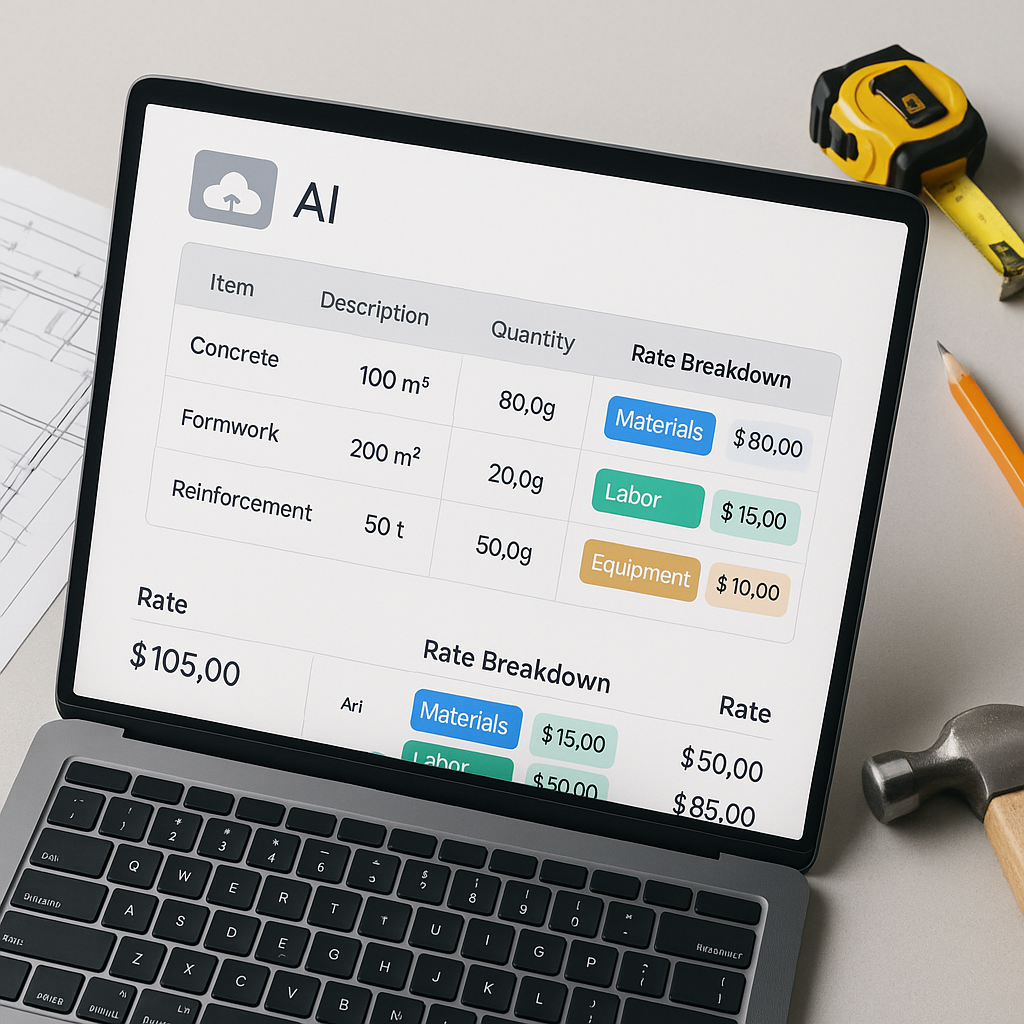
Once the AI matches your BOQ line items, it breaks down the rates into material, labor, and equipment costs. Transparency is key—each number comes with an audit trail so you can justify your estimates to clients or stakeholders. For example, you can show clients how much of the cost comes from labor versus materials.
3. Inflation Adjustment Simplified
AI tools simplify inflation adjustments by auto-suggesting Consumer Price Index (CPI) percentages specific to your catalog, region, and bid year. For instance, if you’re working on a multi-year bid, the AI calculates the inflation impact for each year, saving you hours of manual math.
4. Real-Time Updates for What-If Scenarios
Need to swap a material for a cheaper alternative? Or adjust labor rates mid-bid? Instead of manually rebuilding your Excel workbook, AI updates all connected costs instantly. This feature is invaluable for iterative estimates or when responding to client feedback.
Real-World Example: MEP Subcontractor Pricing
Imagine you’re an HVAC subcontractor responding to a bid package for a 40,000-square-foot office building. Here’s a side-by-side comparison of the manual approach versus using AI:
| Task | Manual Approach | AI Approach |
|---|---|---|
| Duct Sizing Costs | 4 hours flipping through SMACNA catalogs | Auto-matched in seconds |
| Labor Rate Calculation | 2 hours using MCAA references | Pre-loaded rates applied instantly |
| Inflation Adjustment | 1 hour of manual math | Automated CPI adjustment |
| Total Time Spent | 7+ hours | Less than 30 minutes |
By automating these tasks, you not only save 90% of your time but also reduce the risk of errors that could cost you the job.
The ROI of AI Rate Analysis
The benefits of AI aren’t just theoretical—they’re measurable. Here’s how different professionals see ROI:
1. General Contractor (GC) Director
Let’s say a GC director spends 40 hours per estimate at a billing rate of $130/hour. By cutting time spent on rate analysis by 90%, they save $5,200 per estimate. Multiply this by 10 estimates per month, and that’s $52,000 in monthly savings.
2. MEP Subcontractor
An MEP subcontractor who can respond to 50% more bids could win 4–8 additional projects per year. If the average project revenue is $200,000, that’s $800,000 to $1.6 million in additional revenue annually.
3. Interior Fit-Out Quantity Surveyor
For QS teams, the ability to iterate target-cost scenarios in minutes means bidding on more margin-friendly projects. By focusing on profitable bids, they improve both win rates and overall profitability.
Bottom Line
Manual rate analysis is slow, error-prone, and frustrating. AI-powered tools not only save time but also eliminate guesswork, ensuring your estimates are accurate, competitive, and justifiable.
If you're tired of spending hours on rate analysis, platforms like EstimateNext can help. Upload your BOQ, and get a priced estimate in minutes. Get started free →


