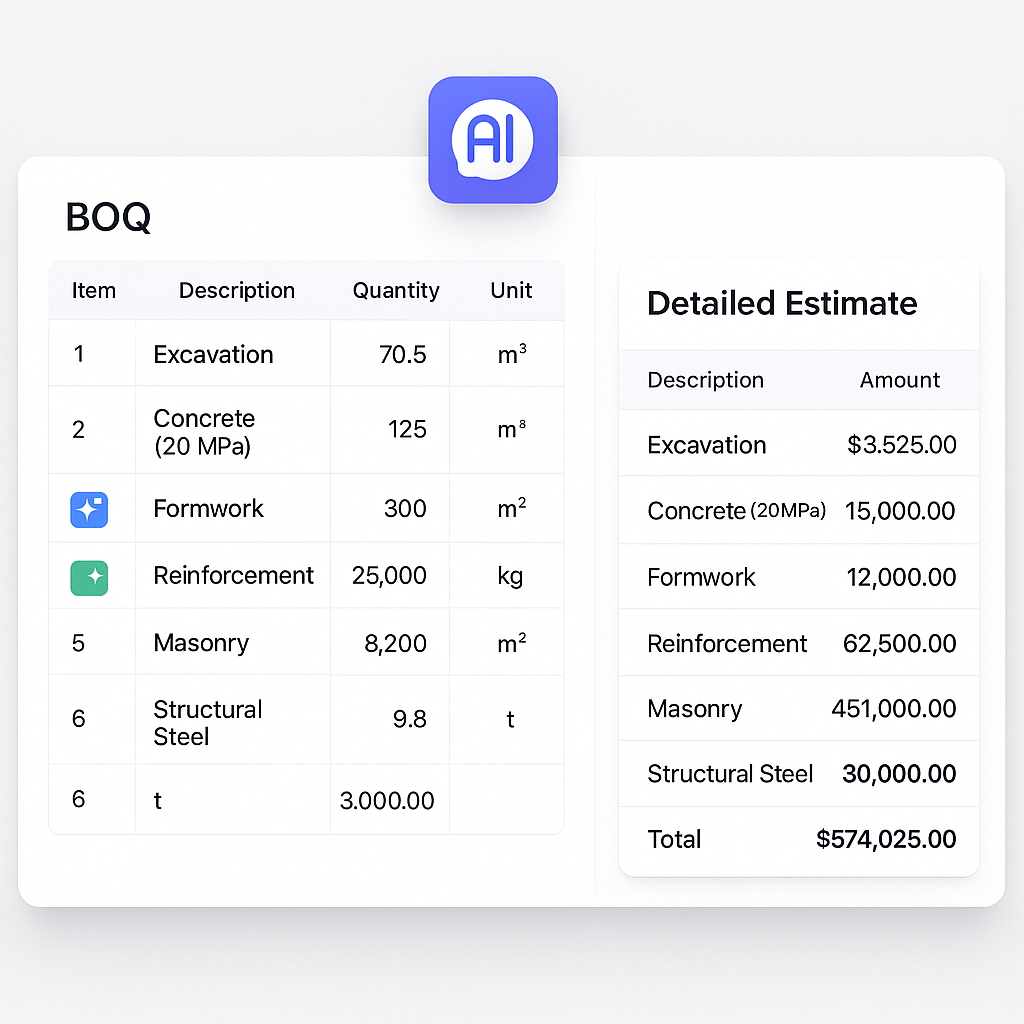
Why BOQs and Detailed Estimates Aren’t Interchangeable
Let’s clear up a common misconception: BOQs (Bills of Quantities) and detailed estimates serve entirely different purposes. A BOQ is your tender document’s backbone. It lists work items, quantities, and often unit rates. It’s designed for contractors bidding on projects—it’s all about clarity and comparability.
Detailed estimates, on the other hand, are where the real money decisions happen. They break down material, labor, equipment, overheads, and profit margins in granular detail. It’s the tool GCs (General Contractors) use to calculate their actual costs and figure out if the bid will sink or swim.
But here’s the problem. Most GCs treat them as separate steps, wasting time duplicating work. They start with the BOQ, then rebuild entire spreadsheets for the detailed estimate. Why? Because Excel and rate books weren’t designed to handle both efficiently.
BOQ vs. Detailed Estimates: A Decision Framework
| Factor | BOQ | Detailed Estimate |
|---|---|---|
| Purpose | Standardizing bid comparisons | Validating project costs and budgeting |
| Detail Level | High-level quantities and unit rates | Granular breakdown of all cost factors |
| Primary Users | Contractors during tendering | GCs, project managers, cost consultants |
| Flexibility | Limited — primarily for tendering | Highly flexible for cost adjustments |
| Output Formats | CSI, CPWD, NRM2 | Custom formats for internal analysis |
| Tool Compatibility | Optimized for tender documentation | Requires detailed cost estimation tools |
The Hidden Costs of Manual BOQ Workflows
If you’re like most estimators, you spend 40 hours per project just building BOQs. That’s 2 estimators grinding through PDFs, flipping through rate books, and manually typing descriptions. And don’t even think about scope changes—one tweak can mean hours of rework.
Detailed estimates aren’t any better. Changing a single rate in Excel often means rebuilding formulas across multiple sheets. It’s a recipe for errors, missed deadlines, and frustrated teams.
A study by McKinsey found that 30% of construction project costs are wasted due to inefficiencies, with inaccurate estimations being a major contributor. This isn’t just about time; it’s about money left on the table. For a $10 million project, even a 1% error in estimation can mean $100,000 in losses.
In my view, this is where tools like EstimateNext shine. Instead of starting from scratch for every project, you can upload your BOQ, match rates instantly across 78,000+ items, and propagate changes in real-time. No manual lookup. No broken formulas. No wasted hours.
When to Use a BOQ vs a Detailed Estimate
BOQ: For Tendering and Bid Comparisons
BOQs are essential when you’re inviting contractors to bid. They standardize the scope, making it easier to compare apples to apples. But a poorly formatted BOQ can sabotage the process. If your quantities are unclear or your rate assumptions are buried, contractors will either inflate their bids or ask endless RFIs (Requests for Information).
Actionable Steps to Improve Your BOQ:
- Standardize Terminology: Use industry-standard formats like CSI MasterFormat or CPWD DSR to avoid ambiguity.
- Include Clear Unit Descriptions: Specify whether you’re measuring in square meters, cubic meters, or tons.
- Pre-Validate Quantities: Cross-check quantities with drawings to avoid discrepancies.
- Review with Contractors: A quick review session can help clarify any unclear items upfront.
Detailed Estimate: For Budget Validation
Once bids are in, a detailed estimate lets you validate the costs. It’s your defense against underpricing and scope creep. It’s also where adjustments happen—value engineering, material swaps, and profit margin tweaks. The key is having a tool that syncs your BOQ with your detailed estimate. Otherwise, you’re stuck managing two disconnected systems.
Actionable Steps to Improve Detailed Estimates:
- Incorporate Historical Data: Use cost data from previous projects to improve accuracy.
- Break Down Costs Clearly: Separate material, labor, equipment, and overheads for transparency.
- Validate Key Inputs: Double-check rates for high-cost materials and critical-path items.
- Use Dynamic Tools: Platforms like EstimateNext auto-sync BOQs and detailed estimates, ensuring consistency.
Real-World Example: BOQ Adjustments Made Simple
Imagine this: You’ve submitted a BOQ listing standard concrete for a project. The client suddenly requests fiber-reinforced concrete instead. Here’s what happens in the traditional workflow:
- You manually update quantities in Excel.
- You dig through rate books for the new material cost.
- You recalculate the totals, hoping you didn’t miss a formula.
- You reformat the output, wasting another hour.
With EstimateNext, the workflow looks very different:
- Upload the BOQ.
- Select the new material from the AI-suggested rates.
- Watch as the platform auto-updates quantities, costs, and totals.
- Export the updated BOQ in CSI or CPWD format—all in minutes.
That’s the $5,200 difference per project. It’s not just about saving time; it’s about avoiding errors that can cost tens of thousands later.
Common Pitfalls and How to Avoid Them
1. Treating BOQs as Static Documents
BOQs are living documents. Scope changes, rate updates, and client requests mean they’re constantly evolving. If your BOQ isn’t flexible, you’re setting yourself up for rework.
How to Avoid:
- Use cloud-based tools that allow real-time updates.
- Build in contingencies for likely scope changes.
2. Ignoring Rate Analysis
Most estimators focus on quantities but neglect rates. A single incorrect rate can skew your entire bid.
How to Avoid:
- Leverage tools like EstimateNext that include rate analysis workflows.
- Regularly update your rate book to reflect market changes.
3. Failing to Standardize Outputs
Messy BOQs drive contractors crazy. Whether it’s a GMP bid package or a feasibility report, your BOQ needs to look professional.
How to Avoid:
- Use standardized templates like CSI MasterFormat.
- Export directly from estimation tools to ensure consistency.
If you’re tired of juggling BOQs and detailed estimates manually, EstimateNext can help. Get started free →


