The Problem: Manual Takeoffs Are Killing Productivity
If you're in preconstruction, you've probably spent hours—maybe even days—on manual takeoffs. You get a set of drawings, open your trusty Bluebeam or even just a basic PDF viewer, and start counting. Linear feet of walls, square footage of flooring, maybe window counts. Then you transcribe everything into a spreadsheet. Multiply that by every project you're pursuing, and suddenly your team is working nights just to keep up.
It's not just tedious. It's risky. One miscount, one forgotten annotation, and you're either eating costs or overpricing yourself out of a bid. Manual takeoffs are like playing darts blindfolded—slow, inaccurate, and frustrating. Worse, they take up valuable time that could be spent refining your bid strategy, negotiating with subcontractors, or focusing on high-value tasks.
Why Manual Takeoffs Are a Problem
To understand the full scope of the issue, let's break it down:
- Time-Consuming: A manual takeoff for a mid-sized project can take 40 hours or more. That’s a full workweek for one estimator—and most teams are juggling multiple bids at once.
- Error-Prone: Humans make mistakes. Whether it's misreading a number, misclassifying a material, or simply forgetting to include a line item, errors in manual takeoffs can result in massive financial consequences.
- Redundancy: Preconstruction teams often duplicate efforts, with multiple people performing similar takeoffs for different trades. This inefficiency compounds as project complexity increases.
- Opportunity Cost: Time spent on manual takeoffs is time not spent on higher-value tasks like bid strategy or subcontractor coordination.
The AI Solution: Vision AI Takeoffs
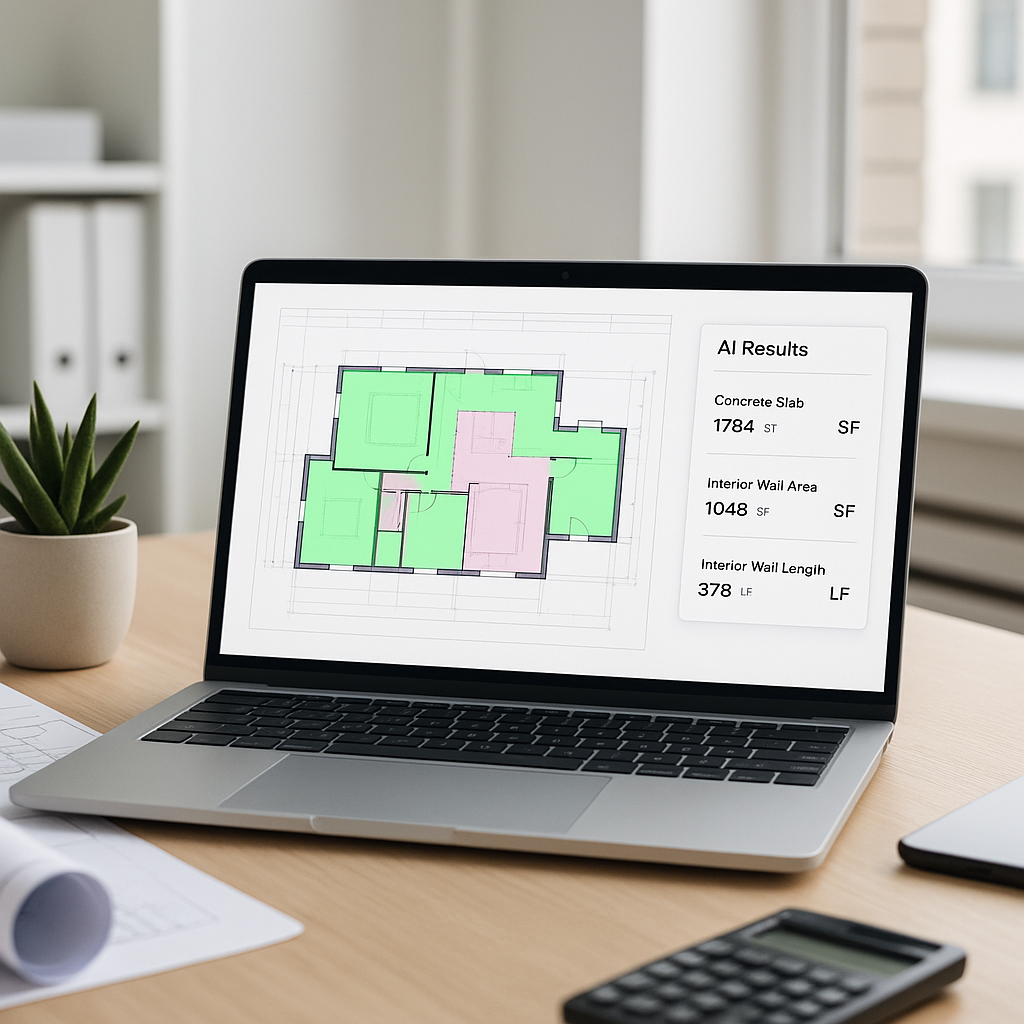
This is where AI-powered tools like EstimateNext come in. Instead of spending 40 hours on a manual takeoff (the average for a mid-sized project), Vision AI handles it in as little as 10 minutes. Here's how it works:
Key Steps in AI-Driven Takeoffs
- Upload Drawings: Simply upload your PDF or CAD files. No need to split pages or reformat them first—AI tools can handle various formats and complexities right out of the box.
- AI Extraction: The AI scans the drawings for critical data points—room areas, wall lengths, door/window counts, and more. It even flags low-confidence areas for manual review, ensuring nothing gets missed.
- Auto-Classification: Quantities are automatically organized by trade—walls, floors, HVAC, electrical—and mapped directly to your Bill of Quantities (BOQ). This eliminates the need for manual sorting and classification.
- Export: The output is ready for Excel, Procore, or your estimating software. Whether it's a CSV file or a direct integration, the process is seamless.
This isn't just about saving time. It's about transforming how your team works. With AI taking care of the grunt work, estimators can focus on refining bids, analyzing risks, and adding strategic value to the preconstruction process.
The Benefits of AI Takeoffs
1. Speed
AI tools like EstimateNext can process drawings in a fraction of the time it takes a human. Mid-sized projects that once took 40 hours can now be completed in 10 minutes. Thats not just faster—its game-changing.
2. Accuracy
AI systems are designed to minimize errors by using advanced algorithms. While no tool is perfect, AI can flag low-confidence areas for human review, ensuring a hybrid approach that balances speed with precision.
3. Scalability
With AI, your team can manage more bids simultaneously without increasing headcount. This means you can pursue more projects and increase your win rate without burning out your staff.
4. Data-Driven Insights
AI tools dont just extract data—they analyze it. Over time, they learn from your projects, providing insights that can help you refine your estimating processes and improve accuracy further.
What About Accuracy?
You might be thinking, "Sure, AI is fast, but can I trust it?" The short answer: Yes, with some caveats.
How AI Ensures Accuracy
- Confidence Scoring: AI tools like EstimateNext include confidence scoring to indicate how certain the system is about a particular measurement. Low-confidence areas are flagged for manual review.
- Manual Overrides: Estimators can override AI-generated quantities, ensuring that human expertise remains central to the process.
- Continuous Learning: The more you use the AI, the better it gets. It learns from your feedback, improving accuracy over time.
Limitations of AI
Lets be honest—no tool is perfect. If your drawings are a mess (think scanned, blurry PDFs with hand-drawn annotations), even the best AI will struggle. Clean, well-annotated inputs yield the best results. The good news? Most modern projects already meet these standards.
Actionable Steps to Implement AI Takeoffs
- Start Small: Begin with a pilot project to test the tools capabilities and understand its workflow.
- Train Your Team: While AI tools are user-friendly, a brief onboarding session ensures everyone knows how to use the system effectively.
- Integrate with Existing Tools: Look for AI platforms that integrate seamlessly with your current software, like Procore or Excel. This minimizes disruption to your workflow.
- Review and Refine: Use the AIs confidence scoring and flagged areas as a guide, but always conduct a final review to ensure accuracy.
Common Mistakes to Avoid
- Skipping the Review: AI is fast, but its not infallible. Always review flagged areas to avoid costly mistakes.
- Using Outdated Drawings: AI cant compensate for obsolete or incomplete inputs. Always work with the latest revisions.
- Ignoring Integration: AI tools are most effective when integrated into your existing workflows. Export your takeoffs directly into Procore, Excel, or other software to avoid manual re-entry and potential errors.
FAQ
Q: Does AI replace estimators?
A: No, AI replaces the repetitive, time-consuming parts of the process. Estimators still make the judgment calls that win bids and manage project risks.
Q: How steep is the learning curve?
A: Minimal. Most teams can get up to speed within a week of onboarding. Modern AI tools are designed to be intuitive and user-friendly.
Q: What types of projects work best with AI takeoffs?
A: Projects with clean, well-annotated drawings benefit the most. Complex projects involving multiple trades are particularly well-suited for AI, as it excels at organizing and classifying large volumes of data.
Q: Can I use my own rate catalogs?
A: Yes, platforms like EstimateNext allow you to upload custom rate catalogs, ensuring that pricing aligns with your specific requirements.
Q: Is AI cost-effective for small projects?
A: While AI provides the most value for larger, more complex projects, it can still save time and reduce errors on smaller jobs. Many platforms offer flexible pricing to accommodate different project sizes.
Decision Framework: Should You Adopt AI Takeoffs?
| Criteria | Manual Takeoffs | AI Takeoffs |
|---|---|---|
| Time Required | 40+ hours/project | Under 10 minutes/project |
| Accuracy | Human error-prone | High, with manual review option |
| Scalability | Limited by team size | Easily scalable |
| Upfront Cost | None (just labor) | Software subscription required |
| Integration with Tools | Manual data entry | Seamless export to software |
| Learning Curve | None | Minimal |
The Bottom Line
Manual takeoffs are a productivity bottleneck. AI-powered tools like Vision AI are revolutionizing the preconstruction process by slashing time, reducing human error, and enabling estimators to focus on high-value tasks. If you're still doing takeoffs the old way, you're leaving time—and money—on the table.
Want to see how much time you can save? Try EstimateNext for free →


