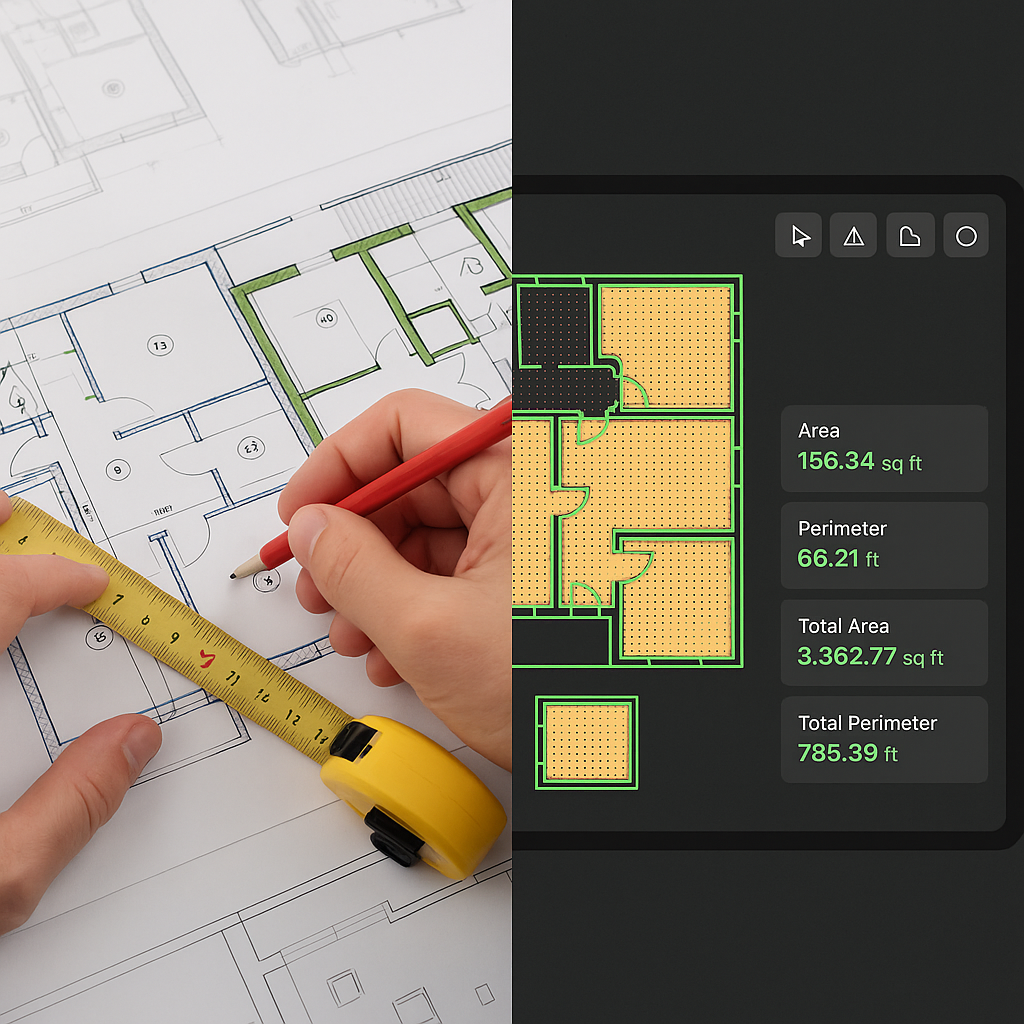
Manual Takeoffs Waste 40 Hours—AI Cuts It to 10 Minutes
Let’s not sugarcoat it: manual quantity takeoffs are a nightmare. They eat up 40 hours per estimate. That’s two full days of two estimators flipping through drawings, measuring lines, and hoping they don’t miss anything critical. You’d think in 2023, we’d have moved past this grind. But here we are.
AI-powered tools are changing that. EstimateNext’s Vision AI, for example, can extract quantities from PDF drawings in just 10 minutes. That’s not a typo—10 minutes. But is it all it’s cracked up to be? Let’s dive into why this matters, how it works, and what you need to know before making the switch.
The Brutal Math of Manual Takeoffs
Here’s the reality: takeoffs are slow, tedious, and prone to human error. For a mid-sized general contractor bidding on a $50M project, the process typically looks like this:
- Receive Drawings: You’re handed a 300-page PDF of floor plans, sections, and elevations.
- Print (or Annotate): Some folks still print these drawings. Others use tools like Bluebeam to annotate digitally.
- Measure: Every room area, wall length, and fixture count gets measured manually. If you’re lucky, you have a junior estimator to help.
- Input Data: Those measurements go into an Excel sheet or estimating software.
- Review: Senior staff double-checks the inputs for accuracy.
This takes 40 hours on average. And if the client sends a revised drawing set mid-process? Start over.
Actionable Steps to Improve Manual Takeoffs
If you’re stuck with manual takeoffs for now, here are a few ways to make the process slightly more efficient:
- Digitize Your Workflow: Use software like Bluebeam or PlanSwift to eliminate the need for printing physical drawings.
- Create Templates: Standardize your Excel sheets with pre-built formulas and macros to speed up data entry.
- Delegate Effectively: Assign junior staff to handle straightforward measurements while senior estimators focus on complex or high-risk areas.
- Batch Your Work: Instead of measuring room by room, tackle similar elements (e.g., all walls, all fixtures) in one focused session.
Despite these tips, manual processes will always be fundamentally limited. That’s where AI comes in.
How AI Slashes Takeoff Time
AI tools like EstimateNext don’t just speed things up—they completely reimagine the workflow. Here’s how Vision AI handles the same process:
- Upload: Drag and drop your PDF drawing set into the software.
- Extraction: The AI reads every page, extracting quantities like room areas, wall lengths, door/window counts, and even structural elements like beams.
- Review Low Confidence Areas: Vision AI flags anything it’s uncertain about. You can remeasure those manually if needed.
- Export: The quantities are ready to export into your BOQ or estimating tool.
The result? What used to take 40 hours now takes 10 minutes. That’s a 10x speed improvement.
Why This Matters: A Time Cost Breakdown
Let’s do some math:
- Manual Process: 40 hours x $50/hour (average estimator rate) = $2,000 per estimate.
- AI-Powered Process: 10 minutes x $50/hour + $99 (monthly AI subscription) = $108.33 per estimate.
That’s a 95% cost reduction, not to mention the ability to process more bids in the same timeframe.
The Obvious Objection: “But AI Can’t Think Like an Estimator”
You might be thinking, “Sure, AI is fast, but it doesn’t understand the nuances of construction.” And you’d be right. AI isn’t perfect. It won’t know that a specific wall type requires additional bracing unless you tell it. But here’s the thing: you don’t need it to be perfect. You just need it to do the grunt work.
Think of AI as your junior estimator. It handles the repetitive tasks—measuring, counting, and compiling data—so your senior estimators can focus on value engineering, subcontractor negotiations, and refining the bid.
Actionable Steps for Seamless AI Integration
- Start Small: Begin with smaller projects or less complex trade packages to build confidence in the AI’s capabilities.
- Customize Settings: Train the AI to recognize your specific project standards (e.g., wall types, material preferences).
- Create a Review System: Assign a senior team member to review AI-generated takeoffs for accuracy before finalizing.
Real-World Impact: A Case Study
Let’s put this into perspective with a real example. A mid-sized contractor recently used EstimateNext for a high-rise project. Normally, the team would spend 120 hours on takeoffs for a project of this scale. With Vision AI, they got it done in just 10 hours. That’s a savings of 110 hours—nearly three workweeks for a single estimator.
What did they do with that extra time? They were able to respond to two more bid opportunities that month. They won one of them, bringing in an additional $12M in revenue. That’s the kind of ROI you can’t ignore.
What to Watch Out For
No tool is perfect, and AI is no exception. Here are a few things to keep in mind:
- Input Quality Matters: Garbage in, garbage out. If your drawings are low-resolution or poorly labeled, the AI will struggle.
- Learning Curve: While tools like EstimateNext are designed to be user-friendly, there’s still a learning curve. Plan for a week or two of training.
- Human Oversight is Key: AI can get you 90% of the way there, but you’ll still need a human to review and finalize the takeoff.
Decision Framework: Manual vs. AI-Powered Takeoffs
| Factor | Manual Takeoffs | AI-Powered Takeoffs |
|---|---|---|
| Time Required | ~40 hours | ~10 minutes |
| Cost Per Estimate | ~$2,000 | ~$108 |
| Accuracy | Prone to human error | High, with human review |
| Scalability | Limited by staff capacity | Highly scalable |
| Learning Curve | Minimal | Moderate (1-2 weeks) |


