Stop Spending 40 Hours on Takeoffs: The AI Fix Every Estimator Needs
Imagine this: you've got two days to turn around a full bid package for a $50M project. Your team is buried in drawings, manually tracing every wall, beam, and column. It’s not just slow — it’s risky. One missed quantity could throw off your entire bid.
This isn’t hypothetical. It’s the reality for most estimators. Manual takeoffs eat up 40 hours per project, and mistakes are almost inevitable. But here’s the good news: AI tools like EstimateNext are changing the game.
The Problem with Manual Takeoffs
Let’s be honest: manual takeoffs are a grind. You’re staring at PDF drawings, double-checking measurements, and hoping you don’t miss anything. It’s tedious, error-prone, and wildly inefficient.
The Cost of Time and Errors
Here’s the math: say you’re a general contractor bidding on five GMP projects a year. Each project takes 40 hours of takeoff time. That’s 200 hours per year, just on takeoffs. Multiply that by an average estimator’s hourly rate ($130/hour), and you’re looking at $26,000 in labor costs — just for one person.
And that’s best-case scenario. If you’re understaffed or running behind, the pressure to rush only increases the likelihood of errors. A single missed quantity or miscalculated rate can cost tens or even hundreds of thousands in:
- Overestimating and losing a bid to a competitor.
- Underestimating and winning a job with razor-thin or negative profit margins.
- Missed deadlines that damage your reputation.
For example, a 2021 audit of construction bids by Deloitte found that human errors in takeoffs accounted for 24% of all cost overruns on projects over $10 million. In industries where margins are already razor-thin, these mistakes can be catastrophic.
So why are we still doing this the hard way?
The AI Solution: From 40 Hours to 10 Minutes
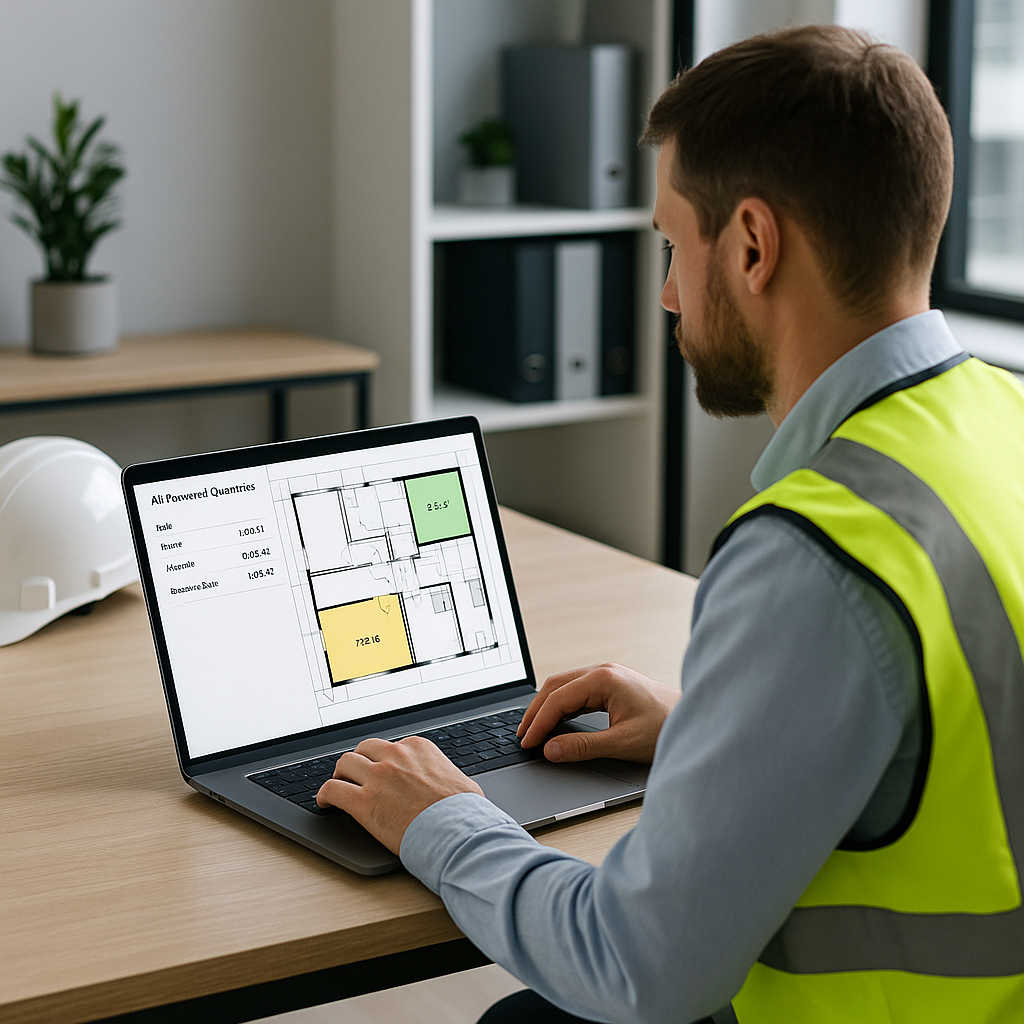
AI-powered tools like EstimateNext are flipping the script. Instead of spending 40 hours manually tracing drawings, you upload your PDFs, and the software extracts quantities in just 10 minutes. Yes, you read that right: 10 minutes.
How It Works
The magic lies in the AI’s ability to recognize architectural elements directly from your drawings. It’s trained to identify:
- Walls, doors, and windows
- Beams and columns
- Slabs, footings, and decks
It even flags “low-confidence” areas that might need a human review. Think of it as an extra set of eyes, but way faster.
Real Savings
One mid-sized GC shared their results: using EstimateNext’s Vision AI, they saved 120 hours on a high-rise bid. That’s two full weeks of labor costs avoided. And the benefits didn’t stop there. They had extra time to:
- Refine their bid for better accuracy.
- Negotiate more favorable subcontractor terms.
- Stress-test their pricing against market conditions.
Actionable Steps to Implement AI
- Start Small: Roll out AI tools on one or two pilot projects to measure time savings and accuracy.
- Train Your Team: Most AI platforms like EstimateNext offer tutorials or live training sessions.
- Integrate with Existing Workflows: Ensure the tool works seamlessly with software you already use, like Procore or Bluebeam.
- Set Review Checkpoints: Use AI to handle 90% of the grunt work, but establish a process for human review on flagged areas.
What About Accuracy?
You might be thinking, “Sure, AI is fast, but can it really match the accuracy of manual takeoffs?” The short answer: yes, with a caveat.
Evidence of Accuracy
AI tools like EstimateNext are highly accurate, often reducing takeoff discrepancies by up to 80% (according to their own case studies). This is thanks to advanced algorithms trained on thousands of real-world projects.
For example, a Texas-based contractor used AI on a hospital project and found their takeoff discrepancies dropped from 8% to just 2%. Over the course of the project, this accuracy saved them $140,000 in avoidable rework and bid adjustments.
Where AI Falls Short
No system is perfect. AI might struggle with:
- Poorly scanned drawings or ambiguous details.
- Unusual architectural features not seen in its training data.
- Project-specific nuances like custom rate applications.
That’s why tools like EstimateNext include confidence scoring and manual override options. You can quickly review flagged areas and make adjustments as needed. This hybrid approach combines the speed of AI with the expertise of human estimators.
The ROI of Using AI for Takeoffs
Let’s go back to the numbers. With AI, you’re cutting 40 hours down to 10 minutes. That’s a 99% time savings. For a GC preconstruction director managing five big projects a year, that’s 200 hours back in your pocket. At $130/hour, you’re saving $26,000 annually per estimator.
Beyond Cost Savings
It’s not just about money. With more time, you can:
- Bid on More Projects: Increasing your bid volume by even 10% can significantly boost revenue.
- Focus on High-Value Tasks: Spend more time negotiating with subcontractors or analyzing value engineering options.
- Improve Team Morale: Freeing up your team from repetitive tasks reduces burnout and helps retain talent.
According to a 2022 McKinsey study, firms that adopted AI in preconstruction saw a 15% increase in project win rates and a 20% reduction in preconstruction costs.
Real-World Use Case: A $1 Billion Rail Project
Let’s look at a real example. On a $1B rail project, a team used EstimateNext to handle takeoffs for concrete columns, beams, and rail decks. What would’ve taken 56 hours manually was done in just 10 minutes with AI.
The result? They not only hit their deadline but also had time to fine-tune their bid. That extra polish helped them secure the project, proving that speed and accuracy can go hand in hand.
The Obvious Objection: “But AI Can’t Think Like an Estimator”
I hear this all the time. And you’re right — AI doesn’t replace your expertise. It’s not going to decide on markup percentages or negotiate with subs. But that’s not the point.
AI handles the grunt work: takeoffs, rate matching, and what-if recalculations. It frees you up to focus on the strategic decisions that actually win jobs. Think of it as your apprentice, not your replacement.
Comparison Table: Manual vs. AI-Powered Takeoffs
| Feature | Manual Takeoffs | AI-Powered Takeoffs |
|---|---|---|
| Time Required | ~40 hours per project | ~10 minutes per project |
| Accuracy | Error-prone | Reduces discrepancies by 80% |
| Scalability | Limited by manpower | Easily scalable |
| Cost | $130/hour/person | Fixed software cost |
| Stress Level | High | Low |
The Bottom Line
If you’re still spending 40 hours on manual takeoffs, it’s time to rethink your process. AI tools like EstimateNext cut that down to 10 minutes, saving time, money, and stress. More importantly, they let you focus on the work that actually moves the needle.


