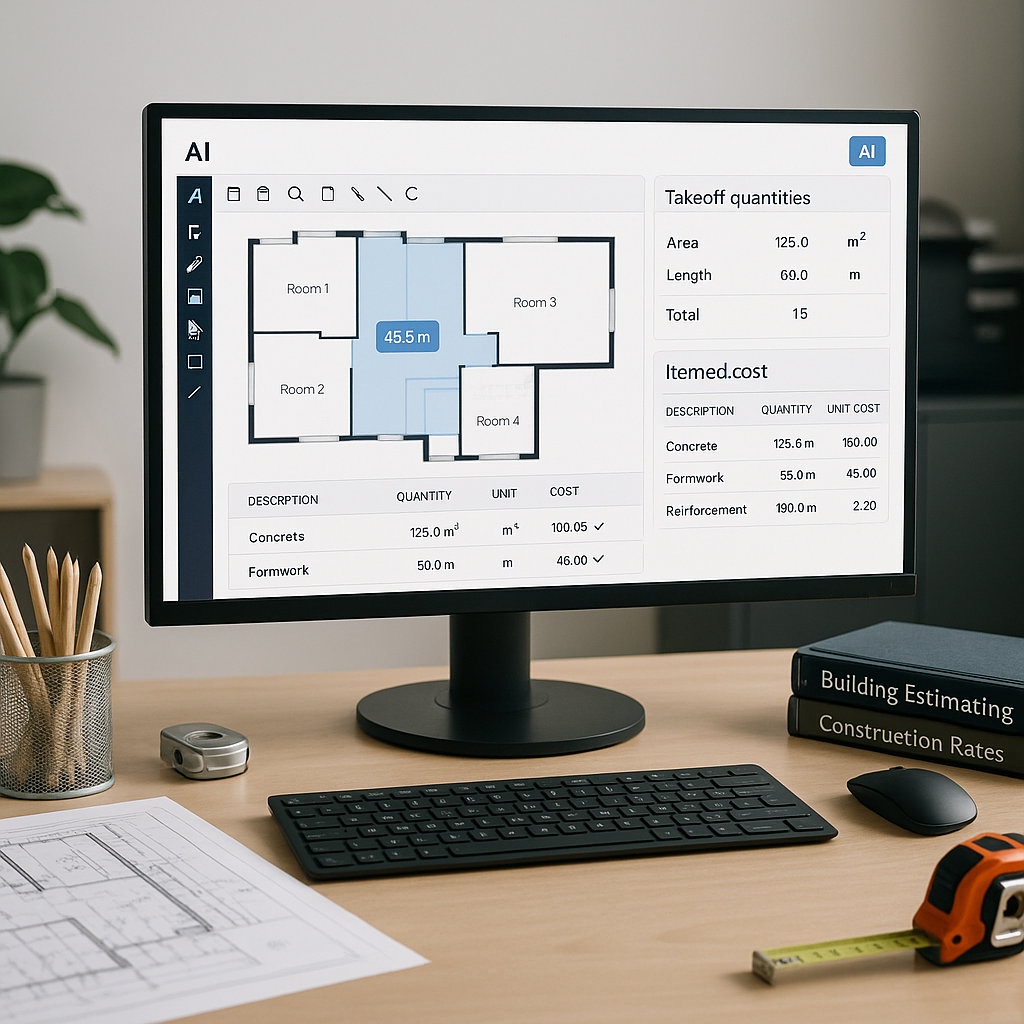
The Takeoff Problem That’s Killing Your Preconstruction Workflow
Let’s get straight to it. Manual drawing takeoffs are a productivity black hole. Estimators spend up to 40 hours per project measuring room areas, wall lengths, and fixture counts from PDF plans. That’s two full workdays for two people. And if the drawings get revised? Well, you’re starting over.
Why is this still happening in 2023? Because the tools most estimators use—Bluebeam, Excel, and the occasional ruler—aren’t built for speed. They’re fine for small jobs, but when you’re staring down a 500-page drawing set for a high-rise bid, they fail spectacularly.
The Financial Impact of Manual Takeoffs
Consider the labor costs involved in manual takeoffs. If an estimator earns $40/hour, spending 40 hours on a single project costs $1,600 in direct wages. Multiply that by the number of bids your team handles annually, and the numbers are staggering. For example, a general contractor bidding on 50 projects a year could spend $80,000 annually just on manual takeoffs.
Beyond the monetary cost, there’s the opportunity cost. Those 40 hours could be spent chasing additional bids, refining cost data, or negotiating better subcontractor pricing. The inefficiency isn’t just expensive—it’s detrimental to your competitive edge.
Enter Vision AI: The 10-Minute Solution
This is where AI-powered tools like EstimateNext come in. Their Vision AI can extract quantities directly from PDF drawings in 10 minutes, not 40 hours. Think about that for a second. It’s like having a full-time estimator added to your team without the payroll hit.
How Vision AI Works
Vision AI simplifies the takeoff process into three easy steps:
- Upload the Drawing Set: Simply drag and drop PDF plans into the platform.
- Calibrate the Scale: Define the measurement scale directly within the tool.
- Automated Analysis: The AI scans for areas, lengths, counts—whatever metrics you need—and flags anything with low confidence for manual review.
While the platform handles the heavy lifting, estimators remain in control. You review flagged items to ensure accuracy and align results with project-specific requirements. Think of it as automation with a safety net.
Real-World Example: Saving 120 Hours on a High-Rise Bid
A mid-sized general contractor recently used Vision AI on a high-rise bid. Their team saved 120 hours—two full weeks of labor—and still met their deadline. At $40/hour, that’s $4,800 saved on one project alone. More importantly, they redirected those hours to refining their project strategy, resulting in a more competitive bid.
This isn’t a one-off case. Companies across the U.S. and Europe are reporting similar outcomes. For instance, a Texas-based GC bidding on industrial warehouses reduced their takeoff process by 85% using AI tools. These savings can quickly add up over a fiscal year.
The Obvious Objection: “But AI Can’t Think Like an Estimator”
You’re probably thinking, “Sure, AI is fast, but it doesn’t understand construction nuances.” And you’re right—AI won’t catch that the HVAC specs are missing or that the concrete mix isn’t compliant. But that’s not its job.
AI doesn’t replace your expertise; it amplifies it. You’re still the one making judgment calls, negotiating with subs, and deciding on markup. The AI just handles the grunt work—like takeoffs, rate matching, and what-if recalculations. Think of it as an apprentice that never sleeps.
The Learning Curve: Is AI Worth It?
Adopting AI tools doesn’t mean overhauling your entire workflow overnight. Most platforms, including EstimateNext, are designed to integrate with existing tools like Excel, Procore, and Autodesk Build. Training typically takes less than two weeks and can be done in-house.
To illustrate, a study published by McKinsey found that early adopters of AI in construction see average cost savings of 10–20% per project. For a GC pursuing 50 bids annually, that’s potentially $50,000 to $100,000 in savings.
Why Speed Matters More Than Ever
Construction’s skilled labor shortage isn’t going away. A 2023 report from McKinsey highlights that early adopters of AI tools see both reduced costs and shorter project timelines. Speed is no longer a luxury—it’s a necessity.
For preconstruction directors, speed means responding faster to bid packages. A 72-hour quote cycle isn’t competitive when your rivals can turn around pricing in 24 hours. That’s why tools like EstimateNext include specialist trade modules for HVAC, electrical, plumbing, and more. You’re not just faster; you’re more accurate.
Edge Case: Multi-Market Complexity
One thing that trips up even the best estimators is handling projects across different markets. A bid in India follows CPWD DSR standards, while a UAE tender requires FIDIC compliance. AI tools solve this by using a MarketProfile system to adjust measurement standards, currencies, and tax regimes automatically. No more flipping between rate books.
Actionable Steps to Start Using AI in Estimation
Here’s how you can seamlessly integrate AI tools into your workflow:
- Start Small: Test AI tools on a smaller project to evaluate accuracy and speed. Don’t jump straight into a billion-dollar rail project.
- Train Your Team: Pair junior estimators with the tool to free up senior staff. Many platforms, including EstimateNext, offer built-in tutorials and onboarding support.
- Integrate with Existing Workflows: Export AI-generated data into Excel, Procore, or Autodesk Build. It’s not about changing everything—it’s about improving what you already do.
- Monitor ROI: Track labor hours saved and project outcomes to quantify the benefits.
Comparison Table: Manual vs AI-Powered Takeoffs
| Feature | Manual Takeoffs | AI-Powered Takeoffs |
|---|---|---|
| Time Required | 40 hours/project | 10 minutes/project |
| Accuracy | Prone to human error | Reduces discrepancies by 80% |
| Labor Costs | $1,600/project | $400/project |
| Scalability | Limited by manpower | Scales effortlessly |
| Market Adjustments | Manual recalculations | Automatic market profiles |
Call to Action
If you’re tired of wasting 40 hours on manual takeoffs, EstimateNext can help. Vision AI extracts quantities in 10 minutes so you can focus on the work that matters. Get started free →


