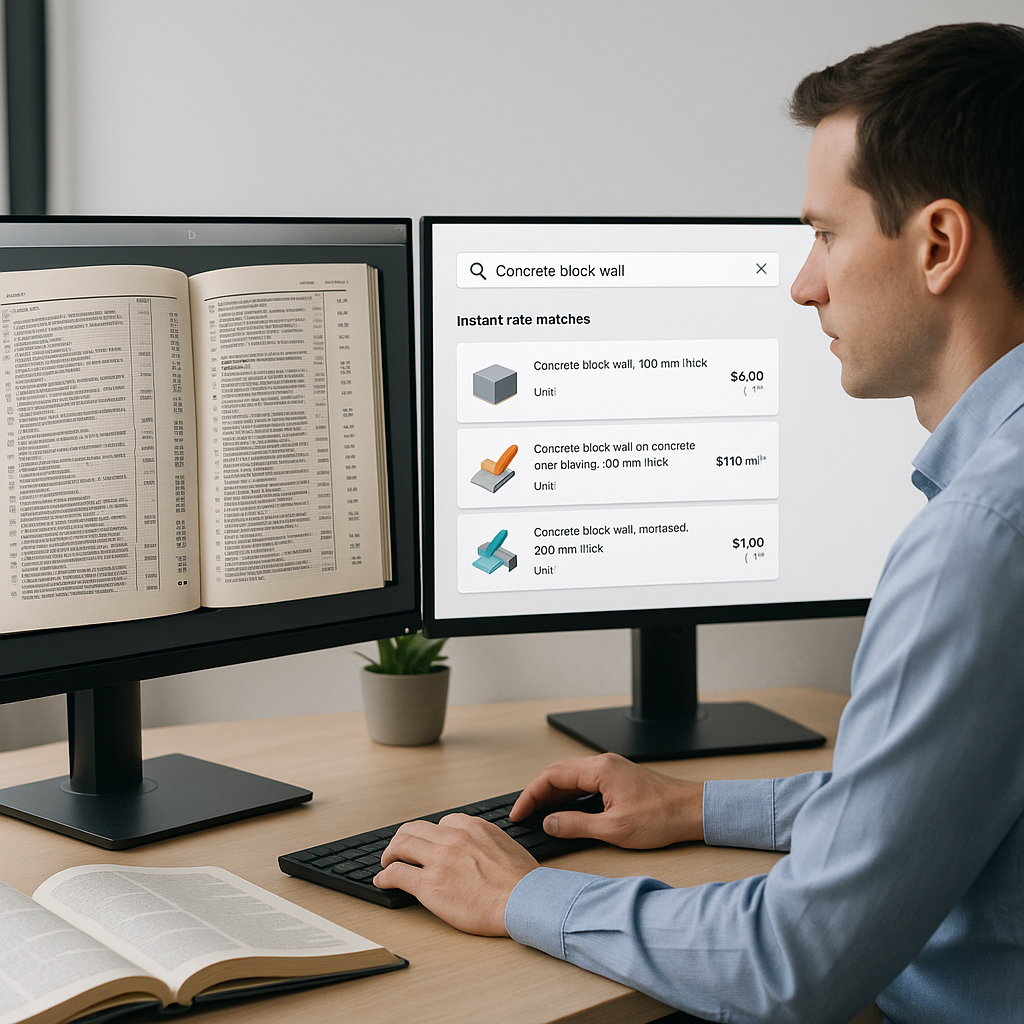
Manual Rate Lookups Are Killing Your Estimates
Let’s be honest. If you’re still flipping through massive rate books like RSMeans or CPWD DSR to match BOQ (Bill of Quantities) items, you’re not just wasting time—you’re bleeding money. We’ve all been there. Your team spends hours hunting for a labor rate that fits, only to second-guess if it’s even accurate. Multiply that by a 500-line BOQ, and you’ve lost an entire day per estimate.
Why is this still the norm? Because no one wants to risk using the wrong rate. But here’s the kicker: manual lookups are no safer. Human error creeps in—skipping a line, misreading a rate, or forgetting to adjust for inflation. And when you do catch mistakes, it’s already too late. The damage is done.
Now, consider what this inefficiency costs your business. A 2022 study by Autodesk found that 35% of construction professionals spend more than 14 hours per week on tasks that could be automated. That’s over 700 hours a year per estimator. If your team bills $60/hour, you’re looking at $42,000 annually in wasted labor per person.
The AI Solution: Rate Matching in Seconds
Enter AI-powered rate matching. Instead of flipping through PDFs or Excel sheets, tools like EstimateNext use semantic search to instantly match BOQ items to the correct rates. Need a labor rate for installing precast concrete girders? Type it in. Done in seconds.
Let’s break it down into actionable steps:
- Upload Your BOQ: AI-powered tools can parse Excel, CSV, or even unstructured PDFs to identify items, units, and quantities automatically. No more manual data entry.
- Search Across 78,000+ Rates: Whether you use CPWD (Central Public Works Department), RSMeans, or your custom rate catalog, the AI scans everything at once. It saves you from toggling between multiple documents and tabs.
- Get Confidence Scoring: Unsure about a match? AI systems flag low-confidence items so you can review and adjust manually. This allows you to maintain control over accuracy.
- Adjust for Inflation and Region: AI tools apply annual updates based on regional CPI (Consumer Price Index) or other economic factors. This ensures your rates stay competitive and up-to-date.
The result? What used to take 12 hours gets done in under a minute. That’s not just a productivity boost—it’s a competitive advantage.
Real-World Example: A Large Rail Bridge Bid
A major national general contractor recently demonstrated the power of AI on a $1B rail bridge project. Their team needed to pull accurate rates for everything from rail ties to structural steel, all from DOT-approved catalogs. Normally, this would’ve taken a week of manual lookups and cross-checking.
Using an AI-powered estimation tool, they completed the task in a single day. According to their preconstruction director, “We didn’t just save time—we eliminated errors that could’ve cost us the bid.”
To put this into perspective, the average cost of rework due to errors in estimates is 5% of the total project value, according to the 2020 Construction Disconnected report by PlanGrid. For a $1B project, that’s $50 million in potential losses avoided.
The Obvious Objection: “But AI Doesn’t Know My Rates”
I get it. You’re thinking, “My rates are custom. AI can’t handle that.” But here’s the thing: modern AI tools are not static. They’re designed to learn.
For instance, with EstimateNext, you can:
- Upload Your Own Rate Books: Whether it’s a proprietary rate sheet or project-specific adjustments, the system integrates seamlessly.
- Provide Feedback: If the AI gets a match wrong, you can correct it. Over time, the system learns your preferences and improves.
- Train the AI: After two or three projects, the tool becomes increasingly accurate in matching your data.
Still skeptical? Let’s do the math. Even if AI only handles 80% of the rate matching, that’s still a massive time saver. Review the remaining 20% manually, and you’re still far ahead compared to traditional methods. Plus, by automating repetitive tasks, you free up your team to focus on higher-value activities like strategy and client relationships.
Why Faster Rate Matching Matters
Speed isn’t just about convenience. It directly impacts your bottom line in three crucial ways:
- More Bids, More Wins: If you’re saving 12 hours per estimate, your team can respond to more RFQs (Request for Quotes). For example, an MEP subcontractor typically bids on 10 projects per month. With AI, they could scale up to 15. If their average bid win rate is 20%, that’s 1-2 extra projects per month, potentially adding $800K-$1.6M in annual revenue.
- Higher Accuracy, Lower Risk: Mispriced rates can sink a bid or lead to costly rework. AI ensures every rate is current, compliant, and regionally adjusted, reducing human error significantly.
- Faster What-If Scenarios: Need to see how a 5% increase in material costs impacts your bid? AI recalculates everything instantly. No need for Excel macros or manual adjustments.
Expanded Case Studies: Lessons from Industry Leaders
-
A Large GC’s Commercial Project: One major general contractor used AI to streamline rate matching for a $200M commercial office building. The software flagged inconsistencies in their labor rates, which would have caused a 3% underestimate. This saved them from losing $6M in profit margins.
-
Small Contractor Wins Big: A family-owned concrete contractor in Texas adopted AI for their estimates. They reduced their estimating time by 50%, allowing the owner to focus on client acquisition. Within six months, they landed two contracts worth $2M each—projects they wouldn’t have had time to bid on otherwise.
Decision Framework: When to Use AI for Rate Matching
| Criteria | Manual Process | AI-Powered Process |
|---|---|---|
| Time per Estimate | 8-12 hours | Under 1 minute |
| Error Risk | High (manual entry) | Low (confidence scoring + flags) |
| Scalability | Limited by manpower | Unlimited (cloud-based systems) |
| Cost of Rework | Potentially high | Significantly reduced |
| Ease of Adjustments | Time-consuming (Excel) | Real-time calculations |
The Future of Estimation: AI and You
Let’s be clear. AI isn’t here to replace estimators—it’s here to amplify them. The grunt work of rate lookups, takeoffs, and recalculations? That’s where AI shines. But judgment, negotiation, and strategy? That’s still all you.
Teams that embrace AI now will dominate the next decade. Why? Because they’ll have more time to focus on what really matters—winning the right projects at the right margins.
Ready to Save 12 Hours Per Estimate?
EstimateNext’s AI-powered rate matching makes construction estimation faster, smarter, and more accurate. Get started free →


