The QS Rate Matching Challenge
Every quantity surveyor knows this scenario: you have a BOQ with 1,500 line items, a stack of SOR schedules from three different catalogues, and a deadline that was tight before the client added 200 more items yesterday. Your job is to find the best matching rate for every single line.
In most QS offices, this means opening the BOQ in one screen, the rate schedule in another, and manually searching for matches. Copy the rate, paste the rate, check the unit, adjust for specification differences, move to the next line. Repeat 1,500 times.
It is painstaking, mind-numbing work — and it is where most estimation errors creep in.
Why Manual Rate Matching Fails
The problem is not that QS professionals are careless. The problem is that manual searching through 78,000+ rate items across multiple catalogues is simply not a task human brains are optimised for. Here is what typically goes wrong:
- Partial matches get accepted. You find a rate for "reinforced concrete beam" but miss that the specification calls for Grade 40 concrete while your rate assumes Grade 30. The difference is 8-12% on that item.
- Better rates exist but are not found. Your SOR has three different rates for "painting to plastered surfaces" depending on the number of coats and paint type. Under time pressure, you pick the first one that looks right.
- Unit mismatches slip through. The BOQ measures blockwork in square metres but the rate catalogue lists it per cubic metre. A missed conversion can throw off an entire section.
- Cross-catalogue opportunities are missed. The CPWD rate for a particular item might be more appropriate than the state SOR rate, but checking multiple catalogues for every line is not feasible manually.
What Intelligent Rate Matching Looks Like
Modern rate matching works differently. Instead of you searching through catalogues, the system analyses each BOQ line and suggests the closest matches from all available rate sources. Here is the process:
-
Upload your BOQ. Whether it is an Excel file, a PDF, or a structured document, the system parses every line item with its description, quantity, unit, and specification notes.
-
Select your catalogues. Choose from 135+ built-in catalogues — CPWD, state SORs, CSI MasterFormat divisions, NRM2 elements, or your own custom rate library. You can combine multiple sources for a single project.
-
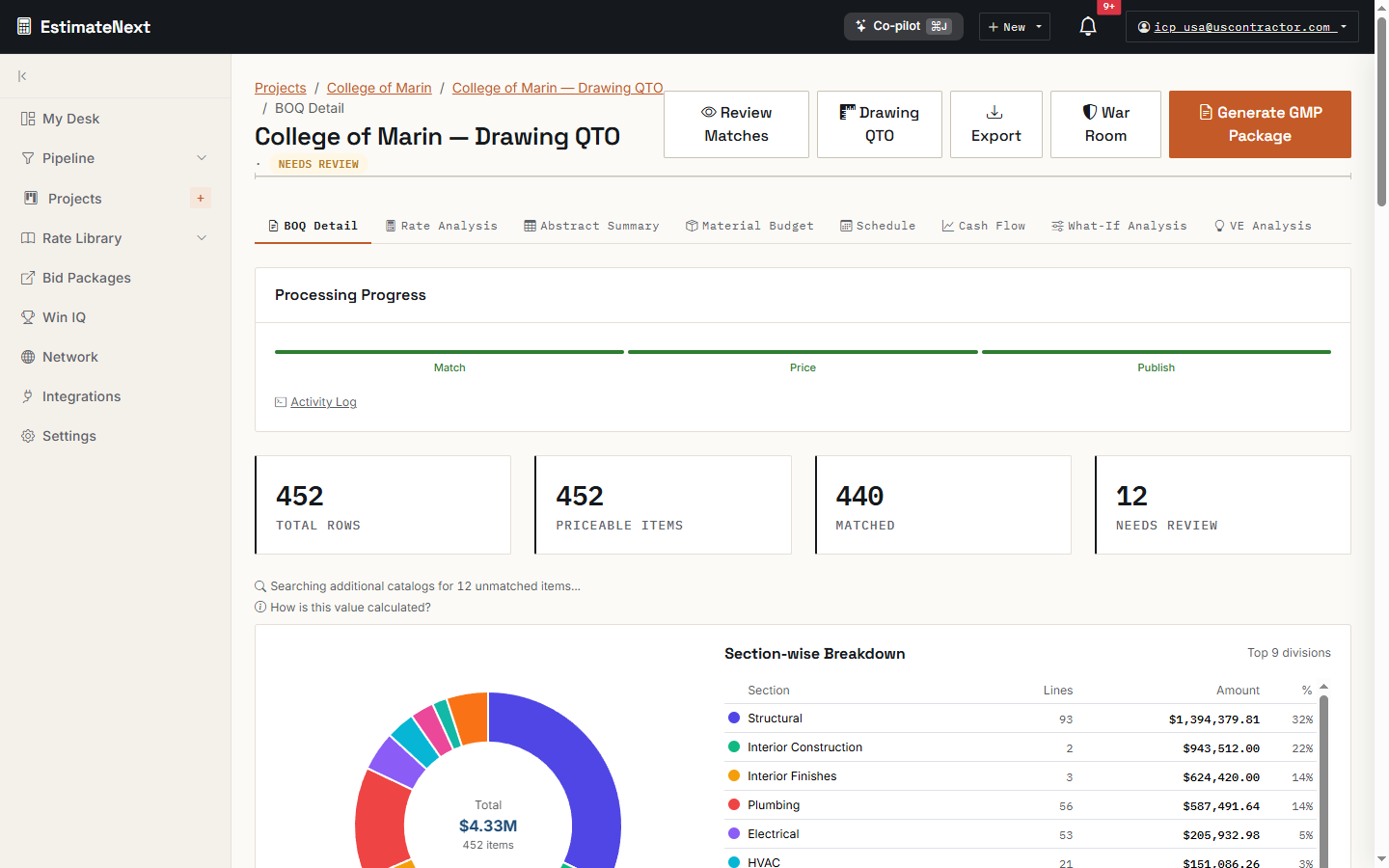
Review suggested matches. For each BOQ line, you see the top matching rates ranked by relevance. The system highlights where specifications align and where they differ, so you can make an informed decision in seconds rather than minutes.
-
Adjust and confirm. Accept, modify, or override any match. Your adjustments feed back into the system so future projects benefit from your professional judgment.
The Numbers That Matter
On a typical 2,000-line commercial building BOQ:
- Manual matching: 35-45 hours across 4-5 days. Average accuracy of first-pass matching: 72-78%.
- With intelligent matching: 4-6 hours in a single session. Average accuracy of suggested matches: 89-93%.
The accuracy improvement is significant, but the real gain is in the time saved. Those 30+ hours freed up are hours your team can spend on cost analysis, risk assessment, and client advisory — the high-value work that justifies QS fees.
Handling the Edge Cases
Not every BOQ line has a clean match. Provisional sums, prime cost items, bespoke specifications — these require professional judgment. A good matching system does not pretend otherwise. It flags uncertain matches, highlights items with no close equivalent, and gives you the tools to build custom rates from first principles.
EstimateNext, for example, provides a rate analysis breakdown for any item. If no catalogue rate fits, you can build up a rate from labour, material, and plant components using current market prices. That custom rate then becomes part of your library for future projects.
Multi-Catalogue Strategies
Different projects call for different rate strategies:
- Government tenders typically require rates from a specified SOR (CPWD, state PWD, or a client-specific schedule). The system matches against the mandated catalogue and flags items that fall outside the schedule.
- Private sector work gives you more flexibility. You can blend CPWD rates with your own historical data and current supplier quotes to build a competitive but realistic estimate.
- International projects might need NRM2 for the UK, CSI MasterFormat for North America, or a client-specific format. The system adapts to the measurement framework, not the other way around.
Building Your Rate Intelligence Over Time
Every project you estimate makes your next project faster. When you adjust a match, override a rate, or build a custom item, that knowledge accumulates in your rate library. After 10-15 projects, your custom catalogue reflects your firm's actual cost experience — not generic published rates, but what things really cost when you build them.
This is the compounding advantage that separates firms running on institutional knowledge from firms running on individual memory.
Getting Started
The fastest way to evaluate rate matching is to bring a real BOQ. Not a demo dataset — your actual current project. Upload it, match it against your preferred catalogues, and compare the results to your manual estimate.
Ready to match your next BOQ? Try EstimateNext with a real project and see the difference structured rate matching makes.
Ready to see EstimateNext in action?
AI-powered preconstruction estimation platform — from BOQ upload to priced bid package in minutes. 78K+ SOR items, 7 specialist trade tools, bid intelligence, and a procurement network.
Get Started Free →

