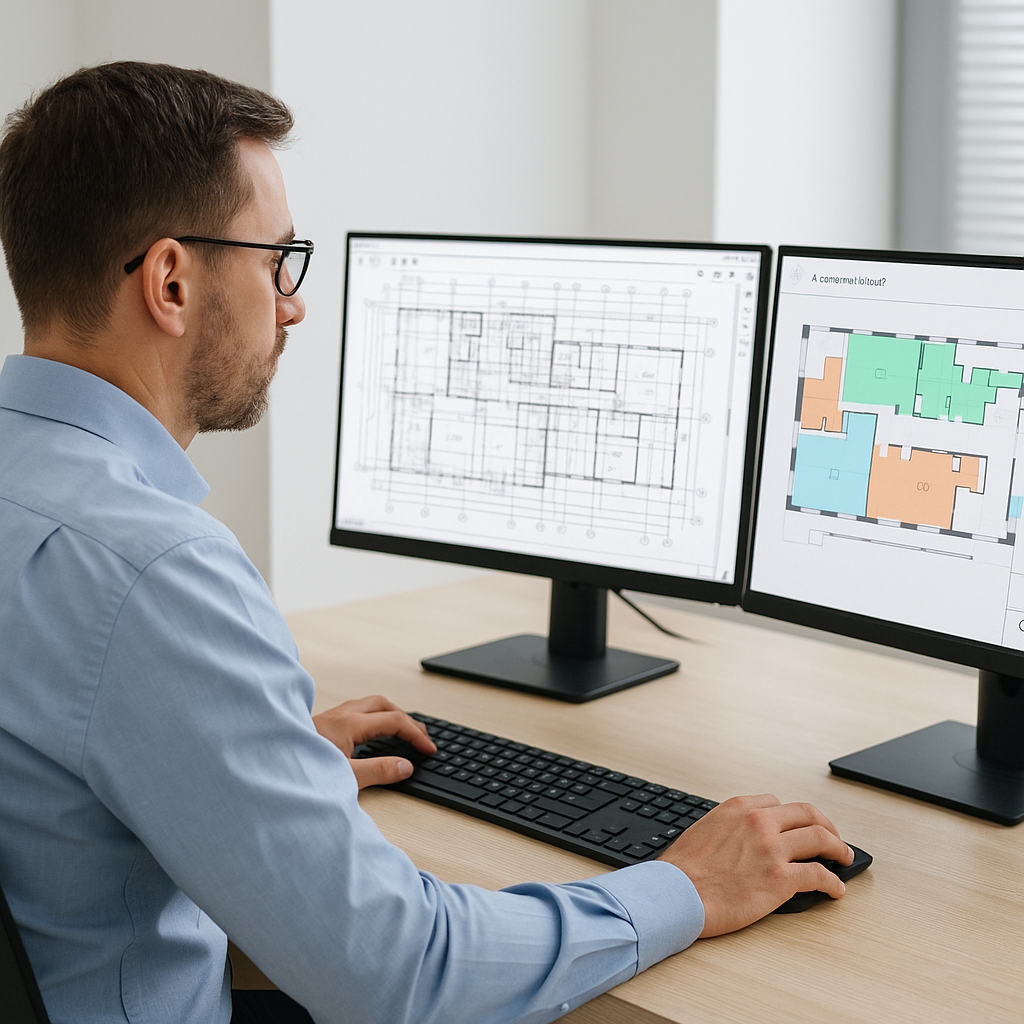
The Construction Industry's Worst Bottleneck
Manual drawing takeoffs are a nightmare. You know it, I know it. Two estimators can spend 40 hours (yes, a full workweek) pulling quantities from PDFs. Worse, this isn't even high-value work—it's grunt labor. Mistakes creep in, deadlines loom, and teams burn out.
Take, for example, a mid-sized construction firm bidding on a $25 million commercial project. The manual takeoff process required two estimators working overtime to ensure all quantities were accurate. They ended up submitting their bid just hours before the deadline, missing valuable time to refine pricing and scope. Worse, errors in their takeoff led to underestimating concrete quantities, costing the company $40,000 in change orders after winning the bid. Sound familiar?
The Alternative: AI-Powered Takeoff Tools
Enter AI-powered takeoff tools like EstimateNext. Instead of dragging measurement lines across drawings by hand, AI reads the drawings for you. It extracts quantities—wall areas, door counts, slab volumes—in 10 minutes flat. That’s a 10X speed improvement, and it’s not theoretical.
Real-Life Success Story
One mid-sized general contractor recently saved 120 hours on a high-rise bid using this exact approach. Imagine what they did with that extra time: finalized scope, sharpened pricing, and, most importantly, won the job. Not only did they meet the deadline stress-free, but they also avoided costly errors, leading to higher margins on the project.
How Vision AI Works
AI takeoff tools aren’t magic, but they’re pretty close. Here’s how they work:
- Upload the Drawings: Drop your PDFs or CAD files into the platform.
- Auto-Extract Quantities: The AI scans the drawings and pulls data—room dimensions, beam lengths, window counts, and more.
- Highlight Low Confidence: Not every extraction is perfect. The AI flags anything it’s unsure about so you can review and adjust.
- Export to BOQ: Quantities flow directly into a bill of quantities (BOQ) template, formatted and ready to price.
Actionable Steps to Get Started:
- Step 1: Digitize your drawings. If you’re still working from paper, invest in scanning equipment to create high-resolution PDFs.
- Step 2: Choose an AI tool. Platforms like EstimateNext offer free trials. Test their capabilities on a smaller project.
- Step 3: Train your team. Most tools require minimal onboarding, but a few hours of training can go a long way in maximizing efficiency.
What’s the catch? Well, AI doesn’t replace your expertise—it amplifies it. You still validate the results and refine where needed. But instead of wasting 40 hours, you spend 2 hours reviewing. That’s a trade-off any estimator would take.
Addressing Skepticism: “AI Can’t Think Like Us”
I hear this all the time: “Sure, AI is fast, but it doesn’t understand construction.” Fair point. AI doesn’t know your project’s unique quirks, your client’s preferences, or your subcontractor’s reliability. But that’s not the goal. AI handles the repetitive, mind-numbing tasks so your team can focus on the parts that require judgment: negotiations, value engineering, and winning more work.
Case Study: A Major Contractor’s Rail Bridge Project
Take the case of a large national contractor’s rail bridge project. It required quantities for everything from concrete girders to steel rail ties. Normally, pulling these from DOT-approved catalogs would take weeks. With AI, the quantities were extracted—and matched to rates—in hours. The team still reviewed everything, but they didn’t have to start from scratch. That’s the power of pairing AI with human expertise.
The ROI Math: Why It’s a No-Brainer
Let’s talk dollars and cents. A typical estimator costs $130/hour, fully loaded. If AI saves you 36 hours per estimate, that’s $4,680 in labor savings on one bid. Multiply that by 5-8 GMP pursuits a year, and you’re looking at $23,400-$37,440 saved annually. For a tool that costs $99/month per seat? The ROI writes itself.
Subcontractor Example
For subcontractors, the math is even better. Faster takeoffs mean faster quotes, which means more bids submitted. More bids mean more wins. One MEP subcontractor used EstimateNext to cut their quote cycle from 3 days to 4 hours. The result? A 50% increase in bids submitted and $1.2M in incremental revenue.
ROI Breakdown Table
| Metric | Manual Process | AI-Powered Process |
|---|---|---|
| Time per estimate | 40 hours | 4 hours |
| Cost per estimate | $5,200 | $520 |
| Annual savings (5 bids) | $26,000 | $2,600 |
| Annual savings (8 bids) | $41,600 | $4,160 |
What About Accuracy?
AI isn’t perfect, but it’s close. Platforms like EstimateNext include features like confidence scoring and manual overrides, so you’re never flying blind. Most users report accuracy improvements after just 3 projects, as the AI learns from your feedback. And let’s be honest—human errors aren’t rare in manual takeoffs. If AI reduces those by even 10%, it’s worth the investment.
Actionable Accuracy Tips:
- Review flagged items: AI tools highlight areas with low confidence. Always double-check these.
- Provide feedback: The more you use the tool, the smarter it gets. Take time to correct inaccuracies.
- Cross-check critical items: For high-stakes quantities like concrete slabs, validate with a manual check.
Real-World Example: The $1B Rail Project
Here’s a concrete example. On a $1 billion rail project, the preconstruction team used EstimateNext to extract quantities for concrete columns, beams, and rail decks. Normally, this would have taken 56 hours. With AI, the same work was done in under 10 minutes. The team used the time saved to refine their bid, negotiate with subs, and lock down better pricing. The result? They came in under budget and ahead of schedule.
Conclusion
If you’re still wasting 40 hours on manual takeoffs, it’s time to rethink your process. AI tools like EstimateNext don’t just save time—they free your team to focus on the work that really matters. Stop burning hours on grunt work and start winning more bids. Get started free →


