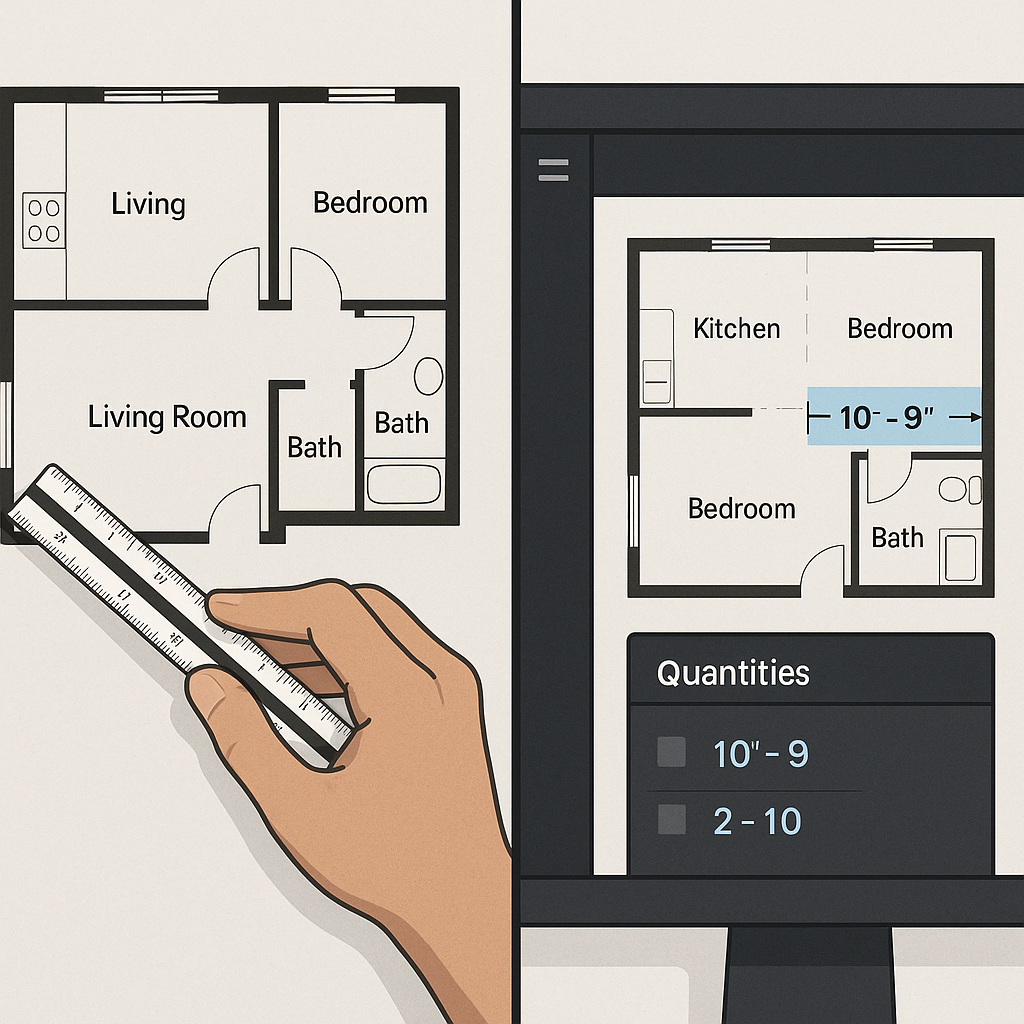
Why Are Takeoffs Still a Bottleneck in 2026?
Let’s be honest: manual takeoffs are a grind. Two estimators spend 40 hours flipping through drawings, tracing lines, and double-checking measurements. That’s a full week of labor just to get to step one of the bid process. And for what? Human error creeps in anyway. A missed wall length here, an over-measured duct there—it adds up to costly mistakes.
Now imagine you’re bidding on a high-stakes $1 billion rail project (yes, these bids happen). You’ve got 56 hours to submit, and the client’s drawings are a mess of revisions, PDFs, and conflicting annotations. Are you really going to trust a manual process to get it done?
This is where AI-powered tools like EstimateNext change the game. Instead of days spent on manual takeoffs, you upload the drawings, and Vision AI extracts quantities in 10 minutes. That’s not an exaggeration—it’s already happening. Their own case study notes that a mid-sized contractor saved 120 hours on a high-rise bid Source: EstimateNext.
But let’s dig deeper. Why are manual takeoffs such a bottleneck, and what’s the real cost of sticking with outdated methods?
How Does AI Takeoff Work?
The magic is in the automation. AI tools “read” your drawings just like an estimator would, but faster and with zero fatigue. Here’s the process:
- Upload the Drawings: PDFs, DWGs, whatever format you’ve got. The tool supports most file types used in construction.
- AI Calibration: The system calibrates scales and identifies layers (walls, doors, windows, ductwork, etc.).
- Quantity Extraction: It pulls room areas, wall lengths, and item counts automatically.
- Confidence Scoring: The AI flags low-confidence measurements so you can review them manually.
For example, on a recent $1 billion rail project, AI took off quantities for concrete columns, beams, and rail decks in 10 minutes flat. Without it, you’re looking at 40 hours minimum Source: EstimateNext.
Another case study highlights a $2 million renovation project where AI reduced the takeoff time from 24 hours to just 2 hours. The drawings had 15 revisions over the course of the project, but the AI tool automatically detected and updated quantities with each revision, saving the contractor from hours of manual recalculations.
Here’s a simple actionable breakdown of how to implement AI tools effectively in your workflow:
- Start Small: Test the tool on a smaller project to get familiar with its interface and capabilities.
- Calibrate Carefully: Spend time setting up the scale and verifying the AI’s initial measurements. This ensures accuracy for future projects.
- Use Confidence Scoring: Focus your manual reviews on flagged areas rather than rechecking the entire takeoff.
- Leverage Revisions: Upload new drawing sets as they come in to keep your quantities up to date without starting over.
But let’s address the elephant in the room: can you trust it?
Is AI Accurate Enough?
You might be thinking, “Sure, AI is fast, but it doesn’t understand the nuances of construction.” That’s partially true—but it’s also missing the point. AI doesn’t replace your expertise; it amplifies it. You’re still in charge of judgment calls and final reviews. The AI just handles the grunt work.
In fact, tools like EstimateNext include confidence scoring and manual override features. If the system isn’t 100% sure about a measurement, it flags it for your review. This hybrid approach—AI speed with human oversight—reduces takeoff discrepancies by up to 80% Source: EstimateNext.
Take the example of a large-scale hospital project. The AI flagged areas with overlapping annotations where it wasn’t confident in the measurements. By reviewing only these flagged areas, the estimator reduced review time by 60% compared to manually checking every line.
Here’s how to maximize AI accuracy:
- Double-Check Inputs: Ensure the uploaded drawings are complete and properly scaled.
- Train Your Team: Conduct a few training sessions to familiarize your team with the tool’s features and limitations.
- Use Historical Data: Feed the AI with past projects to improve its learning curve and tailor it to your specific needs.
In my view, this hits the sweet spot. You’re not blindly trusting a machine, but you’re also not wasting time on tasks a machine can do better.
What’s the ROI?
Let’s talk numbers. A typical estimator costs around $130/hour (fully loaded). If you’re saving 40 hours per estimate, that’s $5,200 saved right there. Multiply that by 5-8 GMP pursuits per year, and you’re looking at $26,000-$41,600 in annual savings per estimator. For a tool that costs $99/month? It’s a no-brainer.
But the ROI goes beyond cost savings:
- Bid More Projects: AI takeoff speed means you can handle more bids in the same amount of time. If you usually bid on 10 projects a year, doubling that could significantly increase your win rate.
- Reduce Errors: Fewer errors in takeoffs mean fewer costly change orders down the line. Clients notice this level of precision, and it could give you a competitive edge.
- Reallocate Labor Hours: Instead of spending weeks on takeoffs, your team can focus on higher-value tasks like refining bid strategies, negotiating with subcontractors, or tackling complex project logistics.
What Could Go Wrong?
No tech is perfect. AI takeoffs depend on the quality of your input data. If your drawings are incomplete or full of errors, the AI can’t magically fix that. This is where human oversight still matters.
Also, training your team to trust and use the tool effectively takes time. Most users report significant accuracy improvements by their third project. Don’t expect miracles on day one.
Another issue is compatibility. While many AI tools integrate seamlessly with platforms like Procore or Bluebeam, not all do. Make sure the tool you choose fits into your existing software ecosystem.
Comparison Table: Manual vs. AI Takeoffs
| Feature | Manual Takeoffs | AI-Powered Takeoffs |
|---|---|---|
| Time Required | 40-60 hours per project | 10-20 minutes per project |
| Accuracy | Prone to human error | High, with confidence scoring |
| Scalability | Limited by manpower | Scales easily with workload |
| Cost Per Project | ~$5,200 in labor | ~$99/month for software |
| Handling Revisions | Time-intensive | Automated and quick |
Final Thoughts
AI isn’t here to replace you. It’s here to make your job easier. If you’re still spending 40 hours on manual takeoffs, you’re leaving time and money on the table. Tools like EstimateNext bring that down to 10 minutes, freeing you up for higher-value tasks like negotiating with subs or refining your bid strategy.
The construction industry is competitive, and margins are tight. Leveraging AI takeoff tools means fewer errors, faster bids, and more wins. If you’re ready to stop wasting hours on takeoffs, EstimateNext can help. Get started free →


