Why Manual Takeoffs Are Killing Your Margins
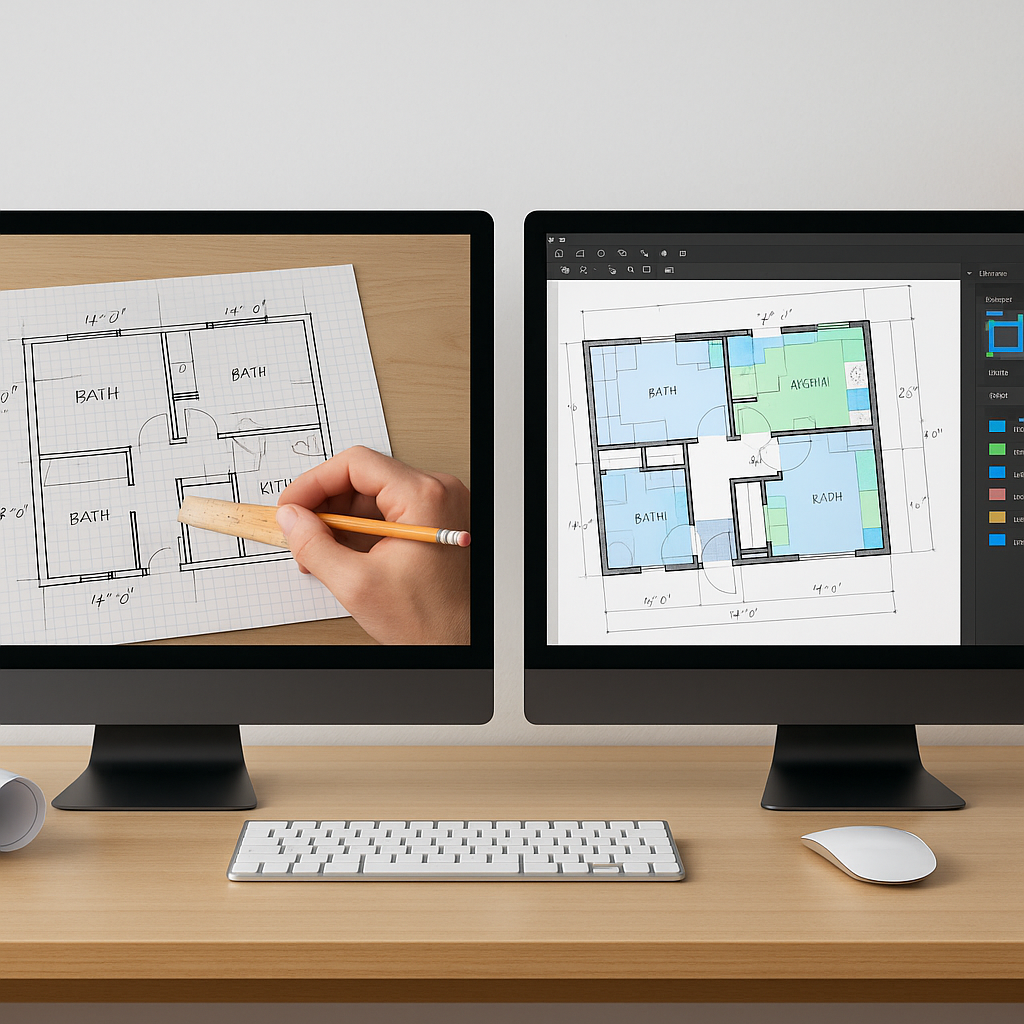
Let’s start with the obvious: manual takeoffs are a time suck. If you’re flipping through drawings with a scale ruler or spending hours in Bluebeam, you already know this. On average, it takes 40 hours—an entire workweek—to complete takeoffs for a mid-sized project. Multiply that by 5-8 GMP pursuits per year, and you’re burning through 200-300 hours just on one task. That’s not sustainable.
Now, here’s the kicker: even with all that effort, errors creep in. Miss a wall length or double-count a window? It happens. And those mistakes don’t just hurt your credibility—they hit your bottom line. According to a 2023 McKinsey report, manual errors in construction estimation lead to cost overruns in 9 out of 10 projects.
The Hidden Costs of Manual Takeoffs
Manual takeoffs don’t just cost you time—they cost you money in ways you might not even realize:
- Labor Costs: A senior estimator earning $130/hour spending 40 hours on a single takeoff? That’s $5,200—per project.
- Missed Opportunities: If your team is bogged down in manual work, you might not have the bandwidth to pursue additional bids.
- Reputation Damage: Errors in estimates can lead to underbidding or overpricing. Either way, it hurts your credibility with clients and subcontractors.
According to a 2019 FMI report, 35% of construction firms report losing bids due to inaccurate estimates. The stakes are real.
Enter AI-Powered Takeoffs
This is where tools like EstimateNext come in. Using Vision AI, you can upload a PDF set, and the system extracts quantities in 10 minutes flat. Walls, doors, windows, room areas—it’s all there, done for you. No ruler, no clicking, no headaches.
Real-World Example: Time Savings in Action
Here’s a real-world example: A mid-sized general contractor bidding on a 20-story apartment project saved 120 hours using AI-powered takeoffs. That’s two full weeks of estimator time back in their pocket. They didn’t just save time; they used it to fine-tune their bid, negotiate better subcontractor terms, and win the project. The savings weren’t just theoretical—they directly contributed to winning a $15 million contract.
Another case study comes from a Chicago-based subcontractor specializing in drywall. By using AI tools, they reduced their takeoff time by 70%, allowing them to bid on three additional projects per year. Two of those bids were successful, adding $2.3 million in revenue.
How It Works
The process of using AI-powered takeoff tools is user-friendly and doesn’t require a steep learning curve:
- Upload Your Drawings: Any PDF set works—architectural, MEP, structural. Simply drag and drop.
- AI Extraction: The tool scans the drawings, identifies elements like walls, doors, windows, and calculates quantities.
- Review and Adjust: Low-confidence lines are flagged for manual review. You stay in control.
What Makes It Better?
- Speed: AI tools process what would take you 40 hours in just 10 minutes.
- Accuracy: Confidence scoring ensures you can double-check any flagged areas.
- Audit Trails: Every calculation is logged, so you can easily trace back and verify quantities.
For example, EstimateNext highlights low-confidence areas in red, ensuring you can manually review questionable measurements. This keeps you in the driver’s seat without sacrificing speed.
The Skeptic’s Corner: Can AI Really Replace My Expertise?
You might be thinking, "Sure, AI is fast, but it doesn’t understand construction." And you’re right—to a point. AI doesn’t replace your expertise; it amplifies it. You’re still the one making judgment calls, negotiating with subs, and deciding on markups. The AI just handles the grunt work.
Where AI Shines
- Repetition: Counting 300 windows or 1,000 feet of piping? AI does it instantly.
- Complex Calculations: Measuring irregular room areas or multi-level projects? AI tools excel here.
- Data Management: AI tools integrate with platforms like Procore, Excel, and Bluebeam, making it easier to manage project data.
Where You’re Still Needed
AI isn’t perfect—it doesn’t know your client’s preferences, local building codes, or how to negotiate with subs. But that’s where your expertise comes in. Think of AI as the junior estimator who never gets tired and always double-checks their work.
ROI: The Brutal Math
Let’s do some quick math:
| Metric | Manual Takeoffs | AI-Powered Takeoffs |
|---|---|---|
| Time per estimate | 40 hours | 10 minutes |
| Labor cost per estimate ($130/hour) | $5,200 | ~$22 (includes AI cost) |
| Annual cost (8 GMP pursuits/year) | $41,600 | ~$176 |
If you’re saving 36 hours per estimate and paying your team $130/hour, that’s $4,680 saved. Per bid. Multiply that by 8 GMP pursuits a year, and you’re looking at $37,440 in savings. Compare that to the $99/month cost of an AI tool. It’s not even close.
Beyond time and labor costs, consider error reduction. According to McKinsey, early adopters of AI in construction see cost savings of 10-20% per project. For a $5 million project, that’s $500,000 to $1 million in savings. And that doesn’t even factor in the increased revenue from winning more bids.
What If You Don’t Adopt?
Here’s the harsh reality: your competitors are already using AI. Tools like EstimateNext, AutoDesk Construction Cloud, and Bluebeam Revu are becoming standard. If you’re still stuck in manual mode, you’re at a disadvantage. You’ll spend more time and money on bids, and you’ll lose projects to faster, more accurate teams.
An Industry Example
A study by Dodge Data & Analytics found that 52% of contractors using AI-powered tools reported higher bid-win rates compared to those relying on manual processes. The gap is growing. If you’re not adopting, you’re not just standing still—you’re falling behind.
Getting Started
If you’re ready to make the switch, start small. Test an AI tool on a single project to see how it fits into your workflow. Most platforms, including EstimateNext, offer free trials or low-cost entry plans. Here’s how to get started:
- Run a Trial: Use AI tools on a small, low-risk project to understand the workflow.
- Train Your Team: Most tools are intuitive, but a 30-minute tutorial can save hours of frustration.
- Measure the ROI: Track time saved, error rates, and bid outcomes to quantify the impact.
Once you see the time savings, it’s hard to go back. Your team will thank you. Your clients will notice the accuracy. And your bottom line will reflect the difference.
If you’re tired of wasting time on manual takeoffs, EstimateNext can help. Get started free →


