Why Manual Rate Lookups Are Killing Your Efficiency
If you're still flipping through 2,000-page rate books for every estimate, you know the pain. It’s tedious, error-prone, and frankly, a waste of time. On average, estimators spend 12 hours per project just hunting for rates. Multiply that across 30-60 projects a year, and you’re talking hundreds of hours wasted—time that could be spent on strategy or client engagement.
But here’s the kicker: even after all that effort, you’re still relying on human accuracy. A missed line item or outdated rate could wreck your margins. It’s not sustainable, especially in an industry where razor-thin margins are the norm.
The Human Cost of Manual Rate Lookups
Let’s break it down further. Imagine your team of estimators spends 12 hours on each project:
- Small contractors might handle 20 estimates annually, wasting 240 hours.
- Mid-sized firms with 50 estimates per year lose 600 hours.
- Large general contractors (GCs) managing 100+ bids annually could burn through over 1,200 hours.
This inefficiency isn’t just about time—it’s about money. At an average labor rate of $130/hour, even small contractors lose $31,200 annually to manual rate lookups. For larger firms, the cost skyrockets into six figures. And that’s just the labor costs, not counting lost opportunities from slower bid responses.
Enter AI-Powered Rate Matching
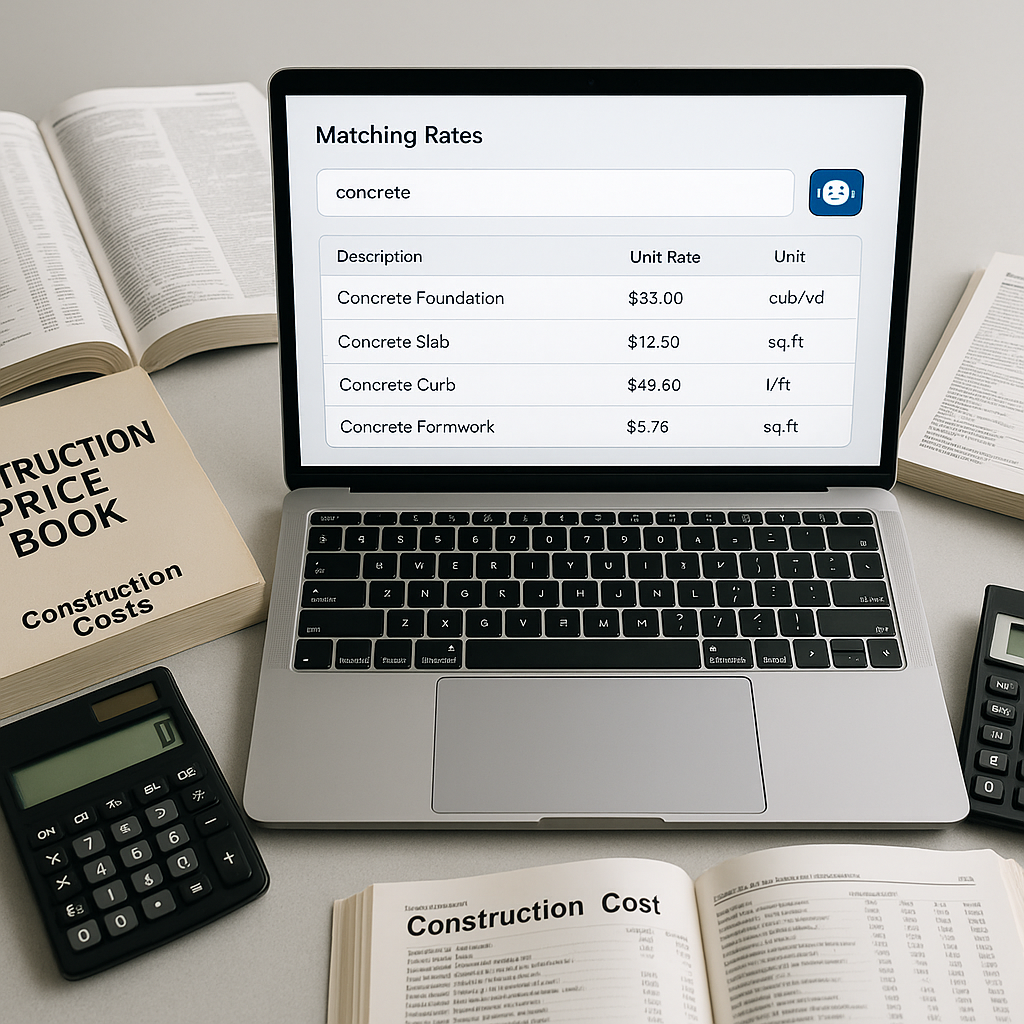
This is where AI tools like EstimateNext come in. Instead of manually searching rate books, you upload your BOQ (Bill of Quantities), and the system does the heavy lifting. It uses semantic search across a database of 78,000+ SOR (Schedule of Rates) items—think CPWD DSR, RSMeans, or even your custom catalogs. Matches appear in seconds, not hours.
Case Study: $1 Billion Rail Project
Take a $1 billion rail project from one of their case studies. The team needed rates for everything from pre-stressed concrete girders to rail ties, all compliant with DOT standards. With AI, rates that would’ve taken days to compile were matched in minutes. The result? 56 hours saved on just one bid. That’s over a week of productivity reclaimed for a single project. Source
How It Works
AI-powered rate matching isn’t magic—it’s a straightforward, repeatable process:
- Upload Your BOQ: The system auto-detects hierarchies, merged cells, and section headers in Excel, CSV, or even PDFs. No more wasting time formatting files.
- Semantic Search: AI scans its database for the best matches. It doesn’t just look for exact keywords—it understands context. Need rates for "plastering walls"? It’ll suggest variations like "interior wall plastering" or "exterior cement plaster."
- Custom Catalogs: If you’ve got unique materials or project-specific rates, no problem. Upload them, and the system remembers for future bids.
- Audit Trail: Every rate matched includes a breakdown (materials, labor, equipment) and sources, so you can verify everything before submission.
Example: Residential Renovation Firm
A residential contractor in Chicago uploaded a BOQ with over 400 line items, ranging from drywall installation to custom cabinetry. The AI matched 97% of the items within 3 minutes. The remaining 3% required manual adjustments, but the entire process was completed in under an hour—a task that would’ve taken two full days manually.
Why It’s a Game Changer
Let’s face it: speed is only part of the equation. Accuracy and adaptability are just as critical. AI-powered rate matching delivers on all three:
- Speed: Matches 78,000+ rates in seconds. For comparison, manual lookup takes 10-12 hours per estimate.
- Accuracy: Reduces discrepancies by up to 99%. Human error? Practically eliminated.
- Scalability: Works for any project size, from $1 million renovations to $1 billion infrastructure builds.
Actionable Steps to Get Started
- Digitize Your BOQ: Ensure your Bill of Quantities is in Excel, CSV, or PDF format for seamless uploads.
- Clean Up Your Custom Catalogs: Consolidate your unique rates and materials in a structured format.
- Pilot AI Tools on a Small Project: Test tools like EstimateNext on a smaller bid to gauge time savings and accuracy.
- Train Your Team: Familiarize your estimators with the interface to maximize efficiency.
The Obvious Objection: "What If My Rates Are Unique?"
Great question. Many estimators worry that AI can’t handle their custom catalogs or project-specific tweaks. But modern tools like EstimateNext are built for this. You can upload your own rates, define inflation adjustments, and even factor in regional labor costs. The more projects you run through the system, the smarter it gets, making future estimates even faster.
Real-World Example: Regional Contractor in Texas
A contractor specializing in highway construction uploaded their custom catalog, which included region-specific labor rates and material pricing. After three projects, the AI tool had refined its matches so well that the team cut their estimating time by 70%—from 15 hours per bid to just 4.5 hours.
Real-World Impact
Let’s run the numbers. For a GC preconstruction director managing five GMP pursuits a year, saving 12 hours per estimate translates to 60 hours annually. At $130/hour, that’s $7,800 in labor savings. Now factor in the opportunity cost of winning more bids—savings jump exponentially.
For an MEP sub, the stakes are even higher. Responding 50% faster means securing 4-8 additional wins annually, each worth $200K+. That’s $800K-$1.6M in incremental revenue. Source
Why This Matters Now
Construction costs are skyrocketing—whether it’s inflation, labor shortages, or material price hikes. GCs and subs are under pressure to do more with less. AI-powered rate matching isn’t just a nice-to-have; it’s a competitive advantage. The faster you can price a bid, the better your margins and win rates.
But let’s be clear: AI isn’t a magic wand. It won’t replace your expertise. You’re still the one making judgment calls, negotiating with subs, and ensuring compliance. AI just takes the grunt work off your plate so you can focus on strategy.
Comparison Table: Manual vs. AI Rate Matching
| Feature | Manual Rate Matching | AI-Powered Rate Matching |
|---|---|---|
| Time Per Estimate | 10-12 hours | Seconds to minutes |
| Accuracy | Prone to human error | 99%+ accuracy |
| Scalability | Limited by manpower | Unlimited |
| Cost Efficiency | High labor costs | Lower long-term costs |
| Customizability | Manual adjustments | Automated learning |
Ready to Save 12 Hours Per Estimate?
If rate lookups are eating into your team’s productivity, it’s time to switch gears. EstimateNext does the heavy lifting, matching 78,000+ SOR items in seconds. It’s fast, accurate, and scalable—everything you need to stay ahead in today’s cutthroat market.
Get started free → https://estimatenext.ai/


