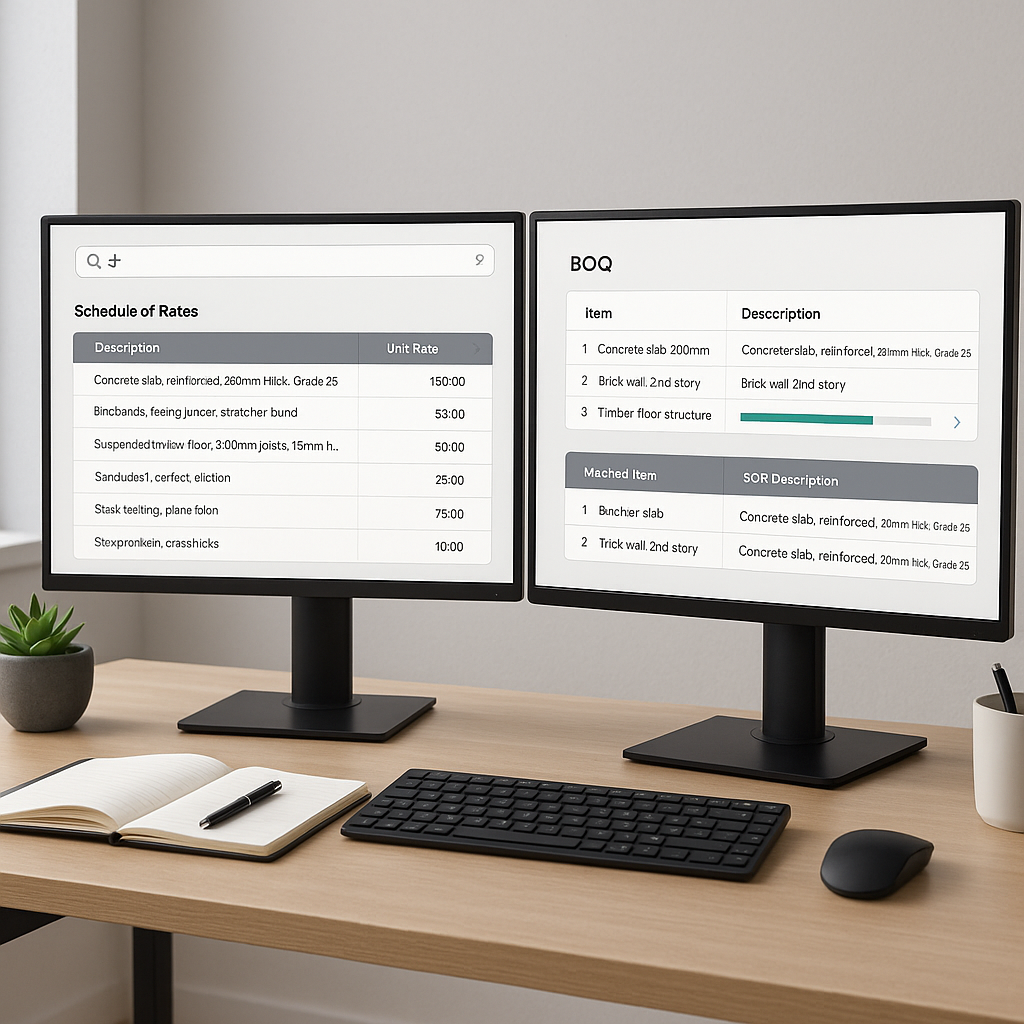
The Problem: Rate Matching is a Time Sink
If you’ve ever spent hours flipping through a 2,000-page CPWD rate book or scrolling endlessly through RSMeans PDFs, you know the pain of rate matching. It’s tedious, error-prone, and eats up valuable time you could be spending elsewhere—like refining your bid strategy or negotiating with subcontractors. And if you’re dealing with custom materials or localized rates? That’s another day spent building rate libraries or running manual calculations in Excel.
The reality is, rate matching is foundational to construction estimation. If your rates are off, everything else in your estimate falls apart. But outdated tools and processes make this a bottleneck for too many teams.
The AI Solution: Smarter, Faster Rate Matching
Here’s where AI steps in. Instead of manually searching for rates, AI-powered tools can scan and match items from a database of Standard Operating Rates (SORs) in seconds. This can significantly streamline the process for preconstruction teams.
Let’s break it down:
-
Semantic Search: AI tools use natural language processing (NLP) to understand what you’re looking for, even if your phrasing isn’t an exact match. For instance, type “concrete slab reinforcement,” and it pulls up all related rates from your selected database, whether that’s CPWD DSR, RSMeans, or your custom catalog.
-
Custom Catalog Integration: Got unique materials or labor rates? No problem. You can upload your own data, and the AI will prioritize them in future searches. For example, if your company has a specific labor rate for reinforced steel installation, the system remembers and applies it automatically the next time you search.
-
Real-Time Adjustments: Market conditions change. Materials get more expensive. Labor rates fluctuate. Good AI tools allow you to apply inflation adjustments at a catalog or project level. This ensures your rates are always accurate without manually updating every single line item.
-
Audit Trails: Worried about transparency? AI tools log every rate source and adjustment, so you can trace back and justify your numbers to clients or internal stakeholders. No more “I think I saw it on page 324” moments.
Illustrative Example: Saving Time with AI
Imagine you’re an estimator working on a commercial building project with a Bill of Quantities (BOQ) containing hundreds of items, including materials, labor, and equipment. Using traditional methods, rate matching could take an entire day or more. With an AI-powered rate matching tool, you upload your BOQ, and the system matches each item to the most relevant SOR in your preferred catalog within seconds. For any items it’s unsure about, it flags them for your review. Even if some items require manual adjustments, the time savings can be substantial.
Common Objections to AI Rate Matching
Let’s address some common concerns:
“AI can’t handle my custom rates.”
Most modern tools let you upload your own catalogs or custom rates. Once uploaded, the system uses them as the first source for future matches. The more you use it, the smarter it gets.
“What if the AI gets it wrong?”
No system is perfect, which is why most tools include features for manual review and adjustment. Many also log every action for transparency, allowing you to trace back and verify decisions.
“I don’t have time to learn a new system.”
Most AI tools are designed to be user-friendly, with training and support resources to help users get started quickly. The time saved in the long run often outweighs the initial learning curve.
What to Watch For
When considering AI-powered rate matching tools, keep the following in mind:
-
Catalog Coverage: Does the tool include the rate books you use most often? Ensure it supports the databases relevant to your projects.
-
Integration: Make sure the tool integrates with your existing software, like Bluebeam, Procore, or Excel. Exporting data into your current workflow should be seamless.
-
Learning Curve: Look for tools with intuitive interfaces and robust support resources. A steep learning curve can negate any time savings.
-
Scalability: Whether you’re pricing a small renovation or a large infrastructure project, the tool should scale to handle your needs.
Why It Matters
At the end of the day, rate matching isn’t just a time problem—it’s a risk problem. A single missed rate or miscalculation can sink your margins or cost you the bid altogether. AI doesn’t just make rate matching faster; it makes it more reliable. And for general contractors, subcontractors, and quantity surveying firms, reliability is everything.
Conclusion
If you’re tired of wasting hours on manual rate matching, it’s time to explore AI-powered solutions. These tools simplify the process, save time, and reduce errors, allowing you to focus on what truly matters—delivering competitive and accurate bids.


