The Problem: Why Manual Takeoffs Waste Time and Money
Takeoff is the foundation of every construction estimate. You measure quantities—wall lengths, room areas, pipe runs—and convert them into line items. Sounds simple, right? Not when you’re flipping through hundreds of pages of drawing sets with a highlighter and a ruler.
Manual takeoffs can be time-consuming and prone to errors. A missed beam or incorrect wall count can inflate your bid or leave you undercutting competitors without realizing it. Either way, you lose.
The AI Solution: How Vision AI Automates Takeoffs
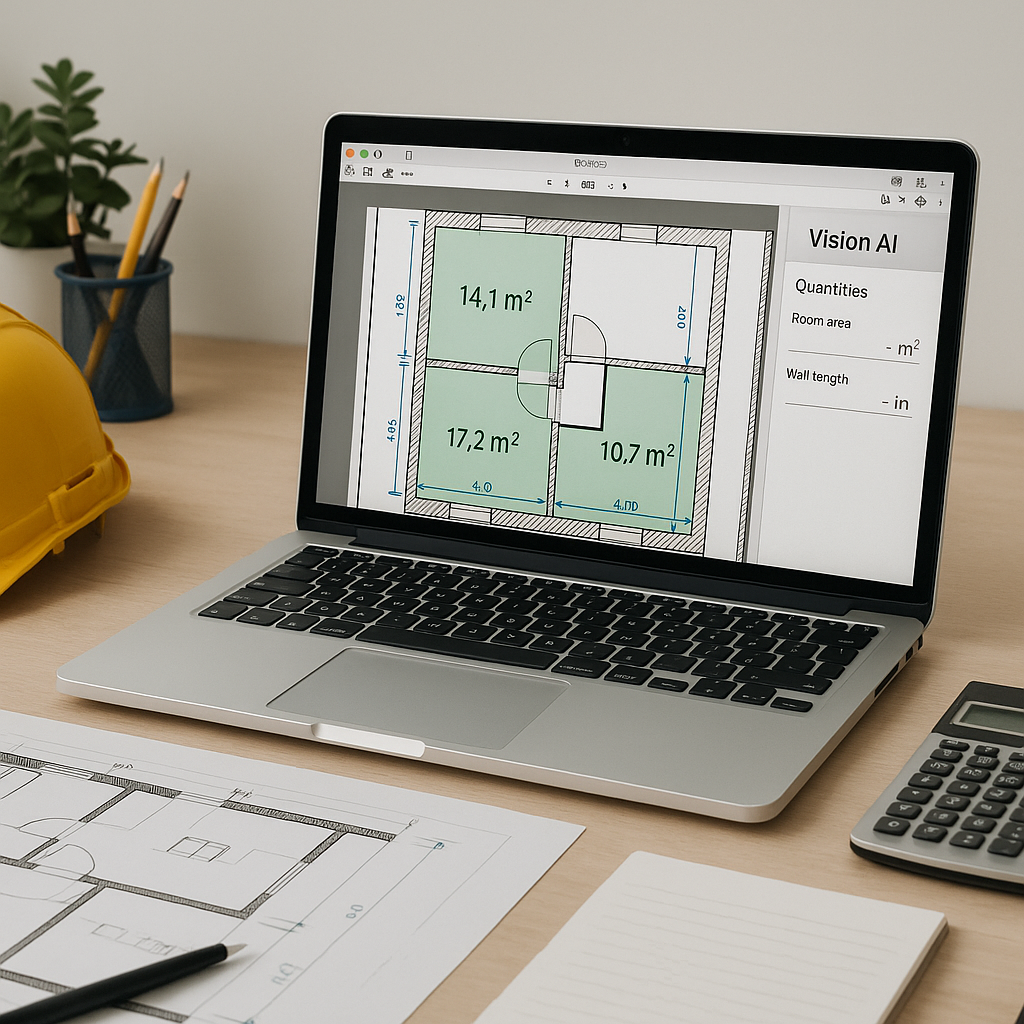
Estimators don’t need to spend hours tracing drawings anymore. Tools like Vision AI (available in EstimateNext) extract quantities directly from PDF or CAD files much faster than manual methods.
Here’s how it works:
- Upload the Drawings: Drop your PDFs into the platform. It reads them like a human—identifying rooms, walls, doors, and other elements.
- AI Extraction: Vision AI calculates areas, lengths, and counts automatically. For example, it might give you the square footage of a room or the number of windows on a floor.
- Review and Adjust: The tool flags items for review, allowing you to manually verify or adjust quantities as needed.
- Audit Trail: Every adjustment gets logged, so there’s no mystery about who changed what.
Let’s be clear: AI doesn’t replace human judgment. It’s not perfect, and you’ll still need to review the output. But it eliminates the grunt work—tracing, counting, double-checking—and frees you to focus on high-value tasks like bid strategy and scope negotiation.
Common Objections: “AI Can’t Think Like an Estimator”
You might be thinking, “Sure, AI is fast, but it doesn’t understand the nuances of construction.” That’s true—AI doesn’t know your markup strategy or how subcontractors price labor. But it doesn’t need to.
Think of AI as an assistant. It handles the repetitive stuff so you can focus on decisions that require expertise. Missed quantities? Fixed. Hours wasted tracing drawings? Gone. You still call the shots; the AI just speeds up the process.
What to Watch For: Avoiding Common Mistakes with AI Takeoffs
- Bad Inputs = Bad Outputs: AI relies on clean drawings. If your PDFs are blurry or inconsistent, expect to spend extra time reviewing the output.
- Overconfidence: Don’t trust the AI blindly. Review flagged items and cross-check key quantities.
- Learning Curve: It takes a few projects to get comfortable with AI tools, but the payoff is worth it. Most teams master the basics within a short period.
Call to Action: Try AI-Powered Takeoffs Today
If your team spends days on manual takeoffs, AI tools like Vision AI can change the game. Test it on your next bid and see the difference. Get started free →