The Pain of Manual Rate Lookups
Every estimator knows the drill: flipping through thick rate books or scrolling endlessly through PDFs to find that one line item. Need a labor rate for installing glazed tiles? Good luck if your catalog index isn’t clear. Multiply this by dozens (or hundreds) of items in a Bill of Quantities (BOQ), and you’ve burned hours, maybe even days. Worse, manual entry errors creep in, requiring rework and further delays.
This process is inefficient and error-prone, but many of us have just accepted it as part of the job. Why? Because until recently, there wasn’t a better way. Now, AI-powered rate matching is rewriting the rules.
What Exactly is AI-Powered Rate Matching?
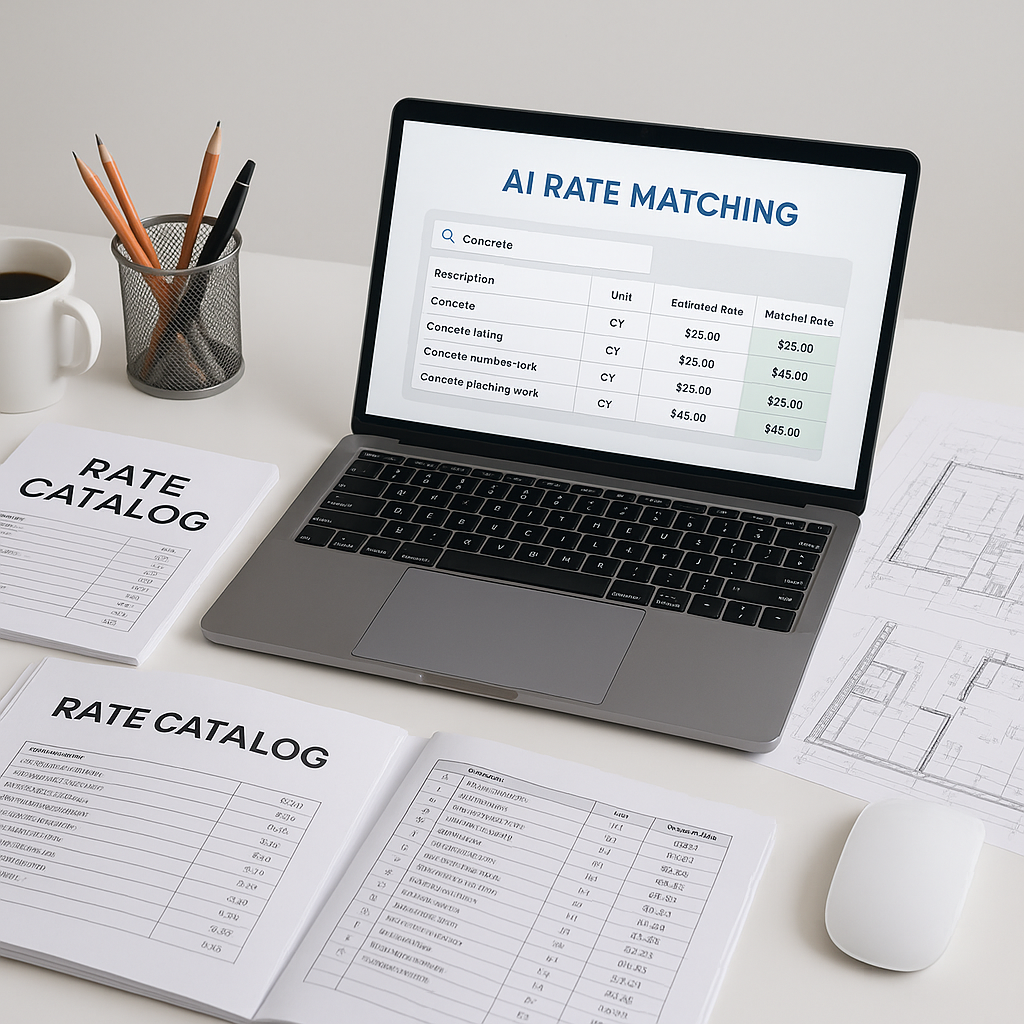
Think of AI-powered rate matching as your personal assistant for pulling rates. Instead of hunting through a 2,000-page CPWD DSR or RSMeans book, you upload your BOQ to a tool. The AI scans your BOQ, understands the items listed, and matches them to the most relevant rates from a library of items across multiple catalogs.
It doesn’t stop there. Have a custom rate you’ve used in previous projects? The AI remembers that and considers it for future matches. Need to adjust for inflation or specific location factors? The system can handle that too, applying country-specific or even city-specific cost adjustments.
Illustrative Example: Saving Time and Reducing Errors
Let’s say you’re an estimator working on a large office building project. You’re tasked with pricing the BOQ, which includes hundreds of line items—from concrete pouring to HVAC ducts to fire protection systems. Here’s how AI-powered rate matching changes the game:
- Upload Your BOQ: Drag and drop your Excel or PDF file into the platform.
- Automated Matching: The AI matches your BOQ items to the most relevant rates, such as a rate for “supply and installation of steel rebars” based on a catalog or your own historical rates.
- Custom Adjustments: Adjust for labor costs in your specific region.
- Output: Get a complete, priced BOQ in a fraction of the time it would take manually.
Compare that to the old way: manually looking up rates, cross-checking them, and entering them into a spreadsheet. That could take hours or even days per BOQ. With AI, the process is significantly faster.
Common Objections: “Can AI Really Be Trusted?”
You might be thinking, “Sure, AI is fast, but can it be as accurate as manual work?”
Fair question. The reality is that AI isn’t perfect, but it’s far more reliable than people give it credit for. Users often see accuracy improvements over time as the system learns. Every correction or manual adjustment you make feeds back into the AI, making it smarter for the next project.
And let’s be honest. Human estimators aren’t perfect either. A simple typo or a missed line item can tank the accuracy of a bid. AI doesn’t get tired or distracted, and it provides a built-in audit trail so you can trace every rate back to its source.
Practical Tips for Getting Started
If you’re considering AI-powered rate matching, here’s how to make the transition smoother:
- Start with a Small Project: Choose a low-risk project to test the tool. This will help your team get comfortable with its features.
- Upload Your Own Rate Catalogs: If you’ve got custom rates or specialized items, add them to the system. Most tools let you do this easily.
- Train Your Team: AI tools are designed to be user-friendly, but a quick training session can go a long way. Most teams get the hang of it quickly.
- Set Up Feedback Loops: Use the tool’s feedback mechanism to flag mismatched rates or suggest adjustments. This helps the AI improve over time.
What to Watch For
Not every AI tool is created equal. Here are some red flags to avoid:
- Limited Catalogs: If the tool doesn’t support your local rate books or trade catalogs, it’s not going to be useful.
- Lack of Customization: Make sure you can upload your own rates and adjust for specific project needs.
- No Audit Trail: If you can’t trace where a rate came from, you’re setting yourself up for disputes later.
FAQ
Q: What if my projects use multiple rate catalogs?
A: Top AI tools can handle this. They support multiple catalogs and even cross-reference them for accuracy.
Q: Can AI tools integrate with my existing software?
A: Yes. Many AI tools integrate with platforms like Procore and Autodesk Build, so your workflows stay seamless.
Q: How do I know the rates are correct?
A: AI-powered tools provide an audit trail for every rate, showing its source and any adjustments made. You can always verify and override if needed.
Q: Is AI suitable for small contractors?
A: Absolutely. AI tools scale to projects of all sizes, from small renovations to large infrastructure projects.
The Bottom Line
Manual rate lookups are a productivity killer. AI-powered rate matching doesn’t just save time; it minimizes errors and gives you data you can trust. Imagine what your team could achieve with those saved hours—more bids, better negotiations, and fewer sleepless nights.
If you’re tired of wasting time on manual work, AI-powered tools could be the solution. Upload your first BOQ and explore how much easier estimation can be.