The Takeoff Time Sink: A Problem We All Know
Preconstruction estimation isn’t glamorous. If you’ve ever spent hours manually measuring quantities from drawings, you know how mind-numbing takeoffs can be. And let’s be honest—it’s not just the time. The longer it takes, the more errors creep in. Miscount a few doors, over-measure a wall length, or miss a revision, and you end up with a bid that’s either losing money or pricing yourself out.
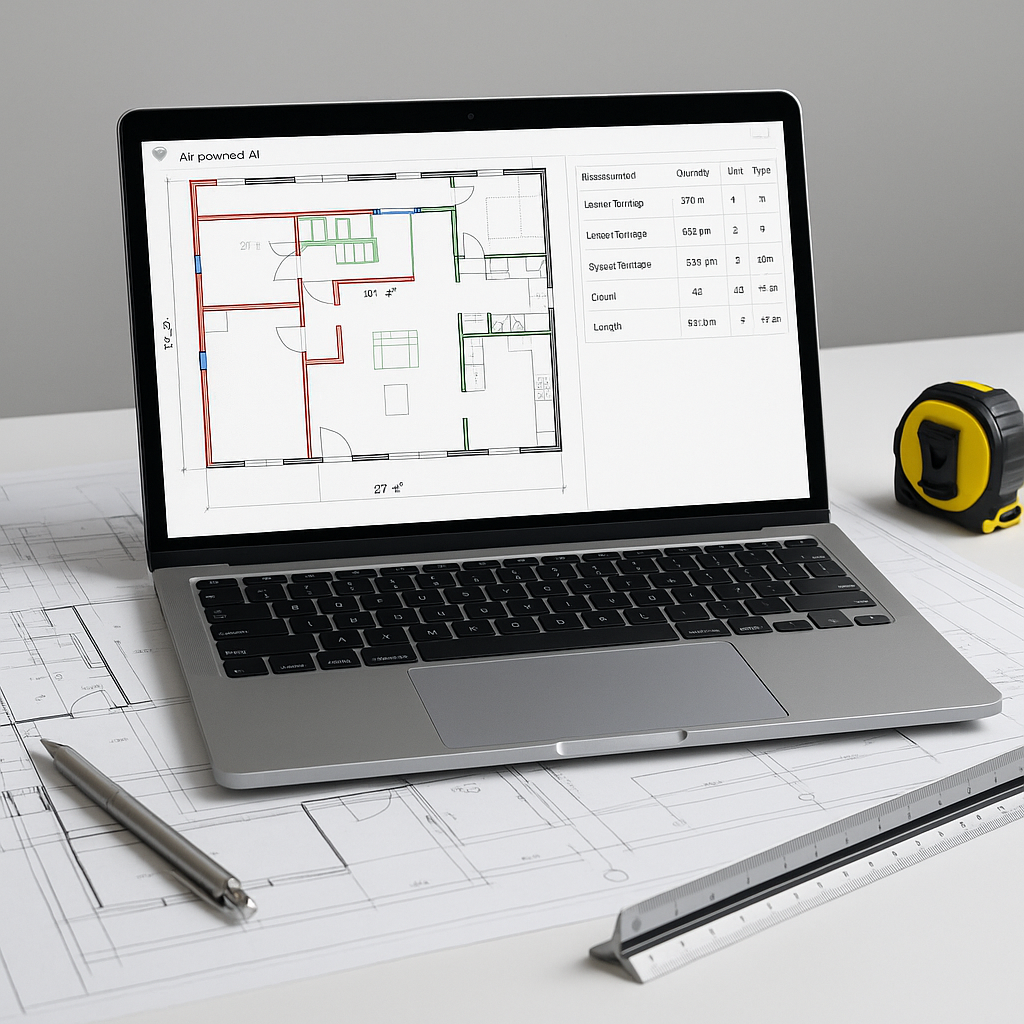
AI-powered takeoff tools aim to address this challenge. These tools use Vision AI to read PDF drawings and extract quantities automatically. Think room areas, wall lengths, door/window counts—all parsed with efficiency.
How Does AI Takeoff Work?
Here’s the process:
- Upload your drawings: Any PDF or image set works. Forget proprietary file formats.
- Calibrate measurements: You set the scale once (e.g., 1:100 or 1:50), and the tool handles the rest.
- AI extraction: The system scans the drawings and identifies areas, lengths, counts, or other quantities based on the drawing’s annotations.
- Manual overrides: For low-confidence lines or tricky edges, you can review and adjust.
The result? A complete quantity takeoff in significantly less time compared to manual methods.
What Makes AI Different?
You might be skeptical. “Sure, AI is fast, but it doesn’t understand construction like a human does.” That’s fair—AI isn’t perfect. It’s not going to spot a missing spec or notice that the client marked up the drawing with a pen after issuing it.
But here’s the thing: AI doesn’t replace your expertise; it amplifies it. You’re still making judgment calls, negotiating with subs, and deciding on markups. The AI just handles the grunt work. That’s the real win.
Benefits of AI-Powered Takeoff Tools
AI-powered tools can:
- Reduce the time spent on manual measurements.
- Minimize errors caused by human oversight.
- Allow estimators to focus on higher-value tasks like bid strategy and subcontractor negotiations.
Common Mistakes When Using AI Takeoff Tools
AI isn’t magic. You’ll still need to avoid these pitfalls:
- Bad input data: Garbage in, garbage out. Upload clean, high-resolution drawings.
- Skipping calibration: If the scale is off, every measurement will be wrong. Double-check calibration.
- Ignoring low-confidence lines: AI highlights uncertainties. Don’t skip reviewing them.
- Over-relying on automation: Always cross-check critical quantities manually.
FAQ
Q: Are AI takeoff tools accurate?
AI tools are designed to be highly accurate, but accuracy depends on the quality of input data and human reviews.
Q: Can AI handle complex drawings?
Yes. AI works well with both simple and complex drawings, including annotated PDFs. For highly detailed designs, manual overrides may still be needed.
Q: Do AI tools work for smaller projects?
Absolutely. Whether it’s a small renovation or a large infrastructure project, AI scales to any project size.
Q: How hard is it to learn?
Most platforms are intuitive. Training typically takes a short amount of time, and many tools integrate with existing software like Bluebeam and Procore.
Why Takeoff Speed Matters
Fast takeoffs don’t just save time—they unlock more opportunities. You can bid on more projects, respond to changes quickly, and spend your time on strategy instead of tedious measurements.
If your team is stuck in manual workflows, it’s time to rethink how you approach preconstruction estimation. AI-powered tools can help you achieve more output without adding headcount.