The Problem: Manual Takeoffs Are Killing Productivity
Imagine this: your team spends 40 hours tracing drawings by hand just to extract quantities. That’s two full workdays for two estimators. In tight bid timelines, that’s a luxury most preconstruction teams don’t have.
But this isn’t rare—it’s the norm. A 2023 McKinsey report found that construction teams lose up to 30% of project time on manual workflows. And manual takeoffs are among the worst offenders. They’re slow, prone to errors, and eat up bandwidth that could be spent on higher-value tasks like bid strategy or subcontractor negotiations.
Why does this happen? Because most teams still rely on outdated tools like Bluebeam, Excel, and physical drawings. Sure, Bluebeam lets you measure, but it’s not automated. You’re still clicking through every line.
Real-World Consequences of Manual Takeoffs
Let’s put this into perspective. Say you’re a general contractor (GC) bidding on a $5M office renovation. Your team spends a week on manual takeoffs, only to realize you miscounted HVAC ducts due to a rushed process. That mistake could cost you tens of thousands of dollars—or worse, the entire bid. A 2022 Dodge Construction Network study highlighted that 56% of contractors cited manual errors in takeoffs as a primary reason for profit erosion.
Another example: a mid-sized subcontractor working on a school project. They manually calculated concrete volumes for the foundation, only to discover—after pouring—that they were short by 15%. The result? Delays, additional costs, and strained relationships with the GC.
The Fix: AI-Powered Takeoffs
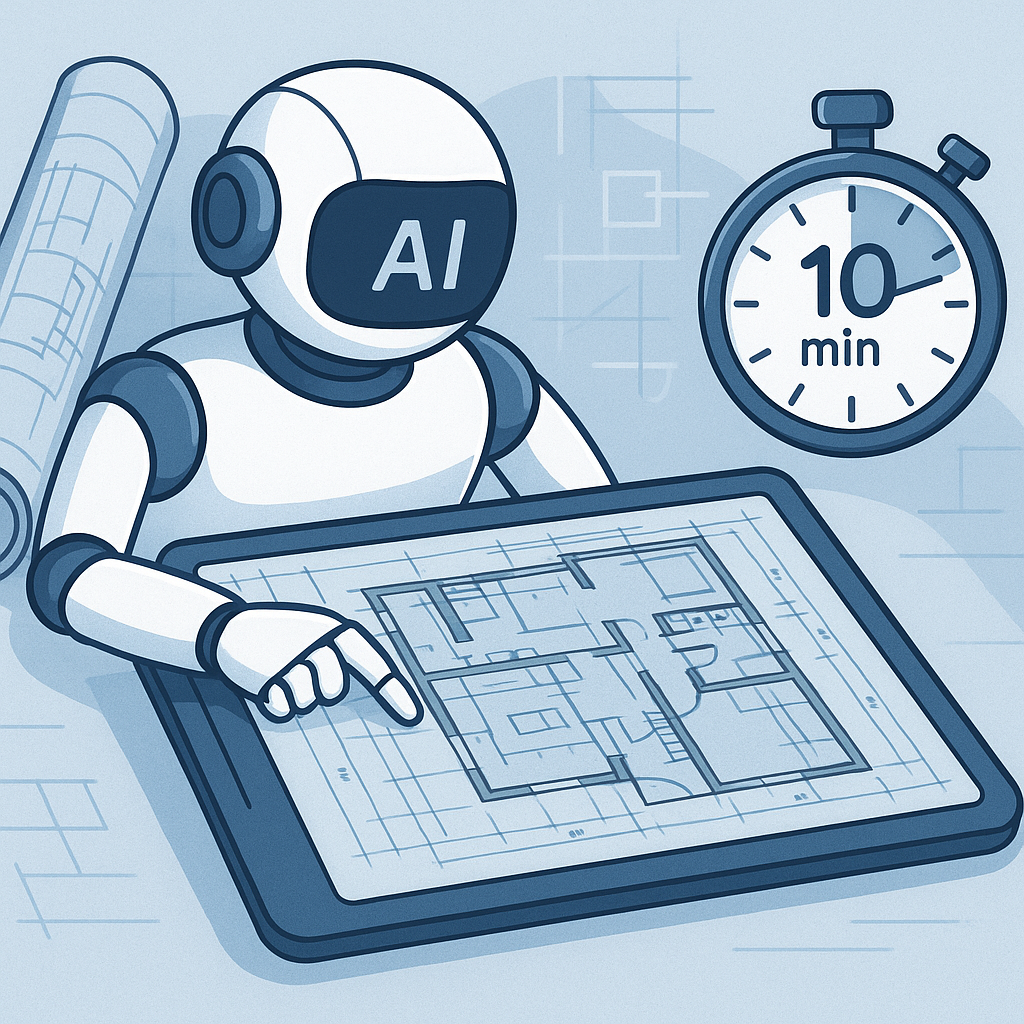
Here’s where AI changes the game. Tools like EstimateNext’s Vision AI can extract quantities directly from PDF drawings in just 10 minutes. Yes, you read that right—10 minutes.
How AI Takeoffs Work
- Document Upload: You upload your project’s PDF drawings into the AI platform.
- AI Detection: The AI scans the drawings, identifying dimensions, symbols, and annotations.
- Data Extraction: It calculates areas, lengths, and counts for key components like walls, doors, windows, beams, pipes, or electrical outlets.
- Confidence Scoring: The AI flags low-confidence areas for human review, ensuring accuracy.
- Export: The final takeoff data is exportable to tools like Excel, Procore, or your estimating software.
Case Study: A Mid-Sized GC’s Time Savings
Take a mid-sized GC bidding on a 15-story commercial high-rise. Traditionally, their team of four estimators would spend two weeks on manual takeoffs, totaling 320 hours. When they switched to an AI-powered solution, the takeoff was completed in under 10 hours. That’s 310 hours saved—equivalent to $40,300 in labor costs (assuming $130/hour). Not only did they meet their bid deadline comfortably, but they also had time to refine their pricing, ultimately winning the project.
Why It Matters
Speed
AI-powered tools slash takeoff times from days to hours. For example, a $10M hospital renovation that once took 50 hours to manually measure and count can now be completed in under 5 hours. That’s a 90% time reduction.
Accuracy
Accuracy improves too. Manual takeoffs can miss dimensions or miscalculate areas—especially under deadline pressure. AI tools have built-in confidence scoring and audit trails, so you know exactly where adjustments were made.
Scalability
Whether you’re pricing a $1M office fit-out or a $1B infrastructure project, the AI handles it all. It’s not limited by project size. A small subcontractor can use the same tools as a national GC without needing to hire more staff.
The Obvious Objection: “AI Can’t Think Like Us”
You might be skeptical. “Sure, AI is fast, but it doesn’t understand the nuances of construction.” That’s partially true—but it’s also missing the point.
The Human-AI Partnership
AI doesn’t replace expertise; it amplifies it. You’re still the one making judgment calls, negotiating with subs, and deciding on markup. The AI just handles the grunt work—like takeoffs, rate matching, and what-if recalculations. It’s a tool, not a replacement.
For example, while AI can calculate quantities for a curtain wall, it can’t decide which glazing system is best for energy efficiency. That’s where your expertise comes in.
How to Get Started
Switching to AI takeoffs is easier than you think. Most platforms, including EstimateNext, are designed for quick onboarding. Training takes less than two weeks, and you can start with smaller projects to test accuracy before scaling up.
Actionable Steps to Implement AI Takeoffs
- Start Small: Begin with one or two smaller projects to test the tool’s accuracy and learn its interface.
- Train Your Team: Dedicate time for training. Most platforms offer webinars, video tutorials, and live support.
- Test Compatibility: Ensure the platform integrates with your existing tools like Procore, Bluebeam, or Excel.
- Establish a Review Process: Even with AI, human oversight is critical. Set up a process to review flagged low-confidence areas.
- Measure ROI: Track time saved and error reductions. Use this data to justify further investment in AI tools.
Comparison Table: Manual vs. AI-Powered Takeoffs
| Feature | Manual Takeoffs | AI-Powered Takeoffs |
|---|---|---|
| Time Required | 40-80 hours per project | 1-10 hours per project |
| Accuracy | Prone to human error | Confidence scoring ensures >90% accuracy |
| Scalability | Limited by team size | Handles projects of any size |
| Cost Efficiency | High labor costs | Lower labor costs, faster ROI |
| Error Detection | Manual checks required | Automated flagging of low-confidence areas |
FAQ
Q: How accurate are AI-powered takeoffs compared to manual ones?
AI tools reduce takeoff discrepancies by up to 80%, according to EstimateNext’s case studies. However, accuracy depends on data quality, so human oversight is still essential.
Q: Can AI handle complex drawings?
Yes. Vision AI processes multi-page PDFs and revision sets, comparing changes between versions. It’s particularly useful for large infrastructure projects or complex MEP systems.
Q: Do AI tools work for smaller projects?
Absolutely. AI scales to any project size, whether it’s a $200K fit-out or a $1B rail bridge. Smaller contractors can benefit just as much as larger firms.
Q: Is AI hard to learn?
No. Most platforms have intuitive interfaces designed for estimators—not coders. Training typically takes under two weeks. Many offer free trials to help teams get comfortable.
Q: What’s the ROI for investing in AI estimation tools?
A 2023 McKinsey report found that early adopters of AI in construction see average cost savings of 10-20% per project. For a GC director, the time saved alone is worth it—40 hours saved at $130/hr equals $5,200 per bid. Over multiple projects, these savings compound significantly.
Ready to Save 40 Hours per Bid?
If you’re tired of wasting time on manual takeoffs, AI-powered tools like EstimateNext can help. With faster turnarounds, fewer errors, and scalable solutions, now’s the time to make the switch.