I Used to Think Bookkeeping Was Just Tracking Costs
If you’d asked me a few years ago, I’d have told you construction bookkeeping was simple. Track payments, match invoices, and categorize expenses. Sure, it’s tedious, but as long as you’ve got a halfway decent accounting software, what’s the big deal? The real action, I thought, was in estimation—pricing out bids, tweaking margins, and figuring out how to win projects. Bookkeeping? That’s just paperwork.
I was wrong.
The Moment That Changed It
It was 2024, and I was sitting with a mid-sized contractor in Mumbai. They’d just finished pricing out a ₹50 crore public works project. Using their standard stack—Excel for the BOQ, CPWD schedules for rates, and Tally for accounting—they had a detailed estimate ready. But when I asked how they’d handle financial projections if they won the bid, the room got quiet.
“Projections?” the lead estimator finally said. “We just see how it goes.”
That stuck with me. Here was a company that could price a project down to the last rupee but couldn’t connect those numbers to their financial books. They didn’t know how much cash they’d need to float labor costs or whether their profit margin would survive a 10% material price hike. And they weren’t alone. I’ve seen this same disconnect in contractors from Bengaluru to Boston.
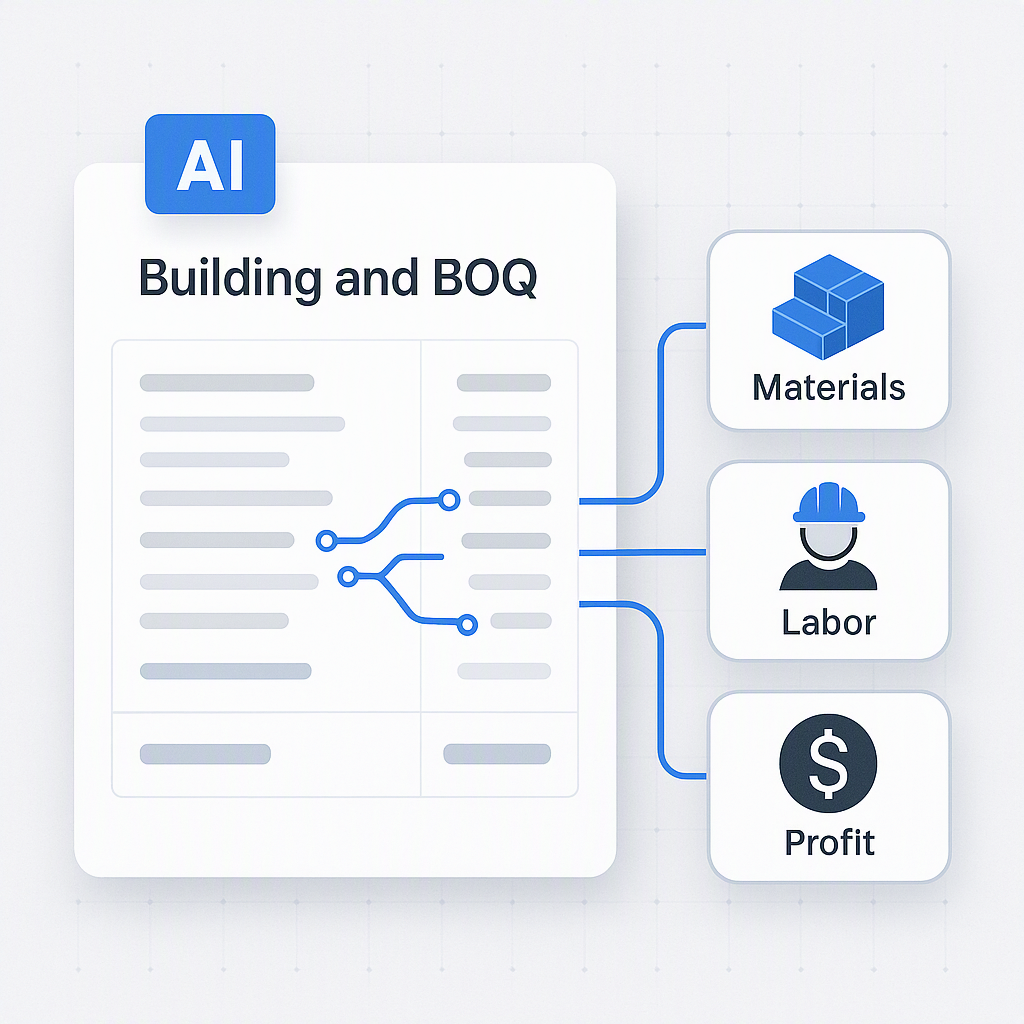
What changed my mind was seeing how tools like EstimateNext could bridge the gap. When I saw it handle a BOQ upload and output not just a priced estimate but also a financial breakdown—material costs, labor, overheads, and profit margins—it clicked. Bookkeeping isn’t an afterthought. It’s part of the same workflow.
Why I Got It Wrong for So Long
First, construction bookkeeping doesn’t look like traditional accounting. It’s messy. Costs aren’t static; they shift with every delayed shipment, change order, or labor dispute. Job costing—a critical part of construction bookkeeping—has to track expenses at the project level (not just the company level), and that’s a whole different ballgame.
Second, the tools most contractors use don’t help. Excel and Tally are great for general tasks, but they don’t talk to each other. Estimators work in one silo, accountants in another, and neither has visibility into the other’s work. It’s no wonder most contractors view bookkeeping as a necessary evil rather than a strategic asset.
Finally, I underestimated how much time this disconnect wastes. According to Proledge, contractors spend up to 20 hours a month reconciling project costs manually. That’s 240 hours a year—a full month’s worth of work—for something that could be automated.
What I Do Differently Now
Today, I think about construction bookkeeping as an extension of estimation. Here’s what I recommend:
1. Start with the BOQ
The Bill of Quantities (BOQ) isn’t just for pricing; it’s the foundation for your financials. Tools like EstimateNext can map BOQ line items to cost categories—materials, labor, overheads—automatically. This creates a direct link between your estimate and your books.
Actionable steps:
- Ensure your BOQ includes granular details for all project components, from materials to subcontractor costs.
- Use software that integrates BOQ and accounting workflows to avoid manual entry errors.
- Regularly update your BOQ templates to reflect changing industry standards and unique project requirements.
2. Integrate Job Costing Early
Don’t wait until the project is underway to set up cost codes. Use estimation data to predefine categories like “concrete labor” or “HVAC materials.” This makes tracking expenses in real-time much easier.
Actionable steps:
- Before a project starts, create a detailed cost code list that matches your BOQ categories.
- Train your team to input expenses against these codes consistently.
- Use software that provides real-time dashboards showing project-level costs.
3. Use AI for Rate Adjustments
If you’re working with CPWD schedules or RSMeans, manual rate lookups are a time sink. EstimateNext’s semantic search pulls matching rates in seconds, and its inflation uplift feature adjusts for market changes automatically. This ensures your estimates—and your books—stay accurate.
Actionable steps:
- Leverage AI tools to automate rate adjustments based on regional and global market trends.
- Validate AI-generated rates periodically to ensure compliance with industry norms.
- Use multiple sources (e.g., RSMeans, CPWD schedules, vendor quotes) for benchmarking rates.
4. Automate Reporting
One of the hardest parts of construction bookkeeping is generating compliant reports for lenders or government agencies. AI tools can produce summaries that break down costs by category, show profit margins, and even calculate taxes.
Actionable steps:
- Identify reporting requirements specific to your projects (e.g., government compliance, bank loan requisites).
- Use tools that allow custom report generation based on predefined templates.
- Schedule automated report generation at regular intervals to keep stakeholders updated.
5. Close the Feedback Loop
After a project wraps, import realized costs back into your estimation tool. This helps refine future estimates and ensures your books reflect actual performance, not just projections.
Actionable steps:
- Analyze variances between estimated and actual costs after project completion.
- Use this data to identify recurring cost overruns (e.g., underestimating labor hours).
- Update your BOQ templates and cost codes based on insights from completed projects.
Comparison Table: Bookkeeping Tools for Contractors
| Feature | EstimateNext | Tally | Excel |
|---|---|---|---|
| BOQ Integration | ✅ Automated | ❌ Limited | ❌ Manual |
| Job Costing | ✅ Real-time | ✅ Manual | ❌ None |
| AI Rate Adjustment | ✅ Advanced | ❌ None | ❌ None |
| Reporting Automation | ✅ Customizable | ✅ Limited | ❌ Manual |
| Ease of Use | ✅ User-friendly | ✅ Moderate | ✅ Familiar |
| Price | ₹1,999/month | ₹540/year | Free |
What I’m Still Figuring Out
Even with these changes, there are challenges. AI tools like EstimateNext can automate a lot, but they’re only as good as the data you feed them. If your BOQ is incomplete or your cost codes are inconsistent, the insights you get will be flawed.
Then there’s adoption. Smaller contractors often can’t justify the cost of new software, even if it’s as affordable as ₹1,999/month in India. Convincing them that the ROI is worth it is an uphill battle.
Finally, I’m still not sure how to handle edge cases—like projects with highly variable costs or international contracts with complex tax rules. These require a level of customization that even the best tools can’t always deliver.
Closing Thoughts
If you’ve been treating bookkeeping as an afterthought, it’s time to rethink your approach. Tools like EstimateNext can help you connect estimation data directly to your financial workflows, saving time and reducing errors.