AI-Powered Preconstruction Estimation: How Rate Matching Works
Manual rate lookup is a time sink. If you've ever spent hours flipping through RSMeans or a 2,000-page CPWD DSR PDF, you know exactly how painful it is. Need a rate for a specific material or labor category? Prepare for endless scrolling, squinting at tiny text, and praying you don’t miss a critical note buried in a footnote. And if you’re working on a multi-market project? Good luck juggling different rate catalogs and measurement standards.
This is precisely the kind of grunt work that AI is built to handle. Tools like EstimateNext have introduced AI-powered rate matching to cut this process down from hours to seconds. But how does it work, and more importantly, how can you actually use it to save time and improve accuracy? Let’s break it down.
The Problem: Manual Rate Lookup Is Painfully Slow
Estimators rely on standardized rate catalogs to price their bids. Whether it’s RSMeans in the U.S., CPWD DSR in India, or BCIS NRM2 in the UK, the process is usually the same:
- Find the right catalog (or multiple catalogs if you're working across regions).
- Search for the relevant rate for each item in your Bill of Quantities (BOQ).
- Manually adjust for inflation, location, and project-specific nuances.
- Double-check for errors, because a single missed note can throw off your entire estimate.
This process can take significant time for a medium-sized project. If you’re a GC preconstruction director overseeing multiple GMP pursuits a year, that’s a lot of hours lost to flipping through PDFs and spreadsheets. And let’s be honest—those hours could be better spent on higher-value tasks, like reviewing scope gaps or negotiating with subs.
The AI-Powered Solution: How Rate Matching Works
AI-powered tools like EstimateNext streamline this entire process with semantic search and self-learning algorithms. Here’s how:
-
Upload Your BOQ: Start by uploading your BOQ in Excel, CSV, or even PDF format. The AI automatically parses the file, recognizing merged cells, section headers, and hierarchies. No need to spend an hour formatting your spreadsheet.
-
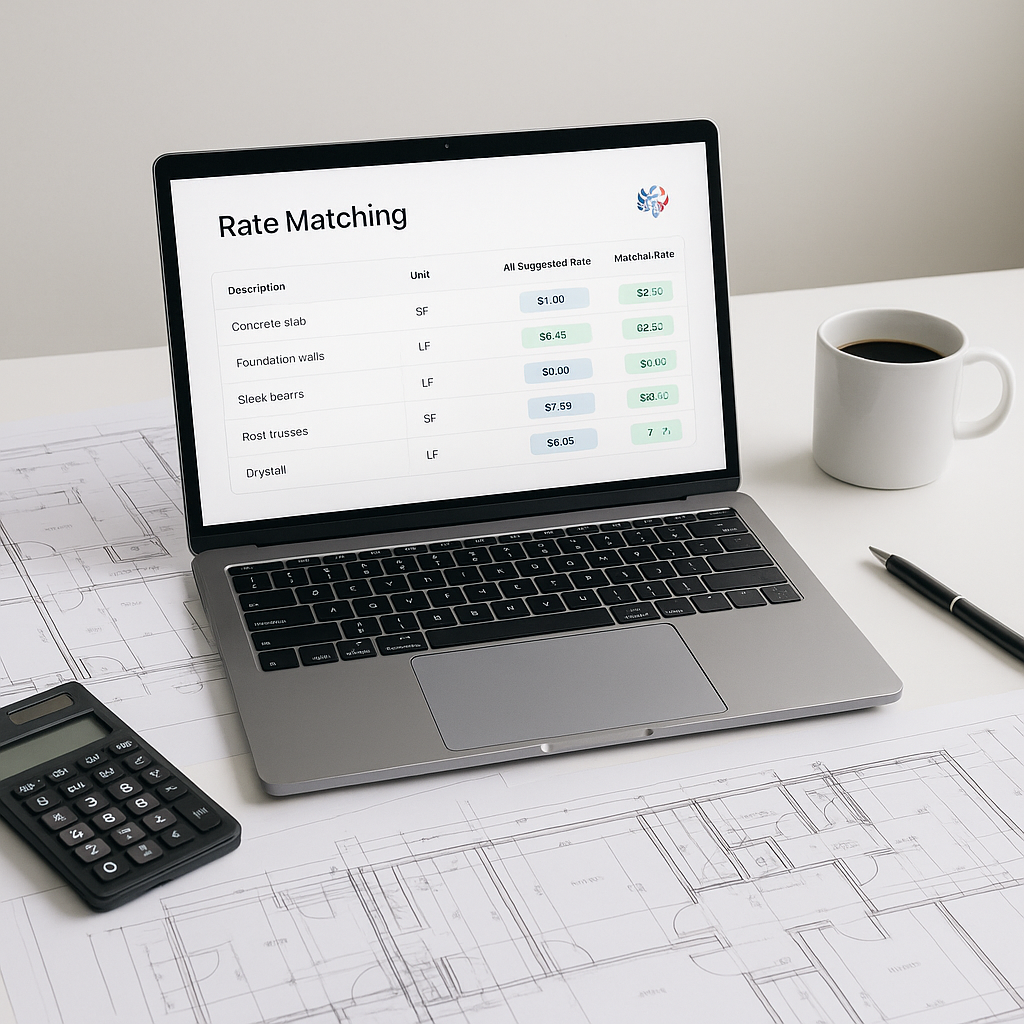
Semantic Rate Matching: Instead of searching for an exact text match (which can be a nightmare with inconsistent terminology), the AI uses semantic search to understand the intent behind your query. For example, if you type “12mm TMT bar,” the AI will recognize it as a steel reinforcement bar and instantly pull the relevant rate from your specified catalog.
-
Multi-Catalog Search: Working across regions? No problem. The AI can scan multiple catalogs simultaneously, whether it’s CPWD DSR, RSMeans, or AECOM Middle East rates. It even adjusts for location-based cost indices automatically.
-
Custom Rate Integration: Got your own rate database or project-specific adjustments? Upload them to the system, and the AI integrates them seamlessly. Over time, the tool learns from your inputs, so the more you use it, the smarter it gets.
-
Inflation and Cost Factors: The AI applies inflation adjustments based on catalog year and location. You can also configure custom overhead, profit, and wastage percentages, which are applied automatically.
-
Audit Trail: Every rate match comes with an audit trail, so you can see exactly how it was calculated and make adjustments if needed.
Illustrative Example: Saving Time with AI Rate Matching
Illustrative example — A contractor working on a high-rise construction project with a BOQ containing over 300 line items needed rates from multiple catalogs. Manually, this process would have taken significant time. With AI-powered rate matching, the system processed the entire BOQ in minutes. The contractor was able to reallocate the saved time to reviewing subcontractor quotes and fine-tuning their bid strategy.
While the AI flagged some low-confidence matches for manual review, the overall process was completed much faster than manual methods.
Common Questions About AI Rate Matching
1. How accurate are AI-generated rate matches?
AI-generated rate matches can be highly accurate when trained on relevant data. However, human oversight is still critical, especially for project-specific or non-standard items. Good tools include options for manual review and adjustment.
2. Can AI handle custom rates?
Yes. You can upload your own rate catalogs or define custom rates for specific items. The AI integrates these into its database and improves its performance with continued use.
3. Does this work for multi-market projects?
Absolutely. Tools like EstimateNext can handle different measurement standards (CSI, CPWD, CESMM3, etc.) and adjust for location-based cost indices, tax regimes, and labor rules.
4. Is it hard to learn?
AI tools are designed to be user-friendly, but training and practice are essential to maximize their utility.
5. What if my BOQ is messy?
AI tools are designed to handle messy inputs. They can detect and correct formatting issues, identify merged cells, and organize your BOQ into a structured hierarchy automatically.
Common Mistakes to Avoid
-
Over-relying on AI: Remember, AI is a tool, not a replacement for your expertise. Always review low-confidence matches and double-check critical rates.
-
Skipping Customization: If you don’t upload your own rate catalogs or adjust for project-specific factors, you’re leaving money on the table.
-
Ignoring Training: Even the best tools have a learning curve. Make sure your team knows how to use the platform effectively.
-
Not Verifying Output: While AI is highly accurate, it’s not infallible. Always validate the results, especially for high-stakes projects.
Final Thoughts
AI-powered rate matching isn’t just about saving time. It’s about making your estimates more accurate, consistent, and scalable. Whether you’re a GC director managing multi-million-dollar bids or a subcontractor racing to meet a tight deadline, the potential benefits are significant.
If you’re tired of manual rate lookup, tools like EstimateNext can help.