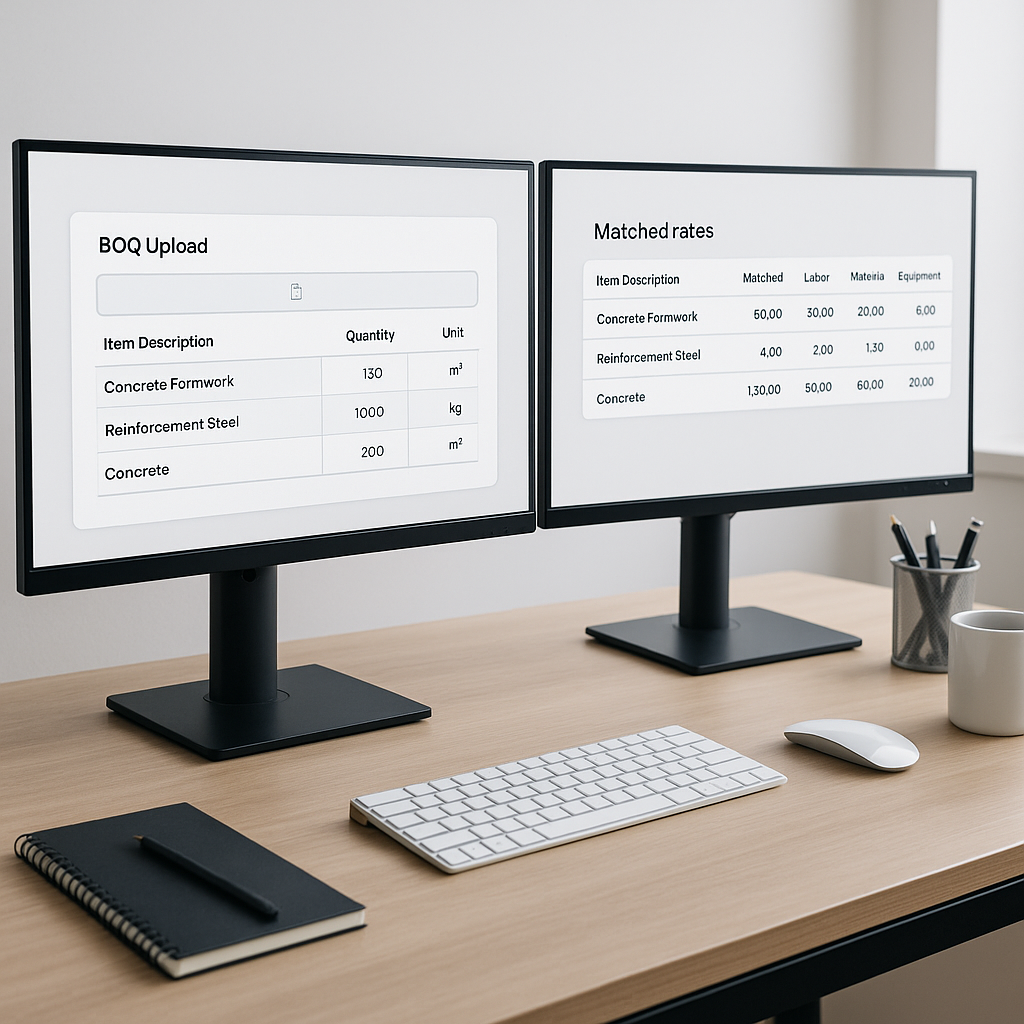
The Hidden Bottleneck in Estimation: Rate Matching
Every estimator knows this grind. You’re staring at a 2,000-page rate book, flipping through pages to find a labor rate for installing something like pre-stressed concrete girders. Even if you know the section, cross-referencing material, labor, and equipment costs can eat up hours. Multiply that by dozens of line items, and suddenly you’ve lost an entire day on basic rate lookup.
But it’s not just time wasted—it’s accuracy lost. Humans aren’t perfect, especially when pulling rates from outdated catalogs or juggling multiple formats (PDFs, spreadsheets, handwritten notes). One slip-up, and the project margin takes a hit.
Why does this matter? Because in competitive bidding, precision isn’t optional—it’s everything. If your rates are off by even 5%, you could lose the job or worse, win it and bleed money later. The hidden bottleneck isn’t just frustrating—it’s expensive.
Why Manual Rate Matching Fails
Let’s break down the key issues with manual rate matching:
- Time Drain: Even experienced estimators can spend hours manually flipping through rate books, especially when dealing with complex projects.
- Error-Prone Process: Misreading a catalog, overlooking inflation adjustments, or applying the wrong regional rates can lead to costly mistakes.
- Lack of Transparency: Without a clear audit trail, it’s hard to explain or defend estimates during reviews.
- Inconsistent Updates: Many rate books aren’t updated regularly, leaving you to manually apply inflation factors or regional adjustments.
The bottom line? Manual rate matching is a slow, error-prone process that drains resources and puts your bids at risk.
How AI Rate Matching Fixes These Pain Points
AI-powered rate matching tools, like those in EstimateNext, take this headache off your plate. Here’s how they work:
1. Semantic Search Across Catalogs
Instead of manually flipping pages, AI scans vast databases of Standard Schedule of Rates (SOR) items across catalogs like CPWD DSR, RSMeans, and others. For example, typing “reinforced concrete labor rate” into the search bar instantly pulls matching rates from relevant sections.
Actionable Steps:
- Upload your catalog or select from pre-integrated options.
- Use keywords or specific item descriptions to refine your search.
- Apply filters for region, material type, or labor categories to narrow results further.
2. Custom Catalog Integration
Got unique materials or project-specific rates? No problem. You can upload custom catalogs, and the AI integrates them for future use. Over time, the system learns and becomes smarter.
Actionable Steps:
- Prepare your custom catalog in a standardized format (e.g., CSV or Excel).
- Upload the file to the AI platform and categorize items for better search functionality.
- Review and verify the integration to ensure accuracy.
3. Fallback Logic
If an exact match isn’t found, the AI widens the search. It considers similar items, regional equivalents, or historical rates accepted by users. This ensures you always get usable results, even for niche items.
Actionable Steps:
- Set fallback preferences, such as prioritizing regional rates or historical data.
- Review fallback suggestions and flag mismatches for correction.
- Use the system’s learning capabilities to refine future searches.
4. Audit Trail
Every rate suggested by the AI comes with a detailed breakdown. This includes material, labor, equipment, inflation adjustments, and overhead costs. Transparency is baked into the system, so you don’t just get a number—you get clarity.
Actionable Steps:
- Review the audit trail for each rate to understand its calculation.
- Use the breakdown to justify estimates during bid reviews.
- Flag discrepancies and provide feedback to improve accuracy.
How AI Saves Time and Money
Let’s put this into perspective. On large infrastructure projects, rate matching can eat up hundreds of hours. With AI, this process is reduced to minutes, freeing up estimators to focus on strategy and risk management.
Real-World Savings
Imagine a $1B rail bridge project where rates for everything—from rail ties to structural steel—must come from DOT-approved catalogs. Traditionally, this would take several estimators 12 hours to pull rates. AI tools complete the same task in minutes. Plus, AI flags outdated rates and applies inflation adjustments, preventing costly underpricing.
The result? Hundreds of hours saved, higher bid accuracy, and reduced risk of margin erosion.
Common Questions About AI Rate Matching
Q: How accurate are AI-generated rates?
AI tools like EstimateNext are highly accurate, but they’re not magic. Accuracy depends on the quality of input data—clean catalogs, updated inflation indices, and clear BOQs. That’s why human oversight is still critical.
Q: Can I upload my own rates?
Absolutely. Whether you need to price custom finishes or regional labor costs, you can add your own catalog. The AI integrates these seamlessly for future use.
Q: Does it work for small projects?
Yes. AI rate matching scales to any project size, whether it’s a $1M renovation or a $1B infrastructure bid.
Q: How does it handle outdated rates?
The system lets you apply inflation factors (e.g., CPI adjustments) to older catalog rates. You can set these manually or let AI suggest percentages based on historical data.
Q: What if the AI gets it wrong?
You can flag incorrect matches, and the system learns from your feedback. Most users report significant improvements by the third project.
Common Mistakes in Rate Matching
1. Using Outdated Catalogs
If your rate book hasn’t been updated for inflation, you’re playing a dangerous game. AI tools can help adjust rates automatically, but only if you set the right parameters.
2. Overlooking Scope Variations
Rates often depend on the project’s scope—small changes in quantity or material specs can affect pricing. Always cross-check suggested rates with your BOQ.
3. Skipping Audit Trails
Trust but verify. No matter how good the AI is, review its calculations. The audit trail exists for a reason.
AI Rate Matching vs. Manual Rate Matching
| Feature | Manual Rate Matching | AI Rate Matching |
|---|---|---|
| Time Efficiency | Hours per catalog search | Minutes per catalog search |
| Error Rate | High (human error) | Low (AI-driven accuracy) |
| Scalability | Limited | Scales to any project size |
| Transparency | Limited audit trail | Full audit trail provided |
| Custom Catalogs | Manual integration | Seamless AI integration |
| Fallback Suggestions | None | Regional and historical matches |
Why AI Rate Matching Builds Trust
Estimators often hesitate to trust AI tools, thinking, “But it doesn’t understand the nuances.” That’s fair. AI doesn’t replace your expertise—it amplifies it. You’re still the one making judgment calls, negotiating with subcontractors, and deciding on markup. The AI just handles the grunt work.
In my view, this is the real value of AI in estimation. It frees you up to focus on high-value tasks—strategy, client communication, risk management—without drowning in manual rate lookup.
Call to Action
Tired of wasting hours on manual rate matching? EstimateNext can help. Upload your BOQ and get accurate, AI-powered rates in minutes. Start Free →


